


 Drag to turn it
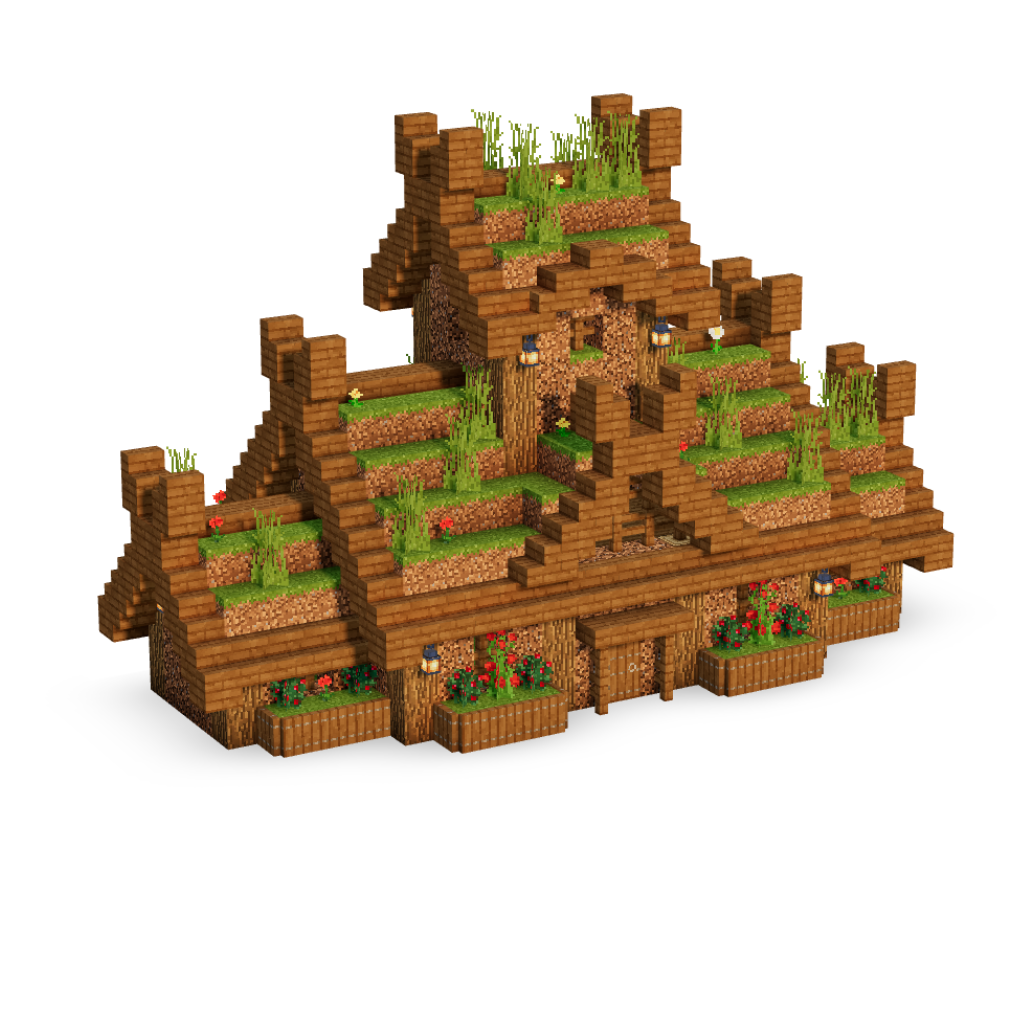
Mosswood Cottage
FreePROFreeA whimsical cottage wrapped in terraced greenery and timber framing, designed to blend naturally into fantasy villages and woodland landscapes. #Houses
- MediumDifficulty
- —Blocks
- —Steps
- ~1 hTime
- 23×12 × 15Size
 By
Where is the code? Open this build on your computer and click Phone remote.
Stop alt-tabbing mid-build
Advance the Build It guide from your phone while Minecraft stays open and in focus.
- 1Turn off Fullscreen in MinecraftSo the guide can sit on top of the game
- 2Float the guideA small window that stays over the game
- 3Pair your phone and buildPress NEXT, never leave Minecraft
- 1Move the guide to your second screenDrag this window over, then go full screen
- 2Pair your phoneScan the code with its camera
- 3Press NEXT as you buildEvery press shows the next blocks
Build it yourself, step by step Build guide Build it step by step
Every block in the order to place it. Step through it at your own pace. Every block in order, at your own pace.
Drag to turn it, wheel-drag to move, scroll to zoom- Turn, move and zoomDrag to turn the build, right-drag or wheel-drag to move it, scroll to zoom.
- Step through itUse the arrows or the bar. Each step shows only the blocks to place next.
- Change the stylePick another look in Style at any step: the blocks and the materials list follow.
- Ghost buildSee the blocks of the next steps faintly, so you know where you are going.
- Use your phone as a remotePair your phone and press NEXT without leaving Minecraft.
Comments
Catalogue
You recently viewed Recently viewed
Jump back into a build you opened.
Free this week
Every week the community votes one PRO build open for everyone.
Every week the community votes one PRO build open for everyone.
- 1Pick a buildLook through the builds in this week's vote and open any of them.
- 2Cast your voteOne vote a week, free with an account. Change it any time before the vote closes.
- 3Weekly winnerThe build with the most votes on Monday wins.
- 4Free for 7 daysEveryone can build it for a whole week. Then it goes back to PRO.
A winner sits out the vote for 2 weeks after its free week.
About the Mosswood Cottage About
The Mosswood Cottage is an overgrown Minecraft cottage build that blends rustic timber architecture with a living landscape of grass, flowers, and greenery. Instead of a conventional roof, much of the upper structure is covered in stepped layers of dirt and grass, creating the appearance of a cottage slowly becoming part of the surrounding terrain. Dark wooden beams frame the irregular shape, while flower boxes, lanterns, exposed logs, tall grass, and small planted terraces bring color and texture to nearly every level.
The unusual roofline gives Mosswood a much more organic silhouette than a typical wooden house. Its different heights, planted sections, and overlapping timber supports make it especially well suited to cottagecore worlds, fantasy forests, woodland villages, and nature-focused survival bases.
Although the layered landscaping looks complex, Build It’s interactive 3D guide makes this an easy Minecraft tutorial to follow piece by piece. Rotating the model is particularly useful for understanding how the grassy roof sections, timber framing, entrances, terraces, and decorative vegetation connect around the cottage.
For players looking for a Minecraft cottage tutorial, overgrown Minecraft house, cottagecore build, or nature-inspired survival home, the Mosswood Cottage offers a distinctive alternative to a traditional roofed house. It can become the centerpiece of an enchanted woodland settlement or blend naturally into a larger forest landscape.
Also known as mosswood cottage, cottage, fantasy cottage, nature house, woodland house, forest house, overgrown house, grass roof house, earth house, hobbit house, burrow house, cottagecore