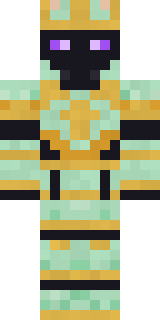
Chess King
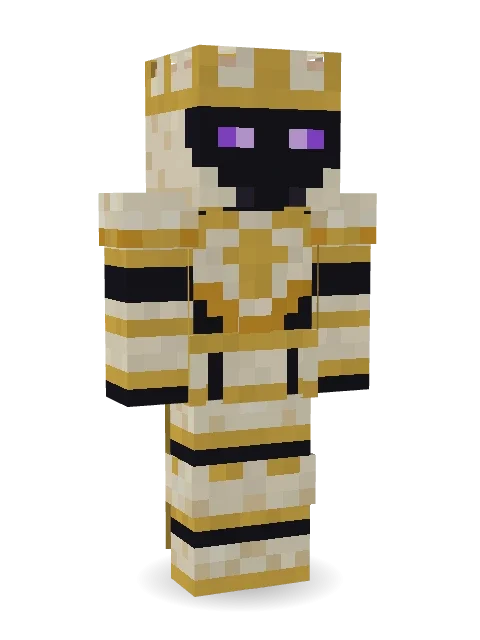
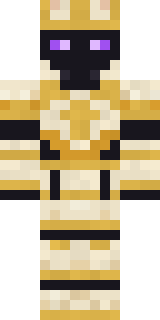
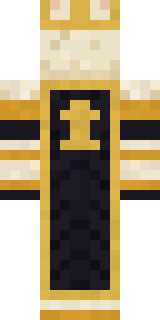
The king of the chessboard in ivory armour trimmed with gold, a crowned helm with glowing purple eyes and a black velvet cape. The king always stands.
How to use this skin
Download it, then follow the steps for where you play.
Minecraft: Java Edition, in the Minecraft Launcher
- Open the Minecraft Launcher and pick Minecraft: Java Edition on the left.
- Open the Skins tab at the top and press New skin.
- Give it a name and choose the player model: Classic.
- Press Browse, pick the PNG you downloaded, then Save & Use.
- Start the game: you are wearing it, on every world and server.
Minecraft: Java Edition, on minecraft.net
- Go to minecraft.net and log in with your Microsoft account.
- Open your Profile and find the skin settings of Java Edition.
- Choose Classic, select the PNG file, and press Upload.
- Your new skin shows the next time you join a world.
Bedrock Edition: Windows, Android, iPhone, iPad, Chromebook
- Open Minecraft and press Dressing Room on the main menu (in newer versions, the character button next to your name, then Edit Character).
- Open the Classic Skins tab.
- Under Owned Skins, press Import, then Choose New Skin.
- Pick the PNG you downloaded (on a phone it is usually in Downloads or Files).
- When it asks, choose Classic, then confirm.
Xbox, PlayStation and Nintendo Switch
Consoles cannot import a skin file. There you can wear Character Creator items and skins from the Marketplace.
Some players set a skin in Bedrock on a phone or PC that is signed in to the same Microsoft account and see it on their console too. Mojang does not support that, so it may not work for you.
More by Build It












Similar skins




















Trending today
What people open and download right now.
Trending today
The skins people are opening, liking and downloading right now.


- Modern HoodiebyBuild It
- Ancient Hexby
 nvlr33
- Galaxy AxolotlbyBuild It
- Shy KidbyBuild It
- Napoleon BonapartebyBuild It
- The VoidbyBuild It
- The KingbyBuild It
- Hazmat ResponderbyBuild It
- Buff ChickenbyBuild It
- Slender ManbyBuild It
Made on Build It
A few of the skins players made here. Find one you like, or start your own.
 Crow Undertaker
 Strawberry Milk Courier
 Grumpy Thundercloud
 Lucky LeprechaunThe King
 Grease Monkey
 Abraham Lincoln
 Bronze Age Warrior
 Honey Bee
 Cool Shades Face
 Striped Zebra
 Golden Koi Courtier
 Ice Elemental
 Drifter GunslingerArmy Soldier
 Desert Oracle
 Obsidian Knight
 Black
 Moon Ranger
 Sea Otter
 Lavender Florist
 Mossy Troll
 Emo Kid
 Penguin Waddle
 The Boss
 Anglerfish Bouncer
 Ironwood Druid
 Mint Street Artist
 Armadillo MercenaryCottage Witch
 Enigmatic Ringmaster
 Radioactive Gummy Bear
 Courtroom Judge
 Desert Djinn
 Octopus Stage Magician
 Copper Engineer
 Gingerbread Detective
 Business Shark
 Diamond
 Halloween Vampire
 Ladybug Mechanic
 Patchwork Teddy Bear
 Avalanche Rescuer
 Alien Exchange Student
 Burgundy Buccaneer
 Grey Suit and tie
 Ritual Caretaker
 Wax Museum Escapee
 Curly Barista
 Earth Elemental
 Copper Golem
 Fossil Museum Curator
 Astronaut
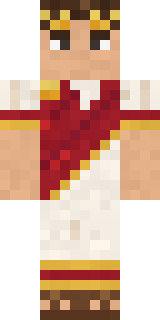
 Park RangerJulius Caesar
 Autumn Knit
 Ender Shade
 Brown Bear
 Office Zombie
 Frost Court Noble
About Chess King
Chess King is a legendary Minecraft skin from the Build It team. It wears an ivory armour, ivory greaves, a chess king helm and a velvet king cape in yellow and black. Wear it on fantasy servers, adventure maps and dragon hunts.
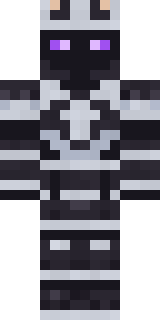
Chess King has classic 4 pixel arms and works in Minecraft Java and Bedrock. Download it for free and upload it in the Minecraft Launcher or the Bedrock dressing room. Open it in the Build It Skin Maker to give it your own colours. Try its 7 colour versions too, like Black king and Ruby king.
See more in the Fantasy collection, or look through the Fancy, Fantasy and King tags.