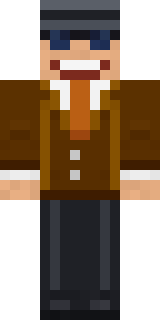

Grey Suit and tie

How to use this skin
Download it, then follow the steps for where you play.
Minecraft: Java Edition, in the Minecraft Launcher
- Open the Minecraft Launcher and pick Minecraft: Java Edition on the left.
- Open the Skins tab at the top and press New skin.
- Give it a name and choose the player model: Classic.
- Press Browse, pick the PNG you downloaded, then Save & Use.
- Start the game: you are wearing it, on every world and server.
Minecraft: Java Edition, on minecraft.net
- Go to minecraft.net and log in with your Microsoft account.
- Open your Profile and find the skin settings of Java Edition.
- Choose Classic, select the PNG file, and press Upload.
- Your new skin shows the next time you join a world.
Bedrock Edition: Windows, Android, iPhone, iPad, Chromebook
- Open Minecraft and press Dressing Room on the main menu (in newer versions, the character button next to your name, then Edit Character).
- Open the Classic Skins tab.
- Under Owned Skins, press Import, then Choose New Skin.
- Pick the PNG you downloaded (on a phone it is usually in Downloads or Files).
- When it asks, choose Classic, then confirm.
Xbox, PlayStation and Nintendo Switch
Consoles cannot import a skin file. There you can wear Character Creator items and skins from the Marketplace.
Some players set a skin in Bedrock on a phone or PC that is signed in to the same Microsoft account and see it on their console too. Mojang does not support that, so it may not work for you.
Similar skins








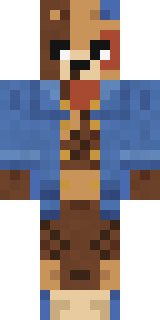

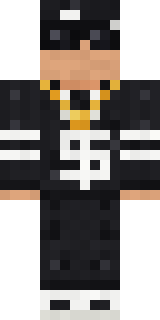
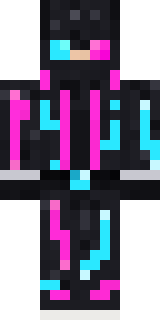
Trending today
What people open and download right now.
Trending today
The skins people are opening, liking and downloading right now.
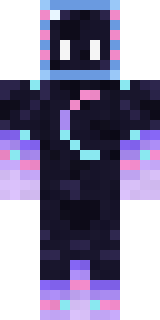


- Galaxy AxolotlbyBuild It
- Modern HoodiebyBuild It
- Napoleon BonapartebyBuild It
- Shy KidbyBuild It
- The VoidbyBuild It
- Enderbrineby
 gustavopir
- Sky PiratebyBuild It
- Buff ChickenbyBuild It
- Hazmat ResponderbyBuild It
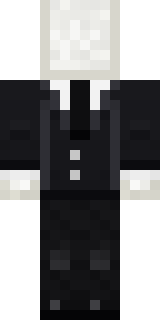
- Slender ManbyBuild It
Made on Build It
A few of the skins players made here. Find one you like, or start your own.
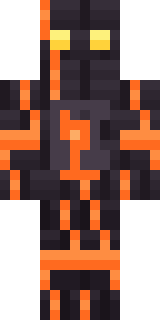 Volcanic Sentinel
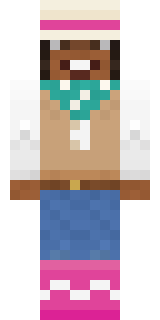 Desert RoseNeon Mohawk Punk
 Retro Waitress
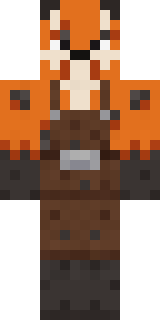 Fox Blacksmith
 Water Elemental
 Lavender FloristAurora Skater
 Clockwork Inventor
 Tuxedo Cat
 Pastel Goth
 Crocodile Detective
 Panda Pal
 Mushroom Forest Ranger
 Spider Silk Merchant
 Crimson Builder
 Night Ops Commando
 Axolotl Cutie
 Ink Monster Teacher
 Moon RangerNapoleon Bonaparte
 Thunderstorm Mage
 Doorbell Camera Visitor
 Auburn Diner Waitress
 Starfield Phantom
 Deep Sea Captain
 Beach Lifeguard
 Jelly Alien
 Ender Shade
 Peacock Guard
 Ladybug Mechanic
 Monochrome Minimalist
 Ember Dragon
 Beekeeper
 Strawberry Milk Courier
 Coral Mermaid
 Crypt Custodian
 Cranberry Witch
 Neon DJ
 Buck Tooth Nerd
 Turtle Park Ranger
 Dandelion Druid
 Golden Prospector
 White Porcelain plate
 Tropical Fish
 Isaac Newton
 Honey Toast
 Crimson Desert Nomad
 Banana Gentleman
 Hoop Star
 Glowbug Ranger
 Bun Bun
 Topsy Turvy Face
 Cheeseburger Buddy
 Shadow Ninja
 Lime Alien Astronaut
 Gold Aura Streetwear
 Ghost Buddy
 Easter Bunny Costume
 Burnt Toast Monster
About Grey Suit and tie
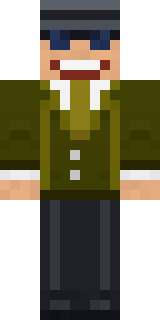
Grey Suit and tie is a street style Minecraft skin by max_90, made on Build It. The outfit: a suit and tie, suit pants, duty boots and sunglasses, mostly black with touches of grey. An easy everyday look for survival, minigames and hanging out with friends.
It uses the classic arms (4 pixels wide, like Steve) and works on Java and Bedrock. It is free: download the PNG and add it in the Minecraft Launcher (Java) or the dressing room (Bedrock). Open it in the Build It Skin Maker to give it your own colours. Try its 6 colour versions too, like Brown and Yellow.
See more in the Streetwear collection, or browse the Streetwear tags.