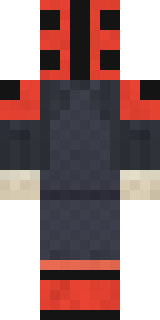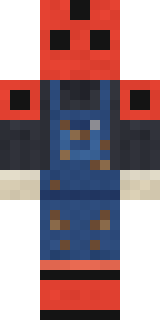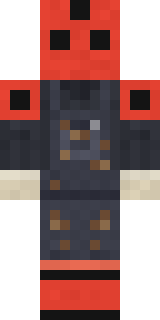
Ladybug Mechanic
Minecraft skin · Classic arms (4 pixels) · Java and Bedrock
Fixes the garden machines one tiny bolt at a time: a red spotted ladybug in greasy charcoal overalls, cream work gloves and red boots.

How to use this skin
Download it, then follow the steps for where you play.
Minecraft: Java Edition, in the Minecraft Launcher
- Open the Minecraft Launcher and pick Minecraft: Java Edition on the left.
- Open the Skins tab at the top and press New skin.
- Give it a name and choose the player model: Classic.
- Press Browse, pick the PNG you downloaded, then Save & Use.
- Start the game: you are wearing it, on every world and server.
Minecraft: Java Edition, on minecraft.net
- Go to minecraft.net and log in with your Microsoft account.
- Open your Profile and find the skin settings of Java Edition.
- Choose Classic, select the PNG file, and press Upload.
- Your new skin shows the next time you join a world.
Bedrock Edition: Windows, Android, iPhone, iPad, Chromebook
- Open Minecraft and press Dressing Room on the main menu (in newer versions, the character button next to your name, then Edit Character).
- Open the Classic Skins tab.
- Under Owned Skins, press Import, then Choose New Skin.
- Pick the PNG you downloaded (on a phone it is usually in Downloads or Files).
- When it asks, choose Classic, then confirm.
Xbox, PlayStation and Nintendo Switch
Consoles cannot import a skin file. There you can wear Character Creator items and skins from the Marketplace.
Some players set a skin in Bedrock on a phone or PC that is signed in to the same Microsoft account and see it on their console too. Mojang does not support that, so it may not work for you.
Similar skins



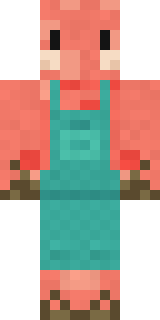
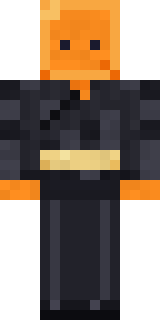

Made on Build It
A few of the skins players made here. Find one you like, or start your own.
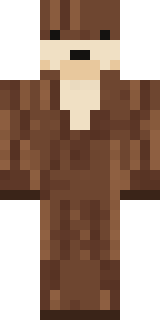 Sea Otter
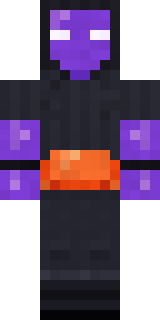 Jellybean Thief
 Build It Guy
 Drifter GunslingerLadybug Mechanic
 Moss Cyclops
 Gummy Bear Bodybuilder
 Woodland Dryad
 Gecko Skater
 Strawberry Jam Jar
 Mirror Knight
 Slime Apprentice
 Code GhostTide Pool Spirit
 Shroud Ghost
 Fast Break Baller
 Electric Eel Technician
 Abyssal Monk
 Grinning Shade
 Penguin Tourist
 Blueberry Detective
 Halloween Witch
 Lakeside Angler
 Morning Barista
 Wildlife Photographer
 Medieval Scribe
 Lemon Sorcerer
 Pitch Playmaker
 Ruby Dragonborn
 Red Mushroom Scout
 Roman Legionary
 Handy Plumber
 Vampire Dentist
 Tiger Champ
 Sweater Weather
 Secret Agent
 Beach Lifeguard
 Sunflower Drummer
 Graffiti Phantom
 Headphone Skeleton
 Glowbug Ranger
 Molten Plate Demon
 Circuit Board Monk
 Peacock Guard
 Ember Librarian
 Ghost Concierge
 Void Wanderer
 Ghost Train Conductor
 Curly Art StudentChristmas Elf
 Saloon Pianist
 Scarlet Sellsword
 Soft Boy
 Ravioli Wrestler
 Shark Bite
 Tuxedo Cat
 Hard Hat HeroOrange Jelly Ninja
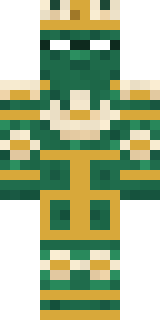 Lotus Temple Guardian
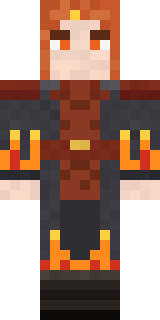 Ember Battle Mage
About Ladybug Mechanic
Ladybug Mechanic is a wild Minecraft skin made by the Build It team. Its look puts together a ladybug work shirt, greasy work overalls, ladybug strap boots and gloves in grey, black and red. It is a ladybug mechanic from head to toe. Take it exploring through forests, jungles and snowy plains.
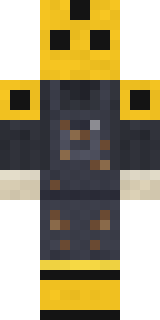
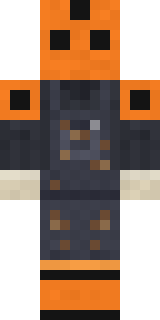
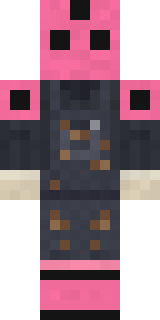
Ladybug Mechanic has classic 4 pixel arms and works in Minecraft Java and Bedrock. It is free: download the PNG and add it in the Minecraft Launcher (Java) or the dressing room (Bedrock). Want it your way? Open it in the Build It Skin Maker and change its colours and pieces. Try its 7 colour versions too, like Yellow ladybug and Orange ladybug.
Find more skins like it in the Animals and Cute collections, or look through the Bug, Cute and Nature tags.