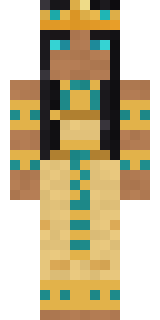
Cleopatra
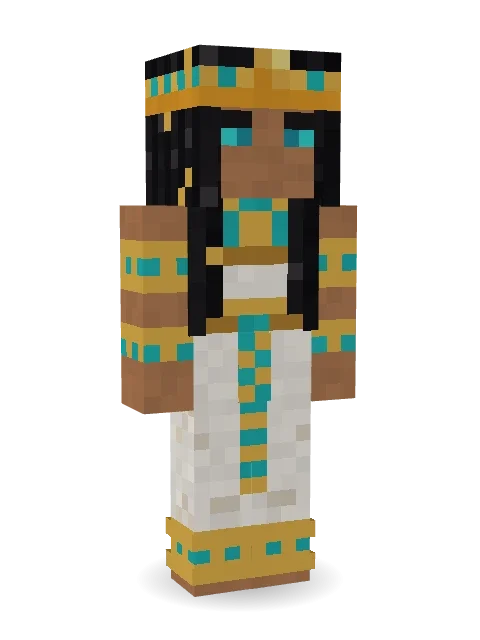
The last queen of Egypt: long black braids hung with gold, a cobra headband, a broad collar of gold and turquoise and a white linen gown.

How to use this skin
Download it, then follow the steps for where you play.
Minecraft: Java Edition, in the Minecraft Launcher
- Open the Minecraft Launcher and pick Minecraft: Java Edition on the left.
- Open the Skins tab at the top and press New skin.
- Give it a name and choose the player model: Slim.
- Press Browse, pick the PNG you downloaded, then Save & Use.
- Start the game: you are wearing it, on every world and server.
Minecraft: Java Edition, on minecraft.net
- Go to minecraft.net and log in with your Microsoft account.
- Open your Profile and find the skin settings of Java Edition.
- Choose Slim, select the PNG file, and press Upload.
- Your new skin shows the next time you join a world.
Bedrock Edition: Windows, Android, iPhone, iPad, Chromebook
- Open Minecraft and press Dressing Room on the main menu (in newer versions, the character button next to your name, then Edit Character).
- Open the Classic Skins tab.
- Under Owned Skins, press Import, then Choose New Skin.
- Pick the PNG you downloaded (on a phone it is usually in Downloads or Files).
- When it asks, choose Slim, then confirm.
Xbox, PlayStation and Nintendo Switch
Consoles cannot import a skin file. There you can wear Character Creator items and skins from the Marketplace.
Some players set a skin in Bedrock on a phone or PC that is signed in to the same Microsoft account and see it on their console too. Mojang does not support that, so it may not work for you.
More by Build It












Similar skins













Trending today
What people open and download right now.
Trending today
The skins people are opening, liking and downloading right now.

- Modern HoodiebyBuild It
- Galaxy AxolotlbyBuild It
- Ancient Hexby
 nvlr33
- Napoleon BonapartebyBuild It
- Shy KidbyBuild It
- The KingbyBuild It
- Hazmat ResponderbyBuild It
- The VoidbyBuild It
- Buff ChickenbyBuild It
- Slender ManbyBuild It
Made on Build It
A few of the skins players made here. Find one you like, or start your own.
 Ink Monster Teacher
 Rookie Boxer
 Rotting Walker
 Doorbell Camera Visitor
 Black Moth Entity
 Living Battery
 Velvet Vampire
 Trick or Treat Ghost
 Medieval Scribe
 Burnt Toast Monster
 Cherry Goth Streetwear
 Menina
 Half Peeled Banana
 Gym Bro Banana
 Slime Park Ranger
 Cyan Tinker FairyMoon Ranger
 Shocked Dog
 Roller Rink Attendant
 Porcelain Robot
 Night Market Merchant
 Circuit Alien
 Pumpkin Patch Farmer
 Chill Pond Frog
 Deep Sea Captain
 Crimson Desert Nomad
 Obsidian Knight
 Beekeeper
 Lime Alien Astronaut
 Blocky Newbie
 Firefly Scout
 Black
 Haunted Arcade Robot
 Cloud Aviator
 Ward Doctor
 Federal Agent
 Ember Demon
 Hot Springs Innkeeper
 Midnight Snack Thief Raccoon
 Crocodile Detective
 Chocolate Chip Cookie
 Dragonfly Courier
 Christmas Gingerbread
 Forest Druid
 Santa Claus
 Circuit Board Monk
 Eclipse Knight
 Marmot Mountain Climber
 Eclipse Priest
 The Boss
 Slime Gamer
 Camo Commando
 Stained-Glass Paladin
 Crow Undertaker
 Dandelion Druid
 Fast Break Baller
 Holiday Helper
 Red Flame Luchador
 Frost Court Noble
 Tennis Ball Coach
About Cleopatra
Meet Cleopatra, a storybook Minecraft skin made by the Build It team. Its look puts together a linen gown and a cobra headband, mostly white with touches of orange and brown. It fits right into medieval builds, dungeons and enchanted forests.
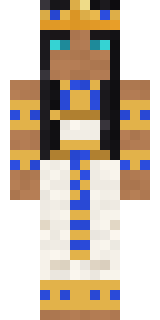
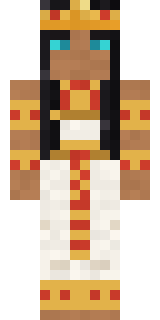
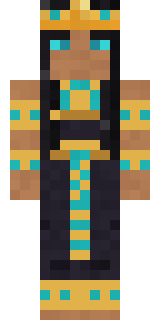
Cleopatra has slim 3 pixel arms and works in Minecraft Java and Bedrock. Download it for free and upload it in the Minecraft Launcher or the Bedrock dressing room. Want it your way? Open it in the Build It Skin Maker and change its colours and pieces. Try its 7 colour versions too, like Lapis and Carnelian.
Find more skins like it in the Fantasy and History collections, or look through the Egypt, Girl and History tags.