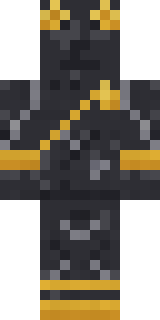
Living Marble Statue
Minecraft skin · Classic arms (4 pixels) · Java and Bedrock
Stepped down from its pedestal: a statue carved from white marble, fine grey veins in the stone, a gold laurel wreath and a gold trimmed toga.

How to use this skin
Download it, then follow the steps for where you play.
Minecraft: Java Edition, in the Minecraft Launcher
- Open the Minecraft Launcher and pick Minecraft: Java Edition on the left.
- Open the Skins tab at the top and press New skin.
- Give it a name and choose the player model: Classic.
- Press Browse, pick the PNG you downloaded, then Save & Use.
- Start the game: you are wearing it, on every world and server.
Minecraft: Java Edition, on minecraft.net
- Go to minecraft.net and log in with your Microsoft account.
- Open your Profile and find the skin settings of Java Edition.
- Choose Classic, select the PNG file, and press Upload.
- Your new skin shows the next time you join a world.
Bedrock Edition: Windows, Android, iPhone, iPad, Chromebook
- Open Minecraft and press Dressing Room on the main menu (in newer versions, the character button next to your name, then Edit Character).
- Open the Classic Skins tab.
- Under Owned Skins, press Import, then Choose New Skin.
- Pick the PNG you downloaded (on a phone it is usually in Downloads or Files).
- When it asks, choose Classic, then confirm.
Xbox, PlayStation and Nintendo Switch
Consoles cannot import a skin file. There you can wear Character Creator items and skins from the Marketplace.
Some players set a skin in Bedrock on a phone or PC that is signed in to the same Microsoft account and see it on their console too. Mojang does not support that, so it may not work for you.
Similar skins







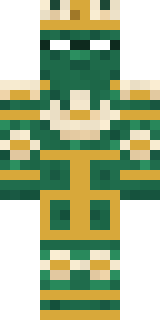

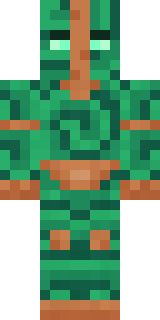
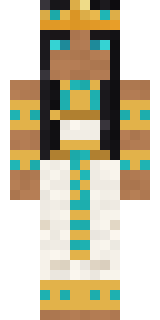
Made on Build It
A few of the skins players made here. Find one you like, or start your own.
 Easter Egg Sweater
 Axolotl Adventurer
 Napoleon Bonaparte
 Reef Mermaid
 Patchwork Plush Monster
 Rainy Day
 Sleepy Mummy
 Doorbell Camera Visitor
 Sandstone Guardian
 Vintage Barber
 Gamer Mode
 Slime Apprentice
 Desert Courier
 Sleepy Sloth
 Ice Crystal Spirit
 Retro Fridge RobotLotus Temple Guardian
 Ember Librarian
 Happy Hot DogCleopatra
 Muddy Pig
 Haunted Bowling Champion
 Vampire Hunter
 Abraham Lincoln
 Crimson Plaid Emo
 Street Skater
 Forgotten Funeral Guest
 Potion Shopkeeper
 Blue Hood Boy
 Neon Runner
 Crystal Elf Spellcaster
 Neon Motorcycle Courier
 Frost Court Noble
 Caramel Knight
 Lunar Botanist
 Apple Orchard Guardian
 Pumpkin Wraith
 Train Conductor
 Crystal Monk
 Honey Bee
 Shamrock Suit
 Desert Cartographer
 Pastel Goth
 Panda Pal
 Goldfish Space Cadet
 Curly Art Student
 Porcelain Knight
 Strawberry Cow
 Isaac Newton
 Cobalt Cyber Ninja
 Bone Scout
 The Void
 Rally Mechanic
 Mole Miner
 Mango Skate Punk
 Night Market Merchant
 Redstone Inventor
 Trick or Treat Ghost
 Curly Barista
 Bear Lumberjack
About Living Marble Statue
Living Marble Statue is a history Minecraft skin from the Build It team. It wears a gold laurel wreath in white. Under the outfit it is a living marble statue. Made for history builds, old towns and roleplay servers.
Living Marble Statue has classic 4 pixel arms and works in Minecraft Java and Bedrock. Download it for free and upload it in the Minecraft Launcher or the Bedrock dressing room. Want it your way? Open it in the Build It Skin Maker and change its colours and pieces. Try its 7 colour versions too, like Bronze statue and Black marble.
See more in the History collection, or look through the Ancient, Fancy and History tags.