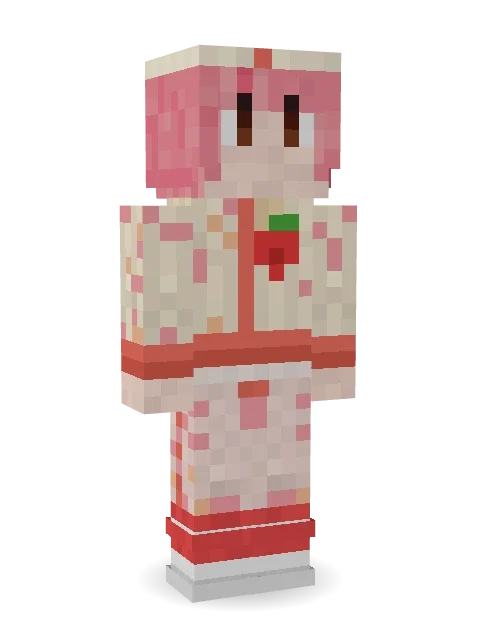
Strawberry Milk Courier
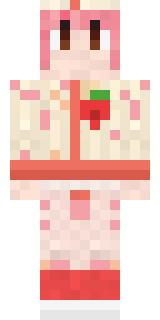
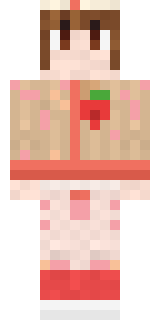
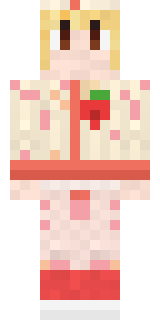
Delivers milkshakes across town before they melt: pink hair, a cream beret, a strawberry milk jacket with a strawberry on the chest and coral striped high tops.

How to use this skin
Download it, then follow the steps for where you play.
Minecraft: Java Edition, in the Minecraft Launcher
- Open the Minecraft Launcher and pick Minecraft: Java Edition on the left.
- Open the Skins tab at the top and press New skin.
- Give it a name and choose the player model: Slim.
- Press Browse, pick the PNG you downloaded, then Save & Use.
- Start the game: you are wearing it, on every world and server.
Minecraft: Java Edition, on minecraft.net
- Go to minecraft.net and log in with your Microsoft account.
- Open your Profile and find the skin settings of Java Edition.
- Choose Slim, select the PNG file, and press Upload.
- Your new skin shows the next time you join a world.
Bedrock Edition: Windows, Android, iPhone, iPad, Chromebook
- Open Minecraft and press Dressing Room on the main menu (in newer versions, the character button next to your name, then Edit Character).
- Open the Classic Skins tab.
- Under Owned Skins, press Import, then Choose New Skin.
- Pick the PNG you downloaded (on a phone it is usually in Downloads or Files).
- When it asks, choose Slim, then confirm.
Xbox, PlayStation and Nintendo Switch
Consoles cannot import a skin file. There you can wear Character Creator items and skins from the Marketplace.
Some players set a skin in Bedrock on a phone or PC that is signed in to the same Microsoft account and see it on their console too. Mojang does not support that, so it may not work for you.
More by Build It












Similar skins



















Trending today
What people open and download right now.
Trending today
The skins people are opening, liking and downloading right now.


- Modern HoodiebyBuild It
- Ancient Hexby
 nvlr33
- Galaxy AxolotlbyBuild It
- Shy KidbyBuild It
- The VoidbyBuild It
- Napoleon BonapartebyBuild It
- The KingbyBuild It
- Hazmat ResponderbyBuild It
- Buff ChickenbyBuild It
- Slender ManbyBuild It
Made on Build It
A few of the skins players made here. Find one you like, or start your own.
 Sage Green Cozy
 Black
 Froggy Onesie
 Pumpkin Wraith
 Tiger ChampSpotted Frog
 Glowbug Ranger
 Dino Onesie
 Rose Mechanic
 Striped Zebra
 Ginger Trainspotter
 Lavender Daydream
 Retired Adventurer
 Matcha Mochi
 Captain Saltbeard
 Mint Street Artist
 Starlight Wizard
 Desert Rose
 Moon Ranger
 White Ghost Sheet
 Cactus Cowboy
 Auburn Diner Waitress
 Desert CourierThe Void
 Crimson Sash Ninja
 Roller Rink Skater
 Mint Axolotl
 Julius Caesar
 Topsy Turvy Face
 Desert Djinn
 Downtown Pig
 Error
 Federal Agent
 Gothic Librarian
 Clockwork Inventor
 Pastel Goth
 Cool Shades Face
 Ritual Caretaker
 Coral Mermaid
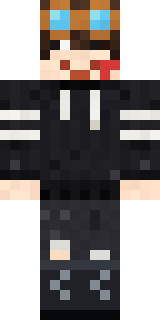 Grey Rune stripe hoodie
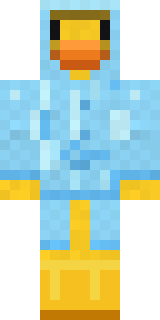 Rubber Duck Raincoat
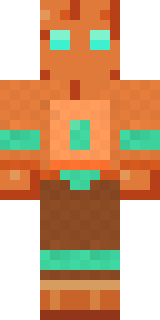 Copper Golem
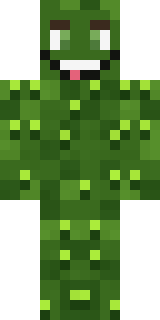 Bumpy Pickle
 Frost Yeti
 Wildlife Photographer
 Sleepy Yellow Face
 Rage Quit Gamer
 Graffiti Phantom
 Watermelon Wrestler
 Moss Plague Doctor
 Rainy Day
 Red Court frock coat
 Patrol Officer
 Ember Battle Mage
 Cobalt Cyber Ninja
 Frankenstein's Creature
 Cursed Corporate Computer
 Lunar New Year Celebrant
 Hard Hat Hero
 Bistro Chef
About Strawberry Milk Courier
Strawberry Milk Courier is a snack-themed Minecraft skin from the Build It team. Its look puts together a strawberry milk jacket, strawberry milk trousers, strawberry high tops and a strawberry milk beret, mostly beige with touches of red. It is the kind of skin that makes the whole server hungry.
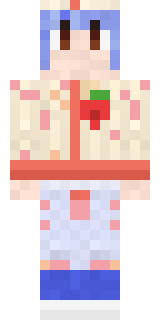
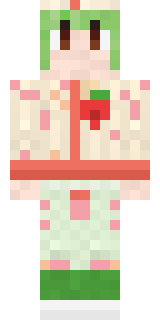
It uses the slim arms (3 pixels wide, like Alex) and works on Java and Bedrock. Download it for free, then follow the steps above to wear it in game. Open it in the Build It Skin Maker to give it your own colours. Try its 7 colour versions too, like Blueberry milk and Matcha milk.
See more in the Food and Cute collections, or browse the Cute, Food and Girl tags.