Silver Pulse DJ
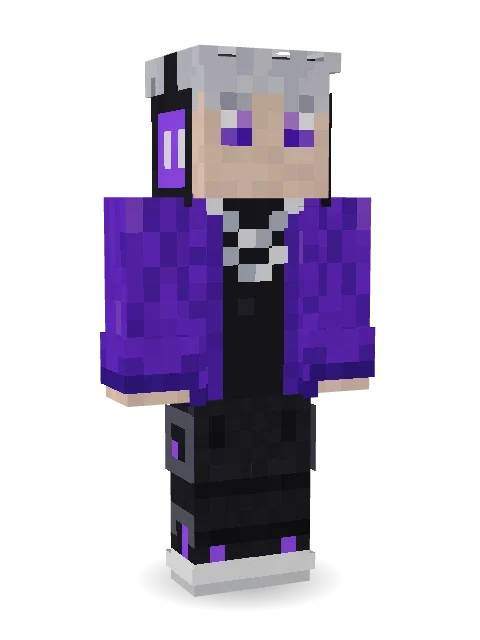
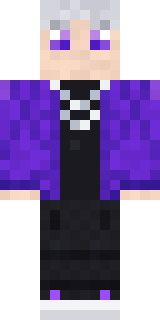
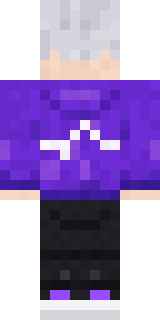
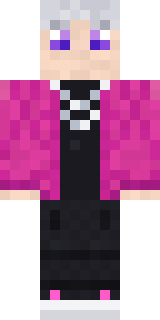
Lives for the drop: messy silver hair, chunky headphones glowing purple, an oversized purple jacket with a pulse logo and baggy black cargos.

How to use this skin
Download it, then follow the steps for where you play.
Minecraft: Java Edition, in the Minecraft Launcher
- Open the Minecraft Launcher and pick Minecraft: Java Edition on the left.
- Open the Skins tab at the top and press New skin.
- Give it a name and choose the player model: Classic.
- Press Browse, pick the PNG you downloaded, then Save & Use.
- Start the game: you are wearing it, on every world and server.
Minecraft: Java Edition, on minecraft.net
- Go to minecraft.net and log in with your Microsoft account.
- Open your Profile and find the skin settings of Java Edition.
- Choose Classic, select the PNG file, and press Upload.
- Your new skin shows the next time you join a world.
Bedrock Edition: Windows, Android, iPhone, iPad, Chromebook
- Open Minecraft and press Dressing Room on the main menu (in newer versions, the character button next to your name, then Edit Character).
- Open the Classic Skins tab.
- Under Owned Skins, press Import, then Choose New Skin.
- Pick the PNG you downloaded (on a phone it is usually in Downloads or Files).
- When it asks, choose Classic, then confirm.
Xbox, PlayStation and Nintendo Switch
Consoles cannot import a skin file. There you can wear Character Creator items and skins from the Marketplace.
Some players set a skin in Bedrock on a phone or PC that is signed in to the same Microsoft account and see it on their console too. Mojang does not support that, so it may not work for you.
More by Build It












Similar skins



















Trending today
What people open and download right now.
Trending today
The skins people are opening, liking and downloading right now.


- Modern HoodiebyBuild It
- Enderbrineby
 gustavopir
- Galaxy AxolotlbyBuild It
- Napoleon BonapartebyBuild It
- The KingbyBuild It
- Shy KidbyBuild It
- Hazmat ResponderbyBuild It
- Ancient Hexby
 nvlr33
- herobrinebygustavopir
- The VoidbyBuild It
Made on Build It
A few of the skins players made here. Find one you like, or start your own.
 Christmas Gingerbread
 Ghost King
 Sardine Sailor
 Dandelion SpiritThe King
 Count Nightfall
 Stained-Glass Paladin
 Cardboard Robot Kid
 Lemon Cream
 Beetroot DJ
 Platinum Angel
 Porcelain Knight
 Shroud Ghost
 Glowworm Spelunker
 Tiger Champ
 Tea Bag MonkGiga Chad
 Alien Exchange Student
 Sea Urchin Punk
 Peach Orchard Spirit
 Unimpressed Office Clerk
 Golden Automaton
 Eclipse Knight
 Snow Rider
 Arcade Janitor
 Head Chef
 poilce demon
 Headphone SkeletonSlender Man
 Honey Toast
 Dungeon Accountant
 Circuit Alien
 Light Elemental
 Froggy Onesie
 Jackal Priest
 Carnival Fortune Teller
 Missing Texture PersonIce Elemental
 Retro Arcade Bot
 Desert Courier
 Violet Vein Mutant
 Wildlife Photographer
 Forest Elf
 Highway Biker
 Chestnut Warrior
 Frost Scholar
 Midnight Academia
 Clockwork Owl
 Background Extra
 Cherry Blossom StreetwearBuff Chicken
 Safari Cat
 the winter cat skin
 Mountain Rescue Medic
 Morning Barista
 Ginger Trainspotter
 Gym Bro Banana
 Railway Traveler
 Desert Cartographer
 Roller Rink Attendant
About Silver Pulse DJ
Silver Pulse DJ is a fresh skin for Minecraft from the Build It team. It wears a pulse purple jacket, black pocket cargos, chunky pulse sneakers and a chain necklace, mostly purple with touches of black. An easy everyday look for survival, minigames and hanging out with friends.
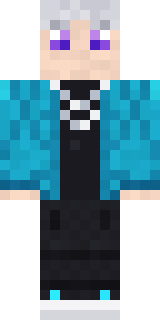
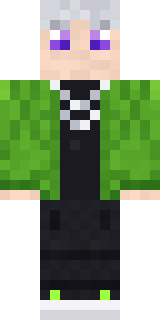
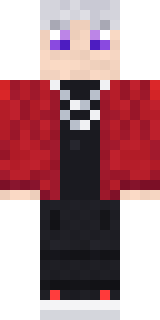
Silver Pulse DJ has classic 4 pixel arms and works in Minecraft Java and Bedrock. It is free: download the PNG and add it in the Minecraft Launcher (Java) or the dressing room (Bedrock). Want it your way? Open it in the Build It Skin Maker and change its colours and pieces. Try its 7 colour versions too, like Cyan set and Pink set.
See more in the Streetwear collection, or look through the Cool, Music and Neon tags.