Crystal Cave Explorer
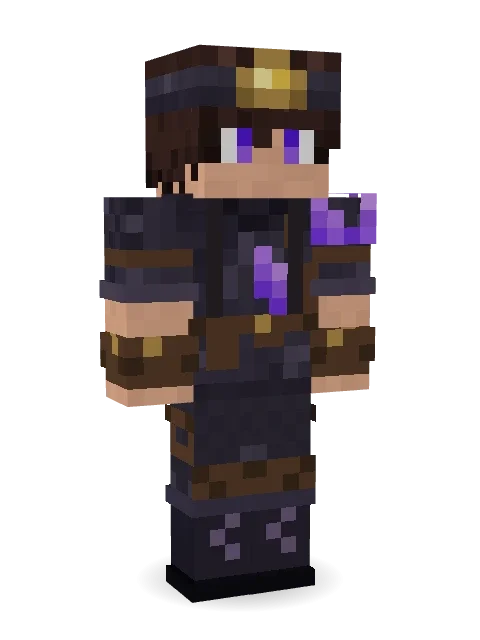
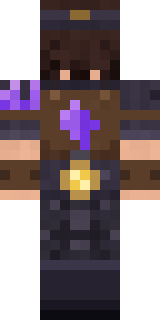
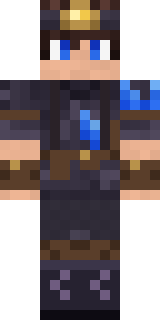
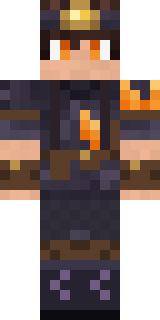
A cave explorer with a glowing headlamp, an amethyst cluster growing on one shoulder, leather straps and a backpack with a lantern for the deep caverns.

How to use this skin
Download it, then follow the steps for where you play.
Minecraft: Java Edition, in the Minecraft Launcher
- Open the Minecraft Launcher and pick Minecraft: Java Edition on the left.
- Open the Skins tab at the top and press New skin.
- Give it a name and choose the player model: Classic.
- Press Browse, pick the PNG you downloaded, then Save & Use.
- Start the game: you are wearing it, on every world and server.
Minecraft: Java Edition, on minecraft.net
- Go to minecraft.net and log in with your Microsoft account.
- Open your Profile and find the skin settings of Java Edition.
- Choose Classic, select the PNG file, and press Upload.
- Your new skin shows the next time you join a world.
Bedrock Edition: Windows, Android, iPhone, iPad, Chromebook
- Open Minecraft and press Dressing Room on the main menu (in newer versions, the character button next to your name, then Edit Character).
- Open the Classic Skins tab.
- Under Owned Skins, press Import, then Choose New Skin.
- Pick the PNG you downloaded (on a phone it is usually in Downloads or Files).
- When it asks, choose Classic, then confirm.
Xbox, PlayStation and Nintendo Switch
Consoles cannot import a skin file. There you can wear Character Creator items and skins from the Marketplace.
Some players set a skin in Bedrock on a phone or PC that is signed in to the same Microsoft account and see it on their console too. Mojang does not support that, so it may not work for you.
More by Build It












Similar skins




















Trending today
What people open and download right now.
Trending today
The skins people are opening, liking and downloading right now.


- Modern HoodiebyBuild It
- Enderbrineby
 gustavopir
- Napoleon BonapartebyBuild It
- Galaxy AxolotlbyBuild It
- The KingbyBuild It
- Shy KidbyBuild It
- Hazmat ResponderbyBuild It
- herobrinebygustavopir
- The VoidbyBuild It
- Starfield PhantombyBuild It
Made on Build It
A few of the skins players made here. Find one you like, or start your own.
 Anglerfish Bouncer
 Turtle Park Ranger
 Bun Bun
 Valentine Heart Hoodie
 Water Elemental
 miner in a suit and tie
 Strawberry Jam Jar
 Light Elemental
 Moon Petal
 Cleopatra
 Big Grin Face
 Tiger Champ
 Cherry Blossom Streetwear
 Match Referee
 Redstone Inventor
 Firefly Scout
 Santa Claus
 Pumpkin Patch Farmer
 Metal Elemental
 Amber Fossil Golem
 Star Striker
 Medieval Scribe
 Ginger Trainspotter
 Berg
 Ward Doctor
 Grease Monkey
 White Striped
 Pastel Goth
 Midnight Baker
 Ironwood Druid
 Coral Mermaid
 Handy PlumberSteampunk Inventor
 king herobrine
 Ender Shade
 Peacock Guard
 Alice
 Sea Urchin Punk
 Banana Gentleman
 Desert Courier
 Glowworm Spelunker
 Lakeside Angler
 lord Vampire
 Lemon Sorcerer
 Buck Tooth Nerd
 Tea Bag Monk
 Cactus Cowboy
 Ghost King
 Noir Detective
 Count Dracula
 Thunderstorm Mage
 Federal Agent
 Spotted Fawn
 Halloween Witch
 Rainbow Paint Can
 Shamrock Suit
 Cotton Candy Vendor
 Axolotl Hoodie
 Striped Zebra
 Mixtape Cassette Head
About Crystal Cave Explorer
Crystal Cave Explorer is a blocky mob skin for Minecraft from the Build It team. Its look puts together a cave explorer jacket, cave cargo trousers, combat boots and a headlamp, mostly black with touches of grey and brown. A fresh take on the mobs everyone knows.
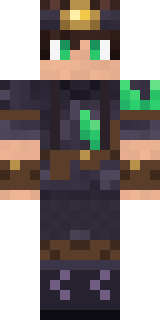
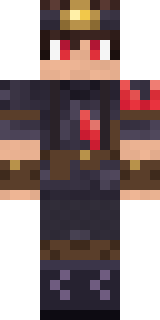
Crystal Cave Explorer has classic 4 pixel arms and works in Minecraft Java and Bedrock. Download it for free and upload it in the Minecraft Launcher or the Bedrock dressing room. You can also open it in the Build It Skin Maker and make your own version. Try its 7 colour versions too, like Emerald vein and Ruby deep.
See more in the Fantasy and Streetwear collections, or look through the Adventure, Boy and Cool tags.