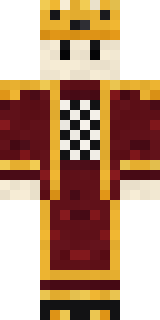
Living Chess King
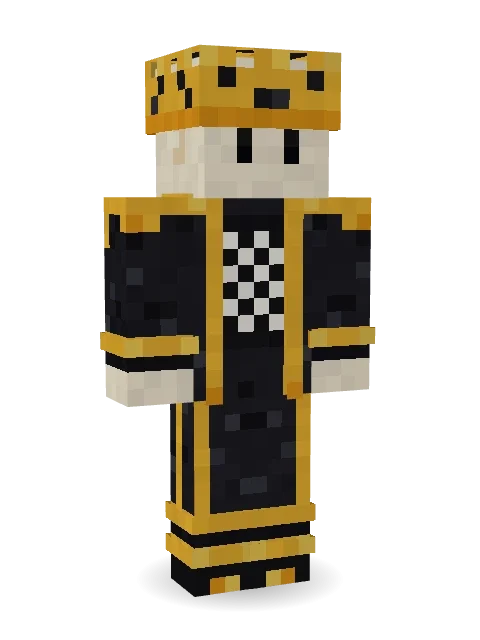
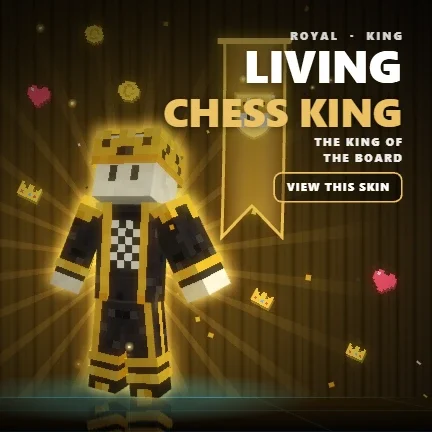
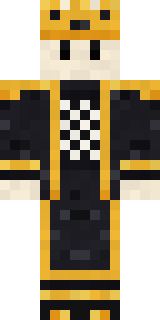
The king of the board: an ivory chess piece head under a gold crown, a black robe trimmed in gold and a chessboard over the heart.

How to use this skin
Download it, then follow the steps for where you play.
Minecraft: Java Edition, in the Minecraft Launcher
- Open the Minecraft Launcher and pick Minecraft: Java Edition on the left.
- Open the Skins tab at the top and press New skin.
- Give it a name and choose the player model: Classic.
- Press Browse, pick the PNG you downloaded, then Save & Use.
- Start the game: you are wearing it, on every world and server.
Minecraft: Java Edition, on minecraft.net
- Go to minecraft.net and log in with your Microsoft account.
- Open your Profile and find the skin settings of Java Edition.
- Choose Classic, select the PNG file, and press Upload.
- Your new skin shows the next time you join a world.
Bedrock Edition: Windows, Android, iPhone, iPad, Chromebook
- Open Minecraft and press Dressing Room on the main menu (in newer versions, the character button next to your name, then Edit Character).
- Open the Classic Skins tab.
- Under Owned Skins, press Import, then Choose New Skin.
- Pick the PNG you downloaded (on a phone it is usually in Downloads or Files).
- When it asks, choose Classic, then confirm.
Xbox, PlayStation and Nintendo Switch
Consoles cannot import a skin file. There you can wear Character Creator items and skins from the Marketplace.
Some players set a skin in Bedrock on a phone or PC that is signed in to the same Microsoft account and see it on their console too. Mojang does not support that, so it may not work for you.
More by Build It












Similar skins


















Trending today
What people open and download right now.
Trending today
The skins people are opening, liking and downloading right now.


- Modern HoodiebyBuild It
- Enderbrineby
 gustavopir
- Galaxy AxolotlbyBuild It
- Ancient Hexby
 nvlr33
- Shy KidbyBuild It
- Napoleon BonapartebyBuild It
- The KingbyBuild It
- Hazmat ResponderbyBuild It
- The VoidbyBuild It
- herobrinebygustavopir
Made on Build It
A few of the skins players made here. Find one you like, or start your own.
 Frost Court NobleRaccoon Thief
 Forest Druid
 Build It Guy
 Hacker
 Red Panda
 Pulse Android
 Highway Biker
 Railway Traveler
 Blue Beat
 Crimson Sash Ninja
 Moon Elf
 Gothic Librarian
 Peppermint Mechanic
 One Brain Cell Cat
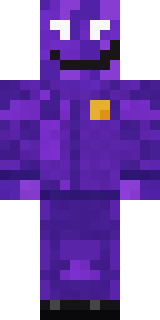 Violet Night Watchman
 Roller Rink Attendant
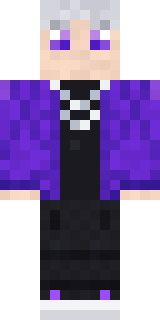 Silver Pulse DJ
 Cyberpunk Paramedic
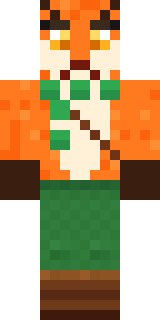 Woodland Fox
 Courtroom Judge
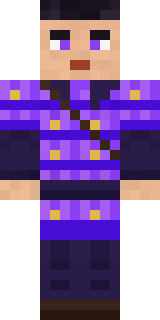 Violet Samurai
 Captain Spark
 Amber Fossil Golem
 Orc Warrior
 Summer Dad
 Shocked Dog
 Rich baddie
 Mossy Troll
 Mantis Master
 Living Battery
 Lilac Ballerina
 Strawberry Milk Courier
 Flamehunter
 Espresso Cozy
 Friendly Nurse
 Molten Plate Demon
 Golden Paladin
 Vampire Dentist
 Candy Baker
 Stained-Glass Paladin
 Star Striker
 Froggy Onesie
 Rainbow Paint Can
 Clockwork Oracle
 Bouncy Slime
 Night Bloom
 Cotton Candy Vendor
 Spotted Fawn
 Ice Elemental
 Harvest Farmer
 Shadow Elemental
 Chestnut Warrior
 Obsidian Knight
 Caramel Knight
 Crimson Builder
 Nice girl
 Emo Kid
 Octopus Stage Magician
 Cozy Ballet Cardigan
About Living Chess King
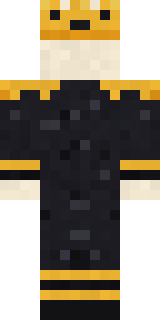
Living Chess King is a storybook Minecraft skin from the Build It team. The outfit: a chess king robe and a chess king crown in black and orange. Made for quests, castles and roleplay adventures.
It uses the classic arms (4 pixels wide, like Steve) and works on Java and Bedrock. Download it for free, then follow the steps above to wear it in game. Open it in the Build It Skin Maker to give it your own colours. Try its 7 colour versions too, like White king and Silver trim.
See more in the Fantasy and Streetwear collections, or browse the Cool, Fancy and King tags.