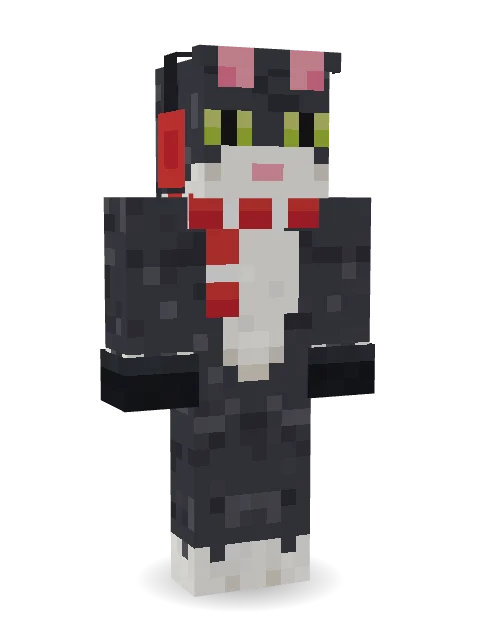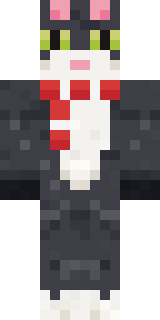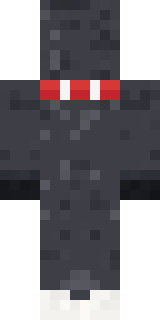

the winter cat skin

a cat who likes to play in the snow but hat his paw geting cold

How to use this skin
Download it, then follow the steps for where you play.
Minecraft: Java Edition, in the Minecraft Launcher
- Open the Minecraft Launcher and pick Minecraft: Java Edition on the left.
- Open the Skins tab at the top and press New skin.
- Give it a name and choose the player model: Classic.
- Press Browse, pick the PNG you downloaded, then Save & Use.
- Start the game: you are wearing it, on every world and server.
Minecraft: Java Edition, on minecraft.net
- Go to minecraft.net and log in with your Microsoft account.
- Open your Profile and find the skin settings of Java Edition.
- Choose Classic, select the PNG file, and press Upload.
- Your new skin shows the next time you join a world.
Bedrock Edition: Windows, Android, iPhone, iPad, Chromebook
- Open Minecraft and press Dressing Room on the main menu (in newer versions, the character button next to your name, then Edit Character).
- Open the Classic Skins tab.
- Under Owned Skins, press Import, then Choose New Skin.
- Pick the PNG you downloaded (on a phone it is usually in Downloads or Files).
- When it asks, choose Classic, then confirm.
Xbox, PlayStation and Nintendo Switch
Consoles cannot import a skin file. There you can wear Character Creator items and skins from the Marketplace.
Some players set a skin in Bedrock on a phone or PC that is signed in to the same Microsoft account and see it on their console too. Mojang does not support that, so it may not work for you.
Similar skins









Trending today
What people open and download right now.
Trending today
The skins people are opening, liking and downloading right now.




- Modern HoodiebyBuild It
- Galaxy AxolotlbyBuild It
- Enderbrineby
 gustavopir
- Napoleon BonapartebyBuild It
- The VoidbyBuild It
- Shy KidbyBuild It
- The KingbyBuild It
- Hazmat ResponderbyBuild It
- Slender ManbyBuild It
- herobrinebygustavopir
Made on Build It
A few of the skins players made here. Find one you like, or start your own.
 Street Skater
 Snow Rider
 Froggy Onesie
 Burnt Toast Monster
 Harvest Farmer
 Platinum Angel
 Enigmatic Ringmaster
 Charcoal Firefighter
 Courtroom Judge
 Obsidian Golem
 Red Bear face tee Baby chick
 Stars and Stripes
 Watermelon Wrestler
 Slime Apprentice
 Park Ranger
 Midnight Academia
 Hospital Hero
 Amber Fossil Golem
 Velvet Vampire
 Red Flame Luchador
 Dusty Rose Vintage
 Retro Waitress
 Inmate 3742
 Lunar Botanist
 Parrot Captain
 Silver Moon
 Curly Barista
 Blueberry Detective
 CM Style
 Grunge Girl
 Gold Aura Streetwear
 Crystal Monk
 Bun Bun
 Captain Spark
 Strawberry Cow
 Gecko Skater
 Ember Librarian
 Field Scarecrow
 Moon Walker
 Cozy Avocado
 Mountain Shepherd
 Fox Blacksmith
 Beach Lifeguard
 Bistro Chef
 Ender Shade
 Possum Garbage Collector
 Soft Boy
 Watermelon Brawler
 Sea Urchin Punk
 Late Night GamerEaster Bunny Costume
 Sunflower Scarecrow
 Wolfgang Amadeus Mozart
 Gentle Giraffe
 Beach Day
 Grinning Shade
 Medieval Scribe
 Fern Forest Sprite
 Neon Motorcycle Courier
 Blocky Newbie
About the winter cat skin
Meet the winter cat skin, a holiday Minecraft skin by rainbowahri, made on Build It. The outfit: a scarf, headphones and gloves, mostly grey with touches of white. It is a tuxedo cat from head to toe. Made for the holidays, events and seasonal builds.
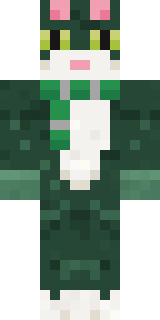
the winter cat skin has classic 4 pixel arms and works in Minecraft Java and Bedrock. Download it for free, then follow the steps above to wear it in game. Open it in the Build It Skin Maker to give it your own colours. It also comes in 9 colour versions, like Brown and Yellow.
See more in the Holidays collection, or look through the Holiday tags.