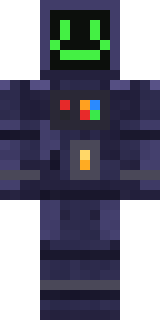
Haunted Arcade Robot
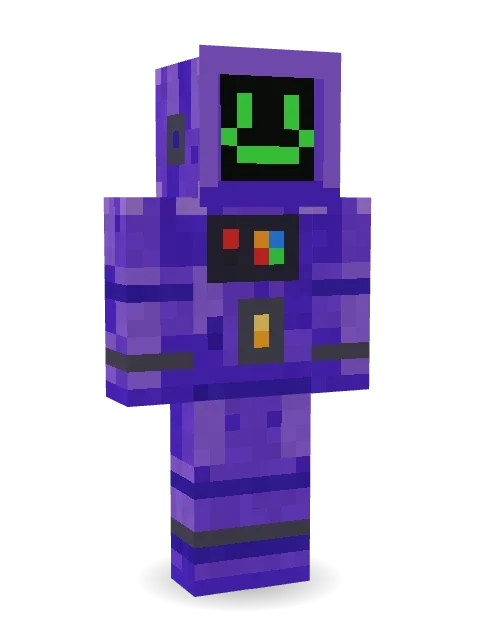
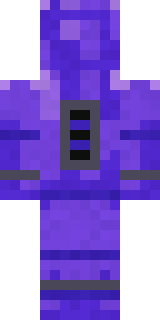
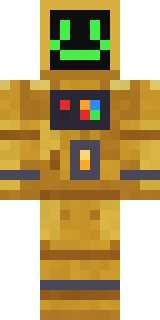
Game over is never over: a purple arcade cabinet robot with a green smiley screen, a joystick and buttons on its chest and a glowing coin slot.
How to use this skin
Download it, then follow the steps for where you play.
Minecraft: Java Edition, in the Minecraft Launcher
- Open the Minecraft Launcher and pick Minecraft: Java Edition on the left.
- Open the Skins tab at the top and press New skin.
- Give it a name and choose the player model: Classic.
- Press Browse, pick the PNG you downloaded, then Save & Use.
- Start the game: you are wearing it, on every world and server.
Minecraft: Java Edition, on minecraft.net
- Go to minecraft.net and log in with your Microsoft account.
- Open your Profile and find the skin settings of Java Edition.
- Choose Classic, select the PNG file, and press Upload.
- Your new skin shows the next time you join a world.
Bedrock Edition: Windows, Android, iPhone, iPad, Chromebook
- Open Minecraft and press Dressing Room on the main menu (in newer versions, the character button next to your name, then Edit Character).
- Open the Classic Skins tab.
- Under Owned Skins, press Import, then Choose New Skin.
- Pick the PNG you downloaded (on a phone it is usually in Downloads or Files).
- When it asks, choose Classic, then confirm.
Xbox, PlayStation and Nintendo Switch
Consoles cannot import a skin file. There you can wear Character Creator items and skins from the Marketplace.
Some players set a skin in Bedrock on a phone or PC that is signed in to the same Microsoft account and see it on their console too. Mojang does not support that, so it may not work for you.
More by Build It












Similar skins











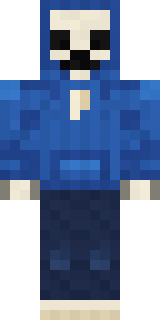



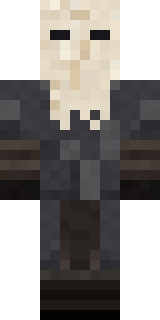
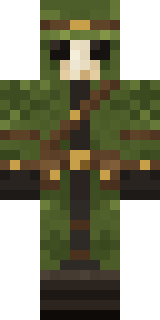
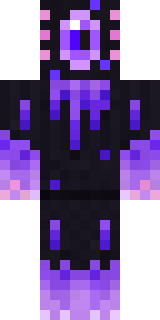
Trending today
What people open and download right now.
Trending today
The skins people are opening, liking and downloading right now.

- Ancient Hexby
 nvlr33
- Modern HoodiebyBuild It
- Galaxy AxolotlbyBuild It
- Shy KidbyBuild It
- The VoidbyBuild It
- Napoleon BonapartebyBuild It
- Hazmat ResponderbyBuild It
- The KingbyBuild It
- Slender ManbyBuild It
- Buff ChickenbyBuild It
Made on Build It
A few of the skins players made here. Find one you like, or start your own.
 Safari Cat
 Chocolate Chip Cookie
 Prism Slime
 Code Ghost
 Cactus Cowboy
 Moon ElfMidnight Ferryman
 Mad Scientist
 Abraham Lincoln
 Earth Elemental
 poilce demon
 Count Nightfall
 Lunar Botanist
 Slime Park RangerGalaxy Axolotl
 Charcoal Firefighter
 Watermelon Wrestler
 Sunny Surfer
 Waldo Buhonero
 Silver Pulse DJ
 Honey Bot
 Violet Samurai
 Roller Rink Attendant
 Honey Toast
 Menina
 the winter cat skin
 Downtown Pig
 Cyan Tinker Fairy
 Ace Pilot
 Balloon Festival Pilot
 Otter Fisher
 Moon Ranger
 Snow Leopard Hacker
 Nikola Tesla
 Buck Tooth Nerd
 Train Conductor
 Gilded Steel Knight
 Tin Toy Soldier
 Grey Rune stripe hoodie
 Turtle Park Ranger
 Stained-Glass Paladin
 Vampire Hunter
 Patchwork Teddy Bear
 Cherry Blossom Streetwear
 Tropical Fish
 Muddy Farmhand
 Diamond
 Sleepy Sheep
 Glacier Explorer
 Chill Pond Frog
 Midnight Snack Thief Raccoon
 Frost Elf Prince
 Desert Astronomer
 Haunted Laundry Worker
 Grey Suit and tie
 Gothic Librarian
 Living Battery
 Goldfish Space Cadet
 Miner shark
 Frost Yeti
About Haunted Arcade Robot
Haunted Arcade Robot is an eerie Minecraft skin from the Build It team. Its colours are purple and blue. It has a haunted arcade cabinet body. It is made for Halloween nights, haunted builds and horror maps.
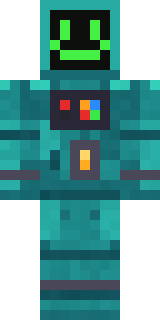
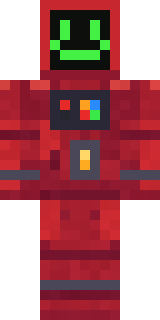
Haunted Arcade Robot has classic 4 pixel arms and works in Minecraft Java and Bedrock. It is free: download the PNG and add it in the Minecraft Launcher (Java) or the dressing room (Bedrock). Open it in the Build It Skin Maker to give it your own colours. Try its 7 colour versions too, like Teal cabinet and Crimson cabinet.
See more in the Spooky and Robots collections, or look through the Gamer, Neon and Robot tags.