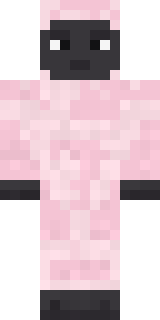
Woolly Blackface Sheep
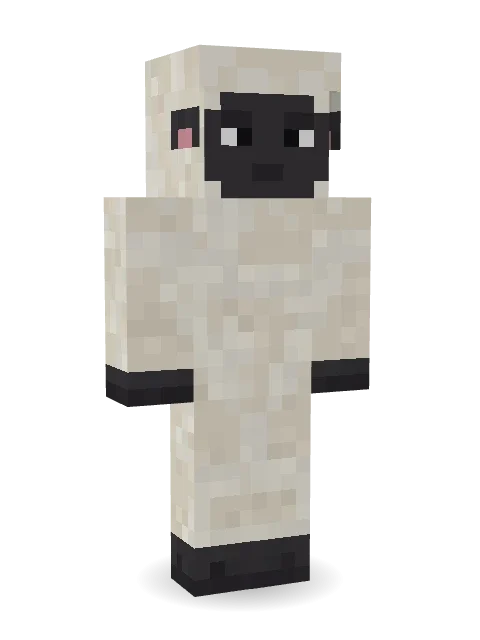
Too fluffy to care: thick ivory wool from head to hooves, a sleepy charcoal face, little pink eared ears and a tiny woolly tail.

How to use this skin
Download it, then follow the steps for where you play.
Minecraft: Java Edition, in the Minecraft Launcher
- Open the Minecraft Launcher and pick Minecraft: Java Edition on the left.
- Open the Skins tab at the top and press New skin.
- Give it a name and choose the player model: Classic.
- Press Browse, pick the PNG you downloaded, then Save & Use.
- Start the game: you are wearing it, on every world and server.
Minecraft: Java Edition, on minecraft.net
- Go to minecraft.net and log in with your Microsoft account.
- Open your Profile and find the skin settings of Java Edition.
- Choose Classic, select the PNG file, and press Upload.
- Your new skin shows the next time you join a world.
Bedrock Edition: Windows, Android, iPhone, iPad, Chromebook
- Open Minecraft and press Dressing Room on the main menu (in newer versions, the character button next to your name, then Edit Character).
- Open the Classic Skins tab.
- Under Owned Skins, press Import, then Choose New Skin.
- Pick the PNG you downloaded (on a phone it is usually in Downloads or Files).
- When it asks, choose Classic, then confirm.
Xbox, PlayStation and Nintendo Switch
Consoles cannot import a skin file. There you can wear Character Creator items and skins from the Marketplace.
Some players set a skin in Bedrock on a phone or PC that is signed in to the same Microsoft account and see it on their console too. Mojang does not support that, so it may not work for you.
More by Build It












Similar skins




















Trending today
What people open and download right now.
Trending today
The skins people are opening, liking and downloading right now.



- Modern HoodiebyBuild It
- Enderbrineby
 gustavopir
- Galaxy AxolotlbyBuild It
- Napoleon BonapartebyBuild It
- Ancient Hexby
 nvlr33
- Shy KidbyBuild It
- The KingbyBuild It
- Hazmat ResponderbyBuild It
- The VoidbyBuild It
- Buff ChickenbyBuild It
Made on Build It
A few of the skins players made here. Find one you like, or start your own.
Moon Petal Chestnut Warrior
 Thunderstorm Mage
 Jellybean Thief
 Pulse Android
 Cyber Samurai
 Office Zombie
 Pajama Knight
 Sea Urchin Punk
 Forest Druid
 Vooid
 Easter Egg Sweater
 Cloud Aviator
 Safari Cat
 Berg
 Beach Day
 Rose Mechanic
 Geode Elf
 Crimson Desert Nomad
 Bookstore Owner
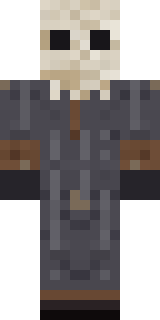 Ritual Caretaker
 Striped Zebra
 Frankenstein's Creature
 Forest Elf
 Vampire Aristocrat
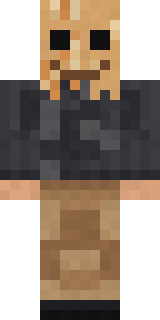 Paper Bag Bandit
 Stars and Stripes
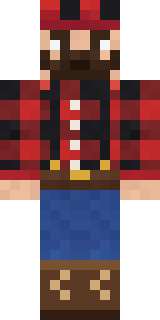 Buffalo Plaid Lumberjack
 Neon Courier
 Necromancer
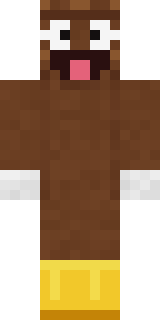 Happy PoopSlender Man
 Red Mushroom Scout
 Galaxy Wanderer
 Error
 Metal Elemental
 Circuit Alien
 Happy Farmer
 Flamehunter
 Missing Texture Person
 Periwinkle Rainwear
 Honeycomb Automaton
 Moss Ranger
 Volcanic Sentinel
 Stone Face Statue
 Moonwalk Astronaut
 Crimson Plaid Emo
 Forgotten Funeral Guest
 Mantis Master
 Campaign Trail Politician
 Gummy Bear Bodybuilder
 Dragonfly Courier
 Grumpy Thundercloud
 Bistro Chef
 Abyssal Monk
 Mad Scientist
 Shark Bite
 Spotted Frog
 Pitch Playmaker
 Grey Suit and tie
About Woolly Blackface Sheep
Woolly Blackface Sheep is a wild Minecraft skin from the Build It team. Its colours are beige and white. It has a woolly blackface sheep body. A fun pick for survival worlds and roleplay servers.
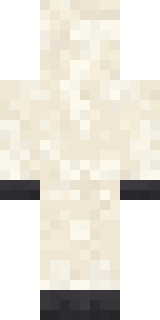
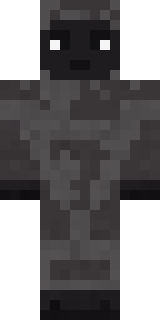
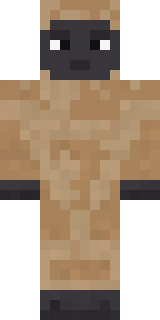
Woolly Blackface Sheep has classic 4 pixel arms and works in Minecraft Java and Bedrock. Download it for free and upload it in the Minecraft Launcher or the Bedrock dressing room. You can also open it in the Build It Skin Maker and make your own version. It also comes in 7 colour versions, like Black sheep and Brown wool.
See more in the Animals and Cute collections, or look through the Animal, Cozy and Cute tags.