Ink Wizard
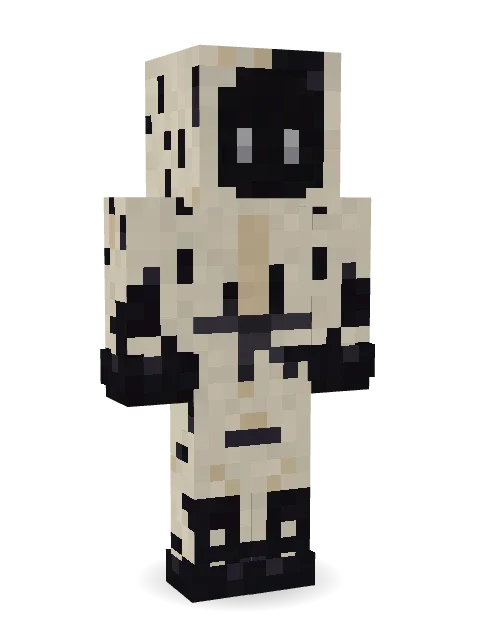
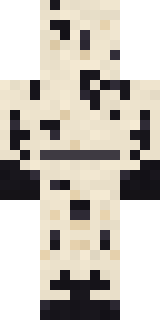
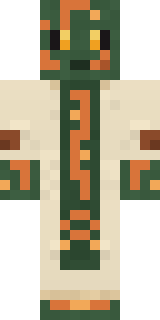
Spilled more ink than any wizard alive: cream hooded robes splattered with black blots, ink soaked hands and two pale eyes in the dark.

How to use this skin
Download it, then follow the steps for where you play.
Minecraft: Java Edition, in the Minecraft Launcher
- Open the Minecraft Launcher and pick Minecraft: Java Edition on the left.
- Open the Skins tab at the top and press New skin.
- Give it a name and choose the player model: Classic.
- Press Browse, pick the PNG you downloaded, then Save & Use.
- Start the game: you are wearing it, on every world and server.
Minecraft: Java Edition, on minecraft.net
- Go to minecraft.net and log in with your Microsoft account.
- Open your Profile and find the skin settings of Java Edition.
- Choose Classic, select the PNG file, and press Upload.
- Your new skin shows the next time you join a world.
Bedrock Edition: Windows, Android, iPhone, iPad, Chromebook
- Open Minecraft and press Dressing Room on the main menu (in newer versions, the character button next to your name, then Edit Character).
- Open the Classic Skins tab.
- Under Owned Skins, press Import, then Choose New Skin.
- Pick the PNG you downloaded (on a phone it is usually in Downloads or Files).
- When it asks, choose Classic, then confirm.
Xbox, PlayStation and Nintendo Switch
Consoles cannot import a skin file. There you can wear Character Creator items and skins from the Marketplace.
Some players set a skin in Bedrock on a phone or PC that is signed in to the same Microsoft account and see it on their console too. Mojang does not support that, so it may not work for you.
More by Build It












Similar skins


















Trending today
What people open and download right now.
Trending today
The skins people are opening, liking and downloading right now.
- Modern HoodiebyBuild It
- Galaxy AxolotlbyBuild It
- Ancient Hexby
 nvlr33
- Napoleon BonapartebyBuild It
- Shy KidbyBuild It
- The KingbyBuild It
- Hazmat ResponderbyBuild It
- The VoidbyBuild It
- Buff ChickenbyBuild It
- Slender ManbyBuild It
Made on Build It
A few of the skins players made here. Find one you like, or start your own.
 Origami Messenger
 Lemon Sorcerer
 Chocolate Chip Cookie
 Platinum Angel
 Forest Ranger
 Beekeeper
 Alice
 Yellow Scrubs
 Watermelon Brawler
 Dune Racer
 Ladybug Mechanic
 Ballroom Dancer
 Ocean Diver
 Fire Elemental
 Cursed Corporate Computer
 Easter Egg Sweater
 Goblin Raider
 Tattered Scarecrow
 Crimson Sash Ninja
 Ruby Blacksmith
 Porcelain Knight
 Lone Wolf
 Rage Quit Gamer
 Fire Fighter
 Vaporwave Pastel
 Light Elemental
 Wildlife Photographer
 Terracotta Summer
 Mad Scientist
 Berg
 Courtroom Judge
 Cozy Cat
 Muddy Farmhand
 Gilded Steel Knight
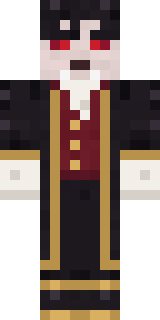 Vampire Aristocrat
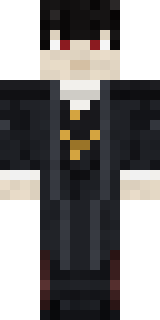 Vampire guy
 Silverback Gorilla
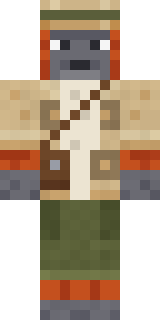 Orangutan Archaeologist
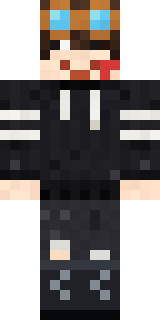 Grey Rune stripe hoodie
 Moon Elf
 Jesus Christ
 Blueberry Detective
 Golden Paladin
 Muddy Pig
 Living Popcorn Box
 Electric Eel Technician
 Blue Hood BoySecret Agent
 Full Moon Werewolf
 Red Mushroom Scout
 Ritual Caretaker
 Fossil Museum Curator
 Obsidian Knight
 Ember Demon
 Masked Night Prowler
 Penguin Tourist
 Mossy Troll
 Dwarf Miner
 Joan of Arc
 Circuit Board Monk
About Ink Wizard
Meet Ink Wizard, a haunted Minecraft skin from the Build It team. It comes with an ink splattered robe in beige and black. It is made for Halloween nights, haunted builds and horror maps.
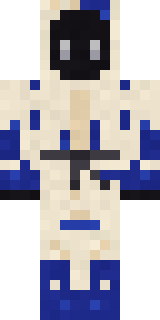
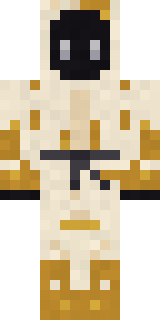
It uses the classic arms (4 pixels wide, like Steve) and works on Java and Bedrock. Download it for free, then follow the steps above to wear it in game. Want it your way? Open it in the Build It Skin Maker and change its colours and pieces. It also comes in 7 colour versions, like Blue ink and Red ink.
See more in the Spooky and Fantasy collections, or browse the Aesthetic, Mystery and Spooky tags.