Beekeeper
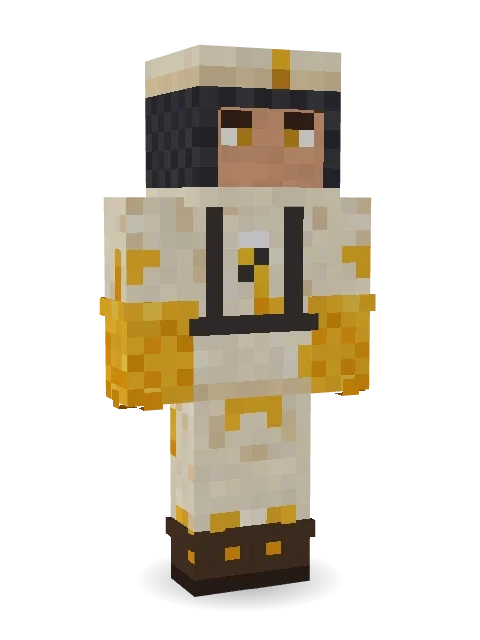
A busy beekeeper in a cream suit and a veiled hat, honey dripping off the gloves and a little bee pinned on the chest. Sweet work.

How to use this skin
Download it, then follow the steps for where you play.
Minecraft: Java Edition, in the Minecraft Launcher
- Open the Minecraft Launcher and pick Minecraft: Java Edition on the left.
- Open the Skins tab at the top and press New skin.
- Give it a name and choose the player model: Classic.
- Press Browse, pick the PNG you downloaded, then Save & Use.
- Start the game: you are wearing it, on every world and server.
Minecraft: Java Edition, on minecraft.net
- Go to minecraft.net and log in with your Microsoft account.
- Open your Profile and find the skin settings of Java Edition.
- Choose Classic, select the PNG file, and press Upload.
- Your new skin shows the next time you join a world.
Bedrock Edition: Windows, Android, iPhone, iPad, Chromebook
- Open Minecraft and press Dressing Room on the main menu (in newer versions, the character button next to your name, then Edit Character).
- Open the Classic Skins tab.
- Under Owned Skins, press Import, then Choose New Skin.
- Pick the PNG you downloaded (on a phone it is usually in Downloads or Files).
- When it asks, choose Classic, then confirm.
Xbox, PlayStation and Nintendo Switch
Consoles cannot import a skin file. There you can wear Character Creator items and skins from the Marketplace.
Some players set a skin in Bedrock on a phone or PC that is signed in to the same Microsoft account and see it on their console too. Mojang does not support that, so it may not work for you.
More by Build It












Similar skins




















Trending today
What people open and download right now.
Trending today
The skins people are opening, liking and downloading right now.

- Modern HoodiebyBuild It
- Ancient Hexby
 nvlr33
- Galaxy AxolotlbyBuild It
- Napoleon BonapartebyBuild It
- Shy KidbyBuild It
- The KingbyBuild It
- Hazmat ResponderbyBuild It
- The VoidbyBuild It
- Buff ChickenbyBuild It
- Slender ManbyBuild It
Made on Build It
A few of the skins players made here. Find one you like, or start your own.
 Dusty Rose Vintage
 Silverfish Archivist
 Cotton Candy Vendor
 Necromancer
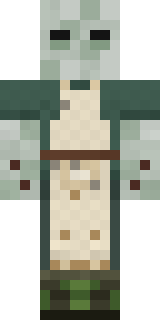 Crypt Custodian
 Champion Boxer
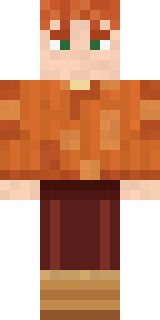 Autumn Knit
 False Smile Stranger
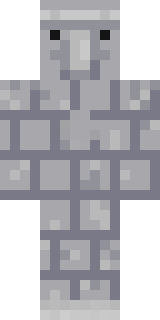 Stone Face Statue
 Rookie Boxer
 Bouncy Prince slimeArmy Soldier
 Fairy Glow
 Raven Lamplighter
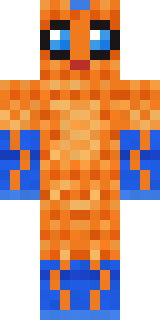 Tropical Fish
 Grumpy Potato Farmer
 Laurel Angel
 Cranberry Witch
 Bumpy Pickle
 Retro Fridge Robot
 Astronaut
 Sharp Jawline Guy
 Reef Mermaid
 Balduíno IV
 Dune Racer
 Slime Park Ranger
 Ghost King
 Ink Wizard
 Icy Blue Winter
 Grease Monkey
 Crimson Sash Ninja
 Frost Yeti
 Graphite Cyborg
 Mixtape Cassette Head
 Roller Rink Attendant
 Code Ghost
 Lighthouse Keeper
 Crimson Builder
 Copper Engineer
 Eclipse Priest
 Star Striker
 Light Elemental
 Sea Urchin Punk
 Ember Librarian
 Snow Rider
 Charcoal Firefighter
 Sky Princess
 Crimson Plaid Emo
 Sea Foam Dancer
 Moss Plague Doctor
 Moon Elf Ranger
 Crystal Monk
 Gentle GiraffeNapoleon Bonaparte
 Victorian Gentleman
 Terracotta Guardian
 Ferret Locksmith
 Glacier Explorer
 Deep Sea Captain
 Joan of Arc
About Beekeeper
Beekeeper is a critter skin for Minecraft from the Build It team. The outfit: a bee suit and a beekeeper veil hat, mostly beige with touches of yellow. Great for players who love animals, farms and cozy builds.
It uses the classic arms (4 pixels wide, like Steve) and works on Java and Bedrock. Download it for free and upload it in the Minecraft Launcher or the Bedrock dressing room. You can also open it in the Build It Skin Maker and make your own version. It also comes in 7 colour versions, like Royal jelly and Wildflower.
See more in the Animals and Streetwear collections, or browse the Bee, Casual and Cute tags.