Living Popcorn Box
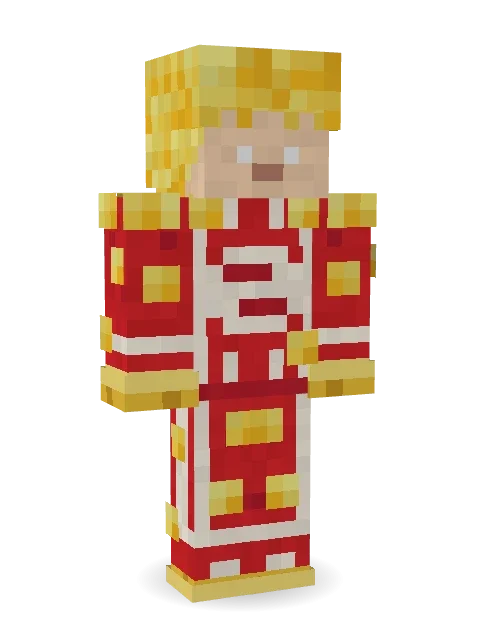
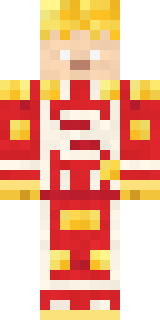
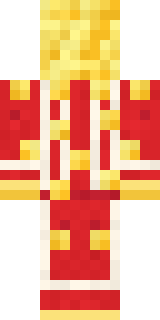
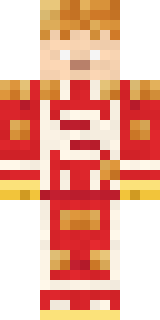
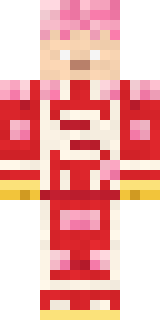
Fresh from the cinema: a cloud of buttery popcorn for hair, a red and white striped box with the POP CORN label, and kernels spilling everywhere.

How to use this skin
Download it, then follow the steps for where you play.
Minecraft: Java Edition, in the Minecraft Launcher
- Open the Minecraft Launcher and pick Minecraft: Java Edition on the left.
- Open the Skins tab at the top and press New skin.
- Give it a name and choose the player model: Classic.
- Press Browse, pick the PNG you downloaded, then Save & Use.
- Start the game: you are wearing it, on every world and server.
Minecraft: Java Edition, on minecraft.net
- Go to minecraft.net and log in with your Microsoft account.
- Open your Profile and find the skin settings of Java Edition.
- Choose Classic, select the PNG file, and press Upload.
- Your new skin shows the next time you join a world.
Bedrock Edition: Windows, Android, iPhone, iPad, Chromebook
- Open Minecraft and press Dressing Room on the main menu (in newer versions, the character button next to your name, then Edit Character).
- Open the Classic Skins tab.
- Under Owned Skins, press Import, then Choose New Skin.
- Pick the PNG you downloaded (on a phone it is usually in Downloads or Files).
- When it asks, choose Classic, then confirm.
Xbox, PlayStation and Nintendo Switch
Consoles cannot import a skin file. There you can wear Character Creator items and skins from the Marketplace.
Some players set a skin in Bedrock on a phone or PC that is signed in to the same Microsoft account and see it on their console too. Mojang does not support that, so it may not work for you.
More by Build It












Similar skins



















Trending today
What people open and download right now.
Trending today
The skins people are opening, liking and downloading right now.



- Modern HoodiebyBuild It
- Enderbrineby
 gustavopir
- Galaxy AxolotlbyBuild It
- Napoleon BonapartebyBuild It
- The KingbyBuild It
- Hazmat ResponderbyBuild It
- Shy KidbyBuild It
- The VoidbyBuild It
- herobrinebygustavopir
- Starfield PhantombyBuild It
Made on Build It
A few of the skins players made here. Find one you like, or start your own.
 Living Marble Statue
 Ghost Concierge
 Nikola Tesla
 Emotional Support Pickle
 Spotted Frog
 Snow Rider
 Ward Doctor
 One Brain Cell Cat
 Firefly Scout
 lonely girl
 Emo Kid
 Hot Springs Innkeeper
 Gilded Steel Knight
 Crow Undertaker
 Cactus Cowboy
 Ferret Locksmith
 Fox Blacksmith
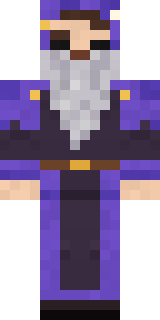 Smug Star Wizard
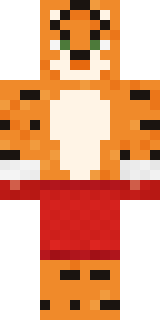 Tiger Champ
 Sea Foam Dancer
 Market Butcher
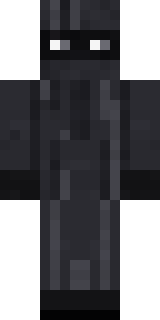 Veiled Mourner
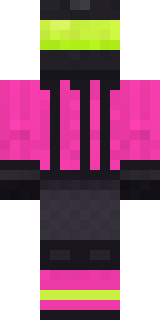 Neon Motorcycle Courier
 Little Dragon
 Red Mushroom Scout
 Grey Tattered reaper robe
 Canada Day Maple Leaf
 Crimson Plaid Emo
 Wolfgang Amadeus Mozart
 Electric Eel Technician
 gamer Black Void drip hoodie
 Orangutan Archaeologist
 Slime Park Ranger
 Diamond Sleeve Trader
 Lucky Leprechaun
 The Boss
 Banana GentlemanShy Kid
 Hoop Star
 Clockwork Owl
 Vaporwave Pastel
 Safari Cat
 Sage Apron Florist
 Pitch Playmaker
 Cobalt Firefighter
 Halloween Vampire
 Silverfish Archivist
 Lighthouse Keeper
 Happy Hot Dog
 Dandelion Druid
 Soft Boy
 Burlap Intruder
 Lavender Daydream
 Tide Pool Spirit
 Crocodile Detective
 Frost Elf Prince
 Owl Professor
 Living Chess King
 Periwinkle Rainwear
 Crimson Templar
About Living Popcorn Box
Living Popcorn Box is a food Minecraft skin made by the Build It team. Its look puts together a popcorn box, popcorn stripe pants and a spilled popcorn with a red, beige and yellow colour scheme. Proof that anything can be a Minecraft skin, even lunch.
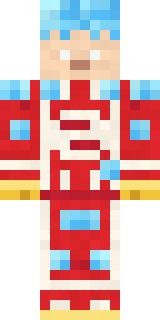
It uses the classic arms (4 pixels wide, like Steve) and works on Java and Bedrock. It is free: download the PNG and add it in the Minecraft Launcher (Java) or the dressing room (Bedrock). Want it your way? Open it in the Build It Skin Maker and change its colours and pieces. Try its 7 colour versions too, like Caramel corn and Strawberry corn.
Find more skins like it in the Food and Cute collections, or browse the Cute, Food and Funny tags.