Joan of Arc
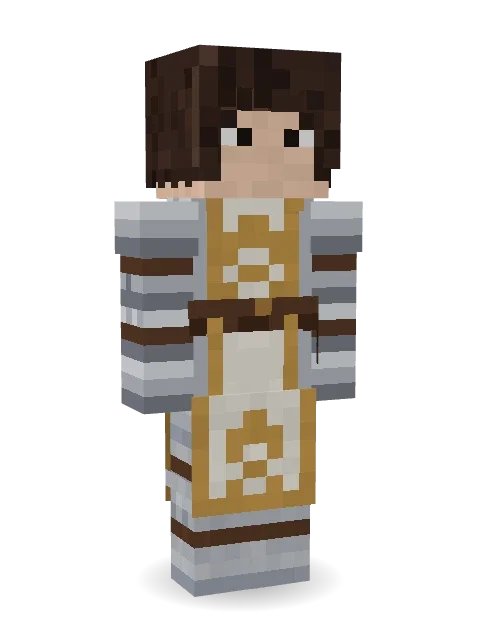
Faith, courage, France: a dark bob, silver plate armor and a white tabard edged in gold with golden fleurs-de-lis.
How to use this skin
Download it, then follow the steps for where you play.
Minecraft: Java Edition, in the Minecraft Launcher
- Open the Minecraft Launcher and pick Minecraft: Java Edition on the left.
- Open the Skins tab at the top and press New skin.
- Give it a name and choose the player model: Slim.
- Press Browse, pick the PNG you downloaded, then Save & Use.
- Start the game: you are wearing it, on every world and server.
Minecraft: Java Edition, on minecraft.net
- Go to minecraft.net and log in with your Microsoft account.
- Open your Profile and find the skin settings of Java Edition.
- Choose Slim, select the PNG file, and press Upload.
- Your new skin shows the next time you join a world.
Bedrock Edition: Windows, Android, iPhone, iPad, Chromebook
- Open Minecraft and press Dressing Room on the main menu (in newer versions, the character button next to your name, then Edit Character).
- Open the Classic Skins tab.
- Under Owned Skins, press Import, then Choose New Skin.
- Pick the PNG you downloaded (on a phone it is usually in Downloads or Files).
- When it asks, choose Slim, then confirm.
Xbox, PlayStation and Nintendo Switch
Consoles cannot import a skin file. There you can wear Character Creator items and skins from the Marketplace.
Some players set a skin in Bedrock on a phone or PC that is signed in to the same Microsoft account and see it on their console too. Mojang does not support that, so it may not work for you.
More by Build It












Similar skins


















Trending today
What people open and download right now.
Trending today
The skins people are opening, liking and downloading right now.

- Ancient Hexby
 nvlr33
- Modern HoodiebyBuild It
- Galaxy AxolotlbyBuild It
- Shy KidbyBuild It
- Hazmat ResponderbyBuild It
- Napoleon BonapartebyBuild It
- The VoidbyBuild It
- The KingbyBuild It
- Slender ManbyBuild It
- Buff ChickenbyBuild It
Made on Build It
A few of the skins players made here. Find one you like, or start your own.
 Monotone Man
 Moss Plague Doctor
 Lone Wolf
 False Smile Stranger
 Jake
 Bouncy Slime
 Confetti Clown
 Parrot Captain
 Buck Tooth Nerd
 Blocky Newbie
 Lighthouse KeeperNapoleon Bonaparte
 Balduíno IV
 Dungeon Accountant
 Goblin Raider
 Bronze Bell SpiritDreamweaverCoral Reef Sorceress
 Alien Exchange StudentTemplar Knight
 Sandstone Guardian
 Ghost Train Conductor
 Gamer Hoodie Boy
 Cozy CatCleopatra
 Ghost King
 Miner shark
 Forest Elf
 Paper Lantern Spirit
 Medieval Scribe
 Carnival Ticket Taker
 Marmot Mountain Climber
 Woodland Scout
 Crypt Ghoul
 Grey Suit and tie
 Crimson Sash Ninja
 Woodland Fox
 Roman Legionary
 Terracotta Guardian
 Stained Glass Mage
 Watermelon Wrestler
 miner in a suit and tie
 Locked In Alien
 Head Chef
 Halloween Witch
 Sunny Surfer
 Metal Elemental
 Fox Blacksmith
 Desert Nomad
 Midnight HoodieAlice
 Shark Bite
 Grey Rune stripe hoodie
 Summer Dad
 Morning Barista
 Ink Wizard
 Fern Forest Sprite
 Ballroom Dancer
 Earth Elemental
 Living Popcorn Box
About Joan of Arc
Meet Joan of Arc, a storybook Minecraft skin from the Build It team. Its look puts together a fleur-de-lis tabard and silver plate greaves in grey, white and orange. Made for quests, castles and roleplay adventures.
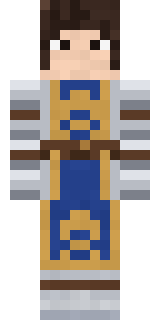
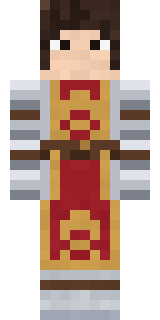
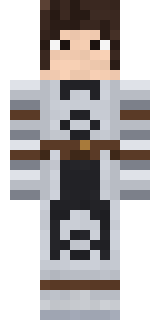
It uses the slim arms (3 pixels wide, like Alex) and works on Java and Bedrock. It is free: download the PNG and add it in the Minecraft Launcher (Java) or the dressing room (Bedrock). Want it your way? Open it in the Build It Skin Maker and change its colours and pieces. Try its 7 colour versions too, like Royal blue and Crimson.
See more in the Fantasy and History collections, or browse the Girl, Hero and History tags.