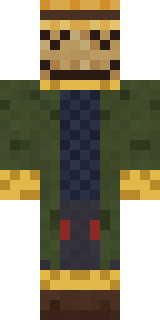
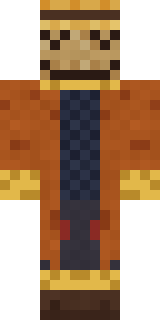
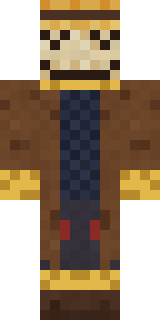
Tattered Scarecrow
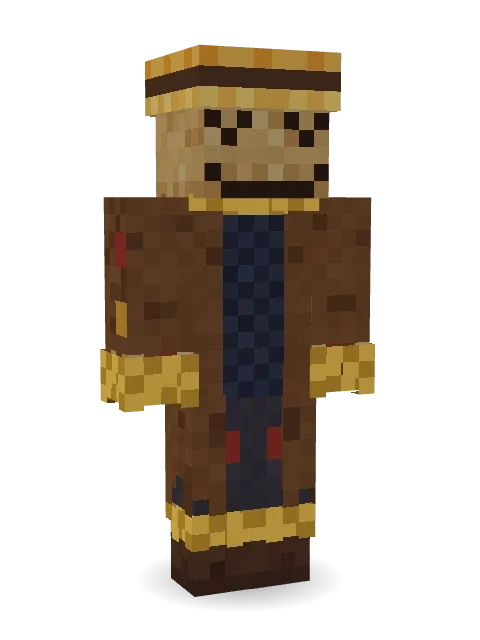
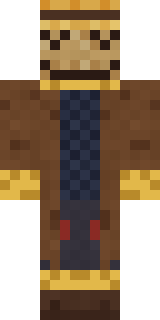
Guarding the field long after harvest: a burlap face with stitched eyes and grin, a straw hat, a patched coat and straw bursting out of every cuff.
How to use this skin
Download it, then follow the steps for where you play.
Minecraft: Java Edition, in the Minecraft Launcher
- Open the Minecraft Launcher and pick Minecraft: Java Edition on the left.
- Open the Skins tab at the top and press New skin.
- Give it a name and choose the player model: Classic.
- Press Browse, pick the PNG you downloaded, then Save & Use.
- Start the game: you are wearing it, on every world and server.
Minecraft: Java Edition, on minecraft.net
- Go to minecraft.net and log in with your Microsoft account.
- Open your Profile and find the skin settings of Java Edition.
- Choose Classic, select the PNG file, and press Upload.
- Your new skin shows the next time you join a world.
Bedrock Edition: Windows, Android, iPhone, iPad, Chromebook
- Open Minecraft and press Dressing Room on the main menu (in newer versions, the character button next to your name, then Edit Character).
- Open the Classic Skins tab.
- Under Owned Skins, press Import, then Choose New Skin.
- Pick the PNG you downloaded (on a phone it is usually in Downloads or Files).
- When it asks, choose Classic, then confirm.
Xbox, PlayStation and Nintendo Switch
Consoles cannot import a skin file. There you can wear Character Creator items and skins from the Marketplace.
Some players set a skin in Bedrock on a phone or PC that is signed in to the same Microsoft account and see it on their console too. Mojang does not support that, so it may not work for you.
More by Build It












Similar skins





















Trending today
What people open and download right now.
Trending today
The skins people are opening, liking and downloading right now.

- Ancient Hexby
 nvlr33
- Modern HoodiebyBuild It
- Shy KidbyBuild It
- Galaxy AxolotlbyBuild It
- Napoleon BonapartebyBuild It
- The KingbyBuild It
- Hazmat ResponderbyBuild It
- The VoidbyBuild It
- Buff ChickenbyBuild It
- Slender ManbyBuild It
Made on Build It
A few of the skins players made here. Find one you like, or start your own.
 Pulse Android
 Caramel Knight
 Mad Scientist
 Ronin Samurai
 Golden Koi Courtier
 Coral Reef Sorceress
 Flamehunter
 Dragonfly Courier
 Cobalt Cyber Ninja
 Espresso Cozy
 Avalanche RescuerGalaxy Axolotl
 Lakeside Angler
 Red Orchard vine shirt
 Paper Lantern Spirit
 Marmot Mountain Climber
 Head Chef
 Street Skater
 Raccoon Thief
 ◊ Runic Guardian ◊Shroud Ghost
 Half Peeled Banana
 Ghost Concierge
 Roller Rink Attendant
 Bronze Bell Spirit
 Cyberpunk Paramedic
 Shark Bite
 Silver Pulse DJ
 Mirror Knight
 Low Battery Robot
 Sewer Rat King
 Jelly Alien
 Axolotl Hoodie
 Crimson Builder
 Brown Steampunk coat Muscled wrestler
 Peacock Guard
 Mantis Master
 Black
 Wolfgang Amadeus MozartThe Void
 Sage Apron Florist
 Ace Pilot
 Halloween Vampire
 Rage Quit Gamer
 Woolly Blackface Sheep
 Enderdude
 Saloon Pianist
 Lilac Ballerina
 Ruby Dragonborn
 Jesus Christ
 Terracotta Guardian
 Redstone Tinkerer
 Sea Otter
 Watermelon Wrestler
 Code Ghost
 Train Conductor
 Terracotta Turtle
 Thunderstorm Mage
 Scuba Instructor
 Grumpy Thundercloud
About Tattered Scarecrow
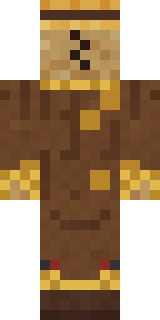
Tattered Scarecrow is a haunted skin for Minecraft from the Build It team. Its look puts together a tattered patch coat, straw fringe trousers and a ragged straw hat with a brown and blue colour scheme. It is a stitched sack scarecrow from head to toe. It is made for Halloween nights, haunted builds and horror maps.
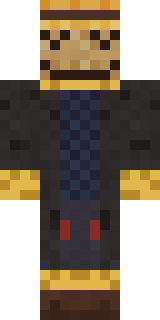
It uses the classic arms (4 pixels wide, like Steve) and works on Java and Bedrock. Download it for free, then follow the steps above to wear it in game. Want it your way? Open it in the Build It Skin Maker and change its colours and pieces. Try its 7 colour versions too, like Black coat and Green coat.
See more in the Spooky and Jobs collections, or browse the Farmer, Funny and Halloween tags.