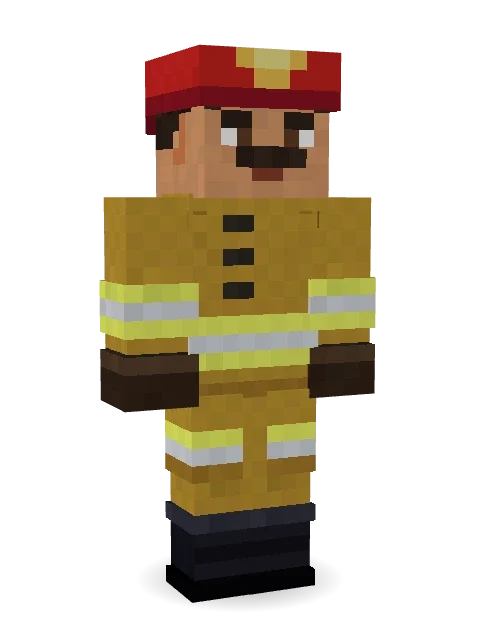
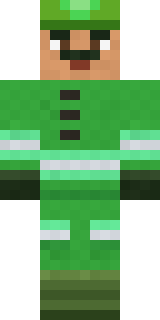
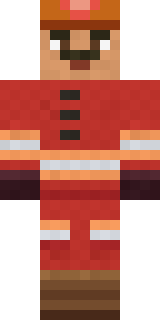
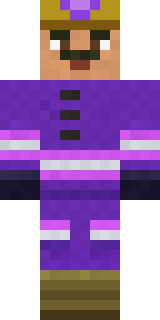
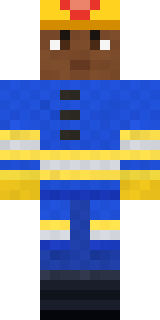
Fire Fighter
Reflective stripes, a red helmet and first through the door.
How to use this skin
Download it, then follow the steps for where you play.
Minecraft: Java Edition, in the Minecraft Launcher
- Open the Minecraft Launcher and pick Minecraft: Java Edition on the left.
- Open the Skins tab at the top and press New skin.
- Give it a name and choose the player model: Classic.
- Press Browse, pick the PNG you downloaded, then Save & Use.
- Start the game: you are wearing it, on every world and server.
Minecraft: Java Edition, on minecraft.net
- Go to minecraft.net and log in with your Microsoft account.
- Open your Profile and find the skin settings of Java Edition.
- Choose Classic, select the PNG file, and press Upload.
- Your new skin shows the next time you join a world.
Bedrock Edition: Windows, Android, iPhone, iPad, Chromebook
- Open Minecraft and press Dressing Room on the main menu (in newer versions, the character button next to your name, then Edit Character).
- Open the Classic Skins tab.
- Under Owned Skins, press Import, then Choose New Skin.
- Pick the PNG you downloaded (on a phone it is usually in Downloads or Files).
- When it asks, choose Classic, then confirm.
Xbox, PlayStation and Nintendo Switch
Consoles cannot import a skin file. There you can wear Character Creator items and skins from the Marketplace.
Some players set a skin in Bedrock on a phone or PC that is signed in to the same Microsoft account and see it on their console too. Mojang does not support that, so it may not work for you.
More by Build It












Similar skins
















Trending today
What people open and download right now.
Trending today
The skins people are opening, liking and downloading right now.

- Ancient Hexby
 nvlr33
- Modern HoodiebyBuild It
- Galaxy AxolotlbyBuild It
- Shy KidbyBuild It
- Napoleon BonapartebyBuild It
- The KingbyBuild It
- Hazmat ResponderbyBuild It
- The VoidbyBuild It
- Buff ChickenbyBuild It
- Slender ManbyBuild It
Made on Build It
A few of the skins players made here. Find one you like, or start your own.
 Mint Axolotl
 Frost Scholar
 Pumpkin Hoodie
 Bone Scout
 Arcade Janitor
 Hot Springs Innkeeper
 Bronze Age Warrior
 Ancient Gardian
 Ladybug Mechanic
 Chrome Mannequin
 Sleepy Mummy
 Honey Toast
 Berg
 Guardian AngelModern Hoodie
 White Rabbit
 Patchwork Plush Monster
 Spider Silk Merchant
 Lakeside Angler
 Silverfish Archivist
 Froggy Onesie
 Pumpkin WraithCyberpunk Paramedic
 Fast Break Baller
 Little Toadstool
 Summer Dad
 Sunflower Scarecrow
 Sea Otter
 Hospital Hero
 Black
 Meander
 Christmas Gingerbread
 Paint Splash
 Celestial Monk
 Honeycomb Automaton
 Silver MoonMountain Rescue Medic
 Forest Elf
 Malachite Golem
 Main Character Duck
 Noir Detective
 Glowworm Spelunker
 Water Elemental
 Dune Racer
 Gamer Hoodie Boy
 Frost Yeti
 Tattered Reaper
 Holiday Helper
 Woodland Ranger
 Easter Egg Sweater
 Koi Pond Spirit
 Porcelain Knight
 Firefly Scout
 Circuit Board Monk
 White Striped
 Coral Reef Sorceress
 Possum Garbage Collector
 Ocean Diver
 Sprinkle Donut
 Cherry Goth Streetwear
About Fire Fighter
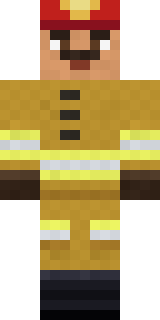
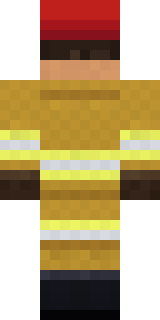
Fire Fighter is a heroic skin for Minecraft made by the Build It team. Its look puts together a fire coat, fire pants, boots and gloves in yellow. A strong pick for battles, dungeons and roleplay.
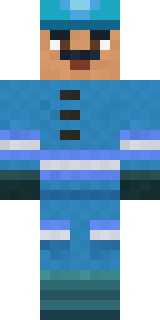
It uses the classic arms (4 pixels wide, like Steve) and works on Java and Bedrock. It is free: download the PNG and add it in the Minecraft Launcher (Java) or the dressing room (Bedrock). Open it in the Build It Skin Maker to give it your own colours. Try its 5 colour versions too, like Ocean and Forest.
Find more skins like it in the Heroes and fighters collection, or browse the Hero tags.