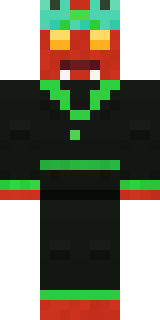
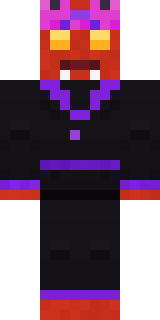
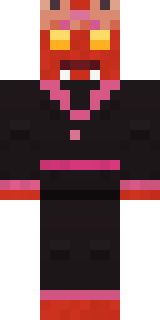
Ember Demon
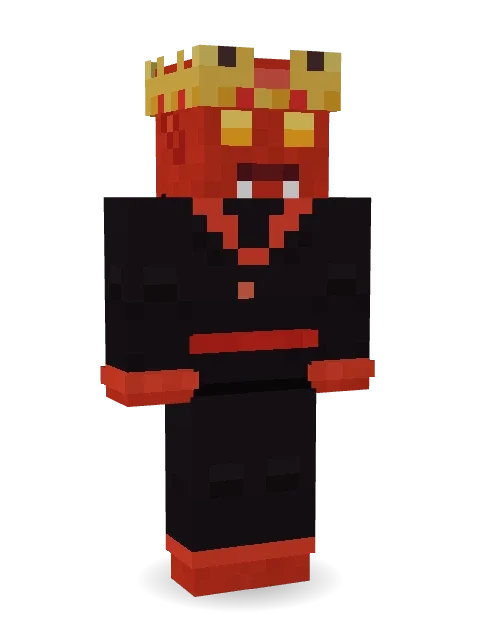
Horns, fangs, dark wings and a crown that is warm to the touch.
How to use this skin
Download it, then follow the steps for where you play.
Minecraft: Java Edition, in the Minecraft Launcher
- Open the Minecraft Launcher and pick Minecraft: Java Edition on the left.
- Open the Skins tab at the top and press New skin.
- Give it a name and choose the player model: Classic.
- Press Browse, pick the PNG you downloaded, then Save & Use.
- Start the game: you are wearing it, on every world and server.
Minecraft: Java Edition, on minecraft.net
- Go to minecraft.net and log in with your Microsoft account.
- Open your Profile and find the skin settings of Java Edition.
- Choose Classic, select the PNG file, and press Upload.
- Your new skin shows the next time you join a world.
Bedrock Edition: Windows, Android, iPhone, iPad, Chromebook
- Open Minecraft and press Dressing Room on the main menu (in newer versions, the character button next to your name, then Edit Character).
- Open the Classic Skins tab.
- Under Owned Skins, press Import, then Choose New Skin.
- Pick the PNG you downloaded (on a phone it is usually in Downloads or Files).
- When it asks, choose Classic, then confirm.
Xbox, PlayStation and Nintendo Switch
Consoles cannot import a skin file. There you can wear Character Creator items and skins from the Marketplace.
Some players set a skin in Bedrock on a phone or PC that is signed in to the same Microsoft account and see it on their console too. Mojang does not support that, so it may not work for you.
More by Build It












Similar skins
















Trending today
What people open and download right now.
Trending today
The skins people are opening, liking and downloading right now.

- Modern HoodiebyBuild It
- Ancient Hexby
 nvlr33
- Galaxy AxolotlbyBuild It
- Shy KidbyBuild It
- The VoidbyBuild It
- Hazmat ResponderbyBuild It
- Napoleon BonapartebyBuild It
- The KingbyBuild It
- Slender ManbyBuild It
- Buff ChickenbyBuild It
Made on Build It
A few of the skins players made here. Find one you like, or start your own.
 Victorian Gentleman
 Bumblebee
 Matcha Cafe
 Sea Foam Dancer
 Bookstore Owner
 Geode Elf
 Striped Zebra
 Crimson Templar
 Skyship Navigator
 Garden Helper
 Haunted Laundry Worker
 The Big Cheese
 Glacier Explorer
 Origami Messenger
 Stars and Stripes
 Woolly Blackface Sheep
 Living Popcorn Box
 Shadow Ninja
 the winter cat skin
 Clockwork Oracle
 Captain Saltbeard
 Lone Wolf
 Terracotta Guardian
 Woodland Dryad
 Ballroom Dancer
 Halloween Witch
 Medieval Cobbler
 Desert Djinn
 Rose Mechanic
 Desert Oracle
 Emotional Support Pickle
 Count Nightfall
 Stained Glass Mage
 Fire Fighter
 Train Conductor
 Red Panda
 Beach Day
 Beach Lifeguard
 Fast Break Baller
 Railway Traveler
 Crocodile Detective
 Peacock Guard
 Confetti Clown
 Octopus Stage Magician
 Steampunk Inventor
 Golden Automaton
 Crimson Desert Nomad
 Late Night Gamer
 Pumpkin Wraith
 Panda Pal
 Ember Dragon
 Sunken Knight
 Park Ranger
 Tornado Chaser
 Autumn Leaf Sprite
 Gym Bro Banana
 miner in a suit and tie
 Cyan Tinker Fairy
 Cherry Goth Streetwear
 Linen Summer
About Ember Demon
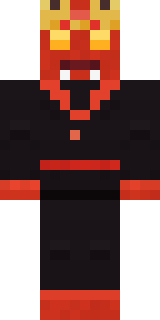
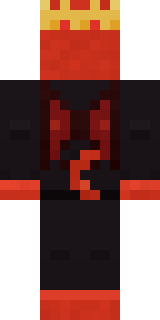
Ember Demon is a haunted Minecraft skin from the Build It team. The outfit: a robe and a crown, mostly black with touches of red. It has a demon body and bat wings and a cat tail. It is made for Halloween nights, haunted builds and horror maps.
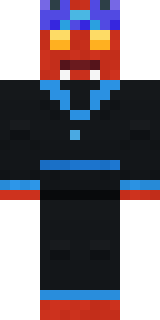
Ember Demon has classic 4 pixel arms and works in Minecraft Java and Bedrock. It is free: download the PNG and add it in the Minecraft Launcher (Java) or the dressing room (Bedrock). Open it in the Build It Skin Maker to give it your own colours. Try its 5 colour versions too, like Ocean and Forest.
See more in the Spooky and Fantasy collections, or look through the Monster, Royal and Spooky tags.