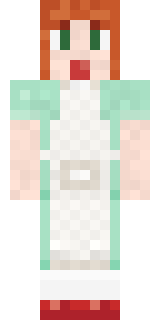
Auburn Diner Waitress
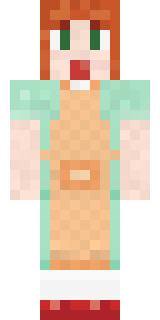
Remembers your order before you sit down: long auburn hair, red lips, a mint diner dress with puff sleeves, a peach apron and red Mary Janes.

How to use this skin
Download it, then follow the steps for where you play.
Minecraft: Java Edition, in the Minecraft Launcher
- Open the Minecraft Launcher and pick Minecraft: Java Edition on the left.
- Open the Skins tab at the top and press New skin.
- Give it a name and choose the player model: Slim.
- Press Browse, pick the PNG you downloaded, then Save & Use.
- Start the game: you are wearing it, on every world and server.
Minecraft: Java Edition, on minecraft.net
- Go to minecraft.net and log in with your Microsoft account.
- Open your Profile and find the skin settings of Java Edition.
- Choose Slim, select the PNG file, and press Upload.
- Your new skin shows the next time you join a world.
Bedrock Edition: Windows, Android, iPhone, iPad, Chromebook
- Open Minecraft and press Dressing Room on the main menu (in newer versions, the character button next to your name, then Edit Character).
- Open the Classic Skins tab.
- Under Owned Skins, press Import, then Choose New Skin.
- Pick the PNG you downloaded (on a phone it is usually in Downloads or Files).
- When it asks, choose Slim, then confirm.
Xbox, PlayStation and Nintendo Switch
Consoles cannot import a skin file. There you can wear Character Creator items and skins from the Marketplace.
Some players set a skin in Bedrock on a phone or PC that is signed in to the same Microsoft account and see it on their console too. Mojang does not support that, so it may not work for you.
More by Build It










Similar skins



Trending today
What people open and download right now.
Trending today
The skins people are opening, liking and downloading right now.

- Modern HoodiebyBuild It
- Galaxy AxolotlbyBuild It
- Enderbrineby
 gustavopir
- Napoleon BonapartebyBuild It
- The VoidbyBuild It
- Slender ManbyBuild It
- The KingbyBuild It
- Buff ChickenbyBuild It
- Shy KidbyBuild It
- Abyssal MonkbyBuild It
Made on Build It
A few of the skins players made here. Find one you like, or start your own.
 Octopus Stage Magician
 Balloon Festival Pilot
 Jesus Christ
 Light Elemental
 White Ghost Sheet
 Rainy Day
 Neon Parkour RunnerHazmat Responder
 Living Candle Magician
 Cotton Candy Vendor
 Lobster Lifeguard
 Locked In Alien
 Rodeo Star
 Shrimp Mechanic
 Sleepy Sheep
 Emerald Serpent
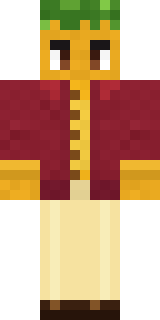 Sunflower Drummer
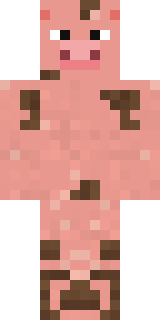 Muddy Pig
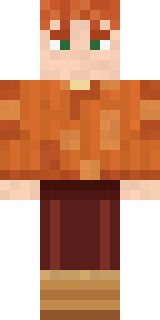 Autumn Knit
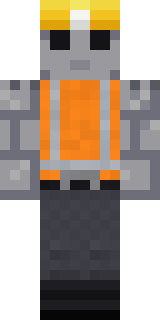 Concrete Builder
 Froggy Onesie
 Campaign Trail Politician
 Late Night Gamer
 Galaxy Wanderer
 Origami Crane Warrior
 Lime Alien Astronaut
 Living Marble Statue
 Captain Spark
 Thunderstorm Mage
 Business Shark
 Snow Leopard Hacker
 Lavender Daydream
 Pumpkin Wraith
 Canada Day Maple Leaf
 Terracotta Summer
 Stone Face Statue
 Burlap Intruder
 Ward Doctor
 Orc Warrior
 Templar Knight
 Retired Adventurer
 Grey Suit and tie
 Easter Bunny Costume
 Steampunk Inventor
 Burgundy Buccaneer
 Ruby Blacksmith
 Field Scarecrow
 Arcade Buddy
 Alien Tourist
 Blue Beat
 Matcha Mochi
 Wildlife Photographer
 Ravioli Wrestler
 Peach Sunset
 Gothic Librarian
 Mad Scientist
 Forgotten Funeral Guest
 Star Striker
 Porcelain Knight
 Red Panda Sushi Chef
About Auburn Diner Waitress
Auburn Diner Waitress is a snack-themed Minecraft skin from the Build It team. Its look puts together a mint diner dress, a peach diner apron and mary Janes with a beige and green colour scheme. It is the kind of skin that makes the whole server hungry.
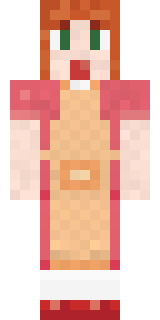
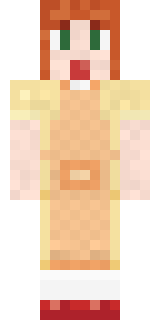
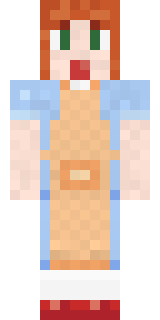
It uses the slim arms (3 pixels wide, like Alex) and works on Java and Bedrock. Download it for free, then follow the steps above to wear it in game. Open it in the Build It Skin Maker to give it your own colours. It also comes in 7 colour versions, like Cherry dress and Butter dress.
See more in the Food and Cute collections, or browse the Cute, Food and Girl tags.