Alien Tourist
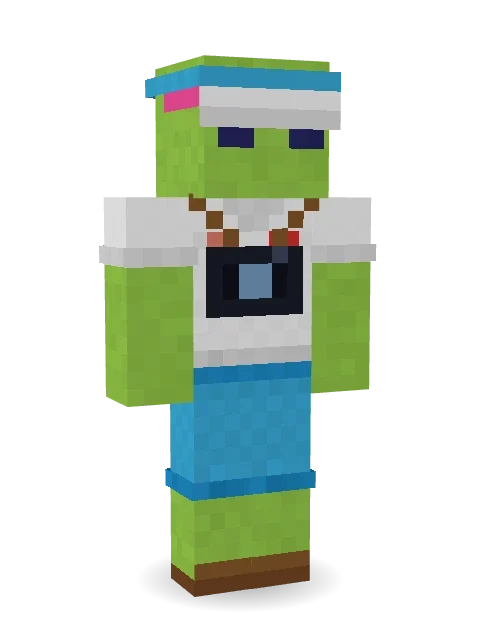
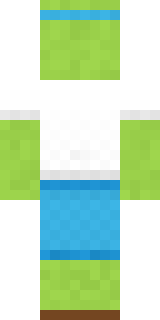
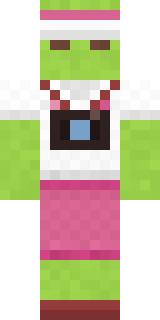
Just visiting: a heart tee, a camera and a sun visor. Took the long way here.

How to use this skin
Download it, then follow the steps for where you play.
Minecraft: Java Edition, in the Minecraft Launcher
- Open the Minecraft Launcher and pick Minecraft: Java Edition on the left.
- Open the Skins tab at the top and press New skin.
- Give it a name and choose the player model: Classic.
- Press Browse, pick the PNG you downloaded, then Save & Use.
- Start the game: you are wearing it, on every world and server.
Minecraft: Java Edition, on minecraft.net
- Go to minecraft.net and log in with your Microsoft account.
- Open your Profile and find the skin settings of Java Edition.
- Choose Classic, select the PNG file, and press Upload.
- Your new skin shows the next time you join a world.
Bedrock Edition: Windows, Android, iPhone, iPad, Chromebook
- Open Minecraft and press Dressing Room on the main menu (in newer versions, the character button next to your name, then Edit Character).
- Open the Classic Skins tab.
- Under Owned Skins, press Import, then Choose New Skin.
- Pick the PNG you downloaded (on a phone it is usually in Downloads or Files).
- When it asks, choose Classic, then confirm.
Xbox, PlayStation and Nintendo Switch
Consoles cannot import a skin file. There you can wear Character Creator items and skins from the Marketplace.
Some players set a skin in Bedrock on a phone or PC that is signed in to the same Microsoft account and see it on their console too. Mojang does not support that, so it may not work for you.
More by Build It












Similar skins














Trending today
What people open and download right now.
Trending today
The skins people are opening, liking and downloading right now.




- Galaxy AxolotlbyBuild It
- Modern HoodiebyBuild It
- Enderbrineby
 gustavopir
- Napoleon BonapartebyBuild It
- The VoidbyBuild It
- Buff ChickenbyBuild It
- Slender ManbyBuild It
- The KingbyBuild It
- Shy KidbyBuild It
- Abyssal MonkbyBuild It
Made on Build It
A few of the skins players made here. Find one you like, or start your own.
 Night Bloom
 Snow Rider
 Valentine Heart HoodieCocoa Monkey
 Beetroot DJ
 Red Orchard vine shirt
 Jesus Christ
 Desert Cartographer
 Crystal Monk
 Watermelon Wrestler
 Halloween Witch
 Circuit Board Monk
 Honey Toast
 Frost Yeti
 Axolotl Adventurer
 Laurel Angel
 Silent Mime
 Ghost Train Conductor
 Vaporwave PastelCrocodile Detective
 Crimson Punk
 Chameleon Hoodie
 Raven Lamplighter
 Cranberry Witch
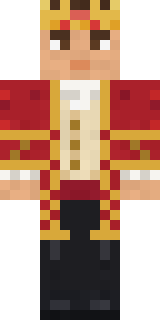 Red Court frock coat
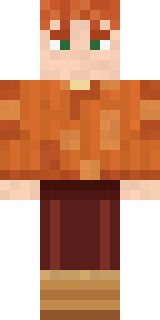 Autumn Knit
 Obsidian Golem
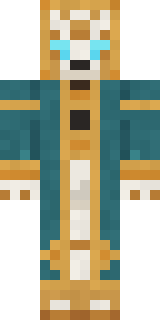 Clockwork Oracle
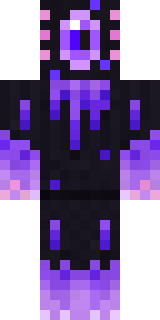 Void Axolotl
 Isaac Newton
 Rage Quit GamerBusiness Shark
 Stars and Stripes
 Malachite Golem
 Hacker
 Rose Mechanic
 Redstone Inventor
 Mountain Shepherd
 Honey Bee
 Ruby Blacksmith
 Banana Gentleman
 Static Screen Agent
 Sleepy Mummy
 Happy Poop
 Hospital Hero
 Porcelain Knight
 FlamehunterSanta Claus
 Tennis Ball Coach
 Ink Monster Teacher
 White StripedSprinkle Donut
 Gym Bro Banana
 Alice
 Jellybean Thief
 Morning Barista
 Golden Automaton
 Bookstore Owner
 Obsidian Knight
 Bear Lumberjack
About Alien Tourist
Meet Alien Tourist, an out of this world Minecraft skin from the Build It team. Its look puts together a heart tee, shorts, sandals and a sun visor, mostly green with touches of white and blue. Under the outfit it is an alien. A great pick for anyone who builds spaceships.
Alien Tourist has classic 4 pixel arms and works in Minecraft Java and Bedrock. Download it for free, then follow the steps above to wear it in game. Want it your way? Open it in the Build It Skin Maker and change its colours and pieces. Try its 5 colour versions too, like Forest and Ember.
See more in the Space and Funny collections, or look through the Funny and Space tags.