Crystal Monk
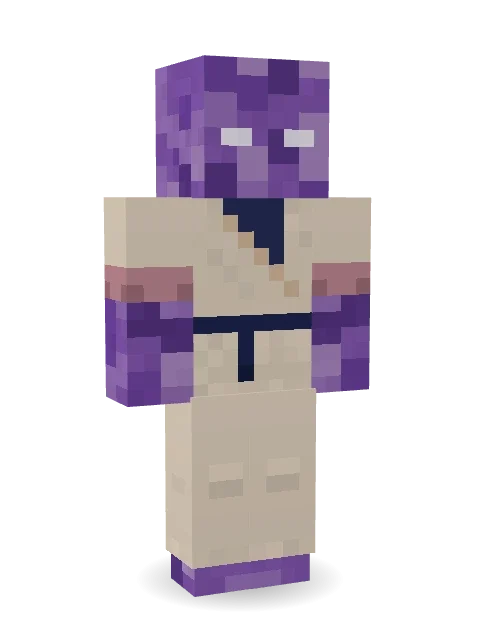
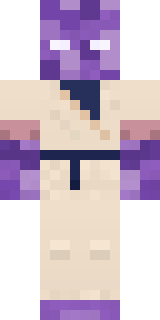
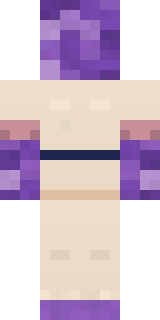
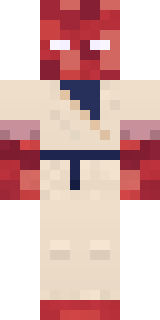
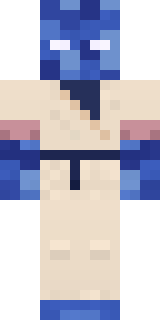
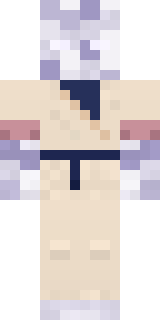
Meditates in the geode until it hums: a head of faceted amethyst with small glowing eyes, a cream wrap robe with a navy belt and pink banded sleeves.
How to use this skin
Download it, then follow the steps for where you play.
Minecraft: Java Edition, in the Minecraft Launcher
- Open the Minecraft Launcher and pick Minecraft: Java Edition on the left.
- Open the Skins tab at the top and press New skin.
- Give it a name and choose the player model: Classic.
- Press Browse, pick the PNG you downloaded, then Save & Use.
- Start the game: you are wearing it, on every world and server.
Minecraft: Java Edition, on minecraft.net
- Go to minecraft.net and log in with your Microsoft account.
- Open your Profile and find the skin settings of Java Edition.
- Choose Classic, select the PNG file, and press Upload.
- Your new skin shows the next time you join a world.
Bedrock Edition: Windows, Android, iPhone, iPad, Chromebook
- Open Minecraft and press Dressing Room on the main menu (in newer versions, the character button next to your name, then Edit Character).
- Open the Classic Skins tab.
- Under Owned Skins, press Import, then Choose New Skin.
- Pick the PNG you downloaded (on a phone it is usually in Downloads or Files).
- When it asks, choose Classic, then confirm.
Xbox, PlayStation and Nintendo Switch
Consoles cannot import a skin file. There you can wear Character Creator items and skins from the Marketplace.
Some players set a skin in Bedrock on a phone or PC that is signed in to the same Microsoft account and see it on their console too. Mojang does not support that, so it may not work for you.
More by Build It












Similar skins




















Trending today
What people open and download right now.
Trending today
The skins people are opening, liking and downloading right now.

- Modern HoodiebyBuild It
- Enderbrineby
 gustavopir
- Galaxy AxolotlbyBuild It
- Napoleon BonapartebyBuild It
- Shy KidbyBuild It
- The KingbyBuild It
- Hazmat ResponderbyBuild It
- The VoidbyBuild It
- herobrinebygustavopir
- Starfield PhantombyBuild It
Made on Build It
A few of the skins players made here. Find one you like, or start your own.
 Clockwork Owl
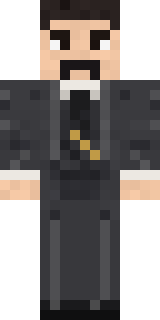 Nikola Tesla
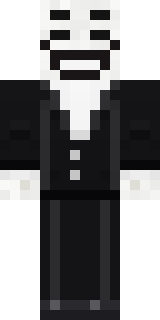 Smug Prankster
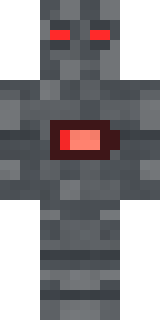 Low Battery Robot
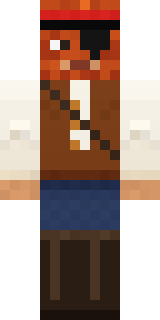 Captain Saltbeard
 Ink Wizard
 Lord Pumpkin
 Hanabi Noir
 Rodeo Star
 Jesus Christ
 Moon Ranger
 Sleepy Mummy
 Froggy Onesie
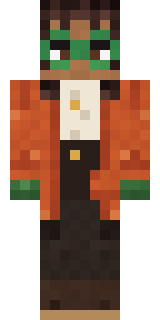 Bookstore Owner
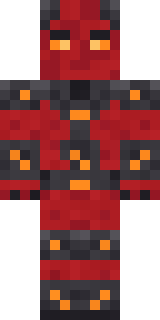 Molten Plate Demon
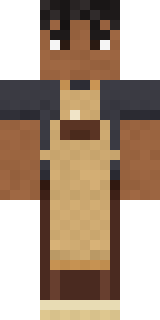 Curly Barista
 Blue Hood Boy
 Ocean Diver
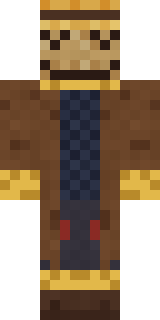 Tattered Scarecrow
 Skyship Navigator
 Woodland Scout
 Error
 Julius Caesar
 Moss Plague Doctor
 Strawberry Milk Courier
 Crimson Desert Nomad
 Honey Toast
 Watermelon Brawler
 Chameleon Hoodie
 Sunny Surfer
 Stone Face Statue
 Green Dude
 Bumblebee
 Ravioli Wrestler
 Meander
 Canada Day Maple Leaf
 Mirror Knight
 Silent Mime
 Circuit Alien
 Blocky NewbieSlender Man
 Glowworm Spelunker
 Jellybean Thief
 Sea Urchin Punk
 Fourth of July Patriot
 Happy lawyer
 Chess King
 Cozy Avocado
 Orangutan Archaeologist
 Chili Stunt Driver
 Shocked Dog
 Ink Monster Teacher
 Cyberpunk Paramedic
 Desert Oracle
 Rally Mechanic
 lord Vampire
 Champion Boxer
 Pumpkin HoodieArmy Soldier
 Bumpy Pickle
About Crystal Monk
Meet Crystal Monk, a magical Minecraft skin made by the Build It team. It comes with a crystal monk wrap robe in beige and purple. It has an amethyst crystal monk body. A great pick for anyone building their own kingdom.
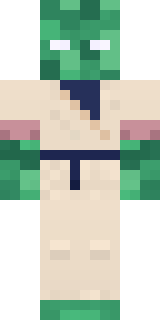
It uses the classic arms (4 pixels wide, like Steve) and works on Java and Bedrock. It is free: download the PNG and add it in the Minecraft Launcher (Java) or the dressing room (Bedrock). You can also open it in the Build It Skin Maker and make your own version. It also comes in 7 colour versions, like Emerald monk and Ruby monk.
Find more skins like it in the Fantasy and Streetwear collections, or browse the Cool, Fantasy and Mystery tags.