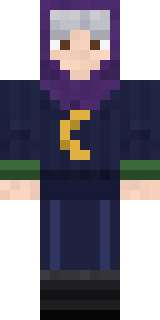
Halloween Witch
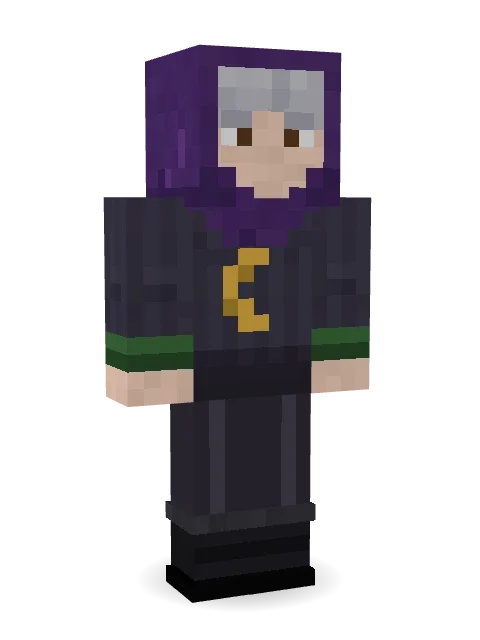
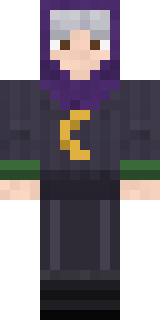
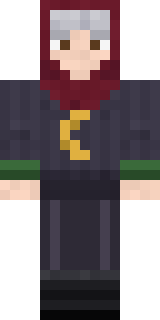
Stirs the cauldron only when the moon is out: silver bangs under a deep purple hood, a charcoal robe with a gold crescent moon and green cuffs.
How to use this skin
Download it, then follow the steps for where you play.
Minecraft: Java Edition, in the Minecraft Launcher
- Open the Minecraft Launcher and pick Minecraft: Java Edition on the left.
- Open the Skins tab at the top and press New skin.
- Give it a name and choose the player model: Classic.
- Press Browse, pick the PNG you downloaded, then Save & Use.
- Start the game: you are wearing it, on every world and server.
Minecraft: Java Edition, on minecraft.net
- Go to minecraft.net and log in with your Microsoft account.
- Open your Profile and find the skin settings of Java Edition.
- Choose Classic, select the PNG file, and press Upload.
- Your new skin shows the next time you join a world.
Bedrock Edition: Windows, Android, iPhone, iPad, Chromebook
- Open Minecraft and press Dressing Room on the main menu (in newer versions, the character button next to your name, then Edit Character).
- Open the Classic Skins tab.
- Under Owned Skins, press Import, then Choose New Skin.
- Pick the PNG you downloaded (on a phone it is usually in Downloads or Files).
- When it asks, choose Classic, then confirm.
Xbox, PlayStation and Nintendo Switch
Consoles cannot import a skin file. There you can wear Character Creator items and skins from the Marketplace.
Some players set a skin in Bedrock on a phone or PC that is signed in to the same Microsoft account and see it on their console too. Mojang does not support that, so it may not work for you.
More by Build It












Similar skins




















Trending today
What people open and download right now.
Trending today
The skins people are opening, liking and downloading right now.

- Ancient Hexby
 nvlr33
- Modern HoodiebyBuild It
- Galaxy AxolotlbyBuild It
- Shy KidbyBuild It
- Hazmat ResponderbyBuild It
- Napoleon BonapartebyBuild It
- The KingbyBuild It
- The VoidbyBuild It
- Slender ManbyBuild It
- Buff ChickenbyBuild It
Made on Build It
A few of the skins players made here. Find one you like, or start your own.
 Stained Glass Mage
 Fire Elemental
 Otter Fisher
 Sleepy Sheep
 Honey Toast
 Diamond
 Axolotl CutiePoseidon
 Neon Parkour Runner
 Axolotl Hoodie
 Bookstore Owner
 Ember Librarian
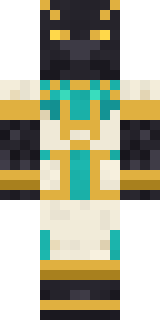 Jackal Priest
 Safari Cat
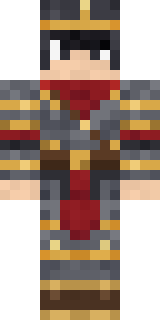 Gilded Steel Knight
 Business Shark
 Camo Commando
 Hanabi Noir
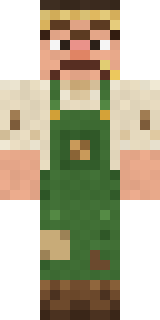 Grumpy Potato Farmer
 Cardboard Robot Kid
 Charcoal Firefighter
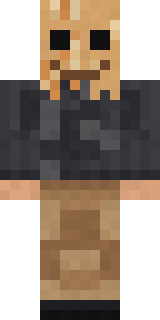 Paper Bag Bandit
 Lavender Florist
 Emerald Alchemist
 Ginger Trainspotter
 Jesus Christ
 Error
 Peacock Guard
 Crocodile Detective
 Cloud Aviator
 Crimson Builder
 Obsidian Golem
 Aurora Skater
 Blue Corset blouse
 Nature ElementalAbyssal Monk
 Chess King
 Tropical Fish
 Tornado Chaser
 Jake
 Honey Bot
 Bouncy Slime
 Ritual Caretaker
 Emo Kid
 Cobalt Firefighter
 Vintage Cartoon Explorer
 Crystal Cave Explorer
 Happy lawyerAncient Hex
 Cheeseburger Buddy
 Ancient Gardian
 Jade Monk
 Code Ghost
 Copper GolemShroud Ghost
 Yellow Tuxedo Muscled wrestler
 Giga Chad
 ◊ Runic Guardian ◊
 Dungeon Accountant
 Sunny Surfer
About Halloween Witch
Halloween Witch is a haunted skin for Minecraft made by the Build It team. Its look puts together a crescent moon robe top, suit pants, boots and a witch cowl hood, mostly grey with touches of black. Perfect when the sun goes down and the mobs come out.
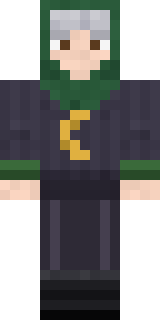
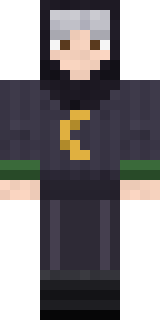
It uses the classic arms (4 pixels wide, like Steve) and works on Java and Bedrock. Download it for free and upload it in the Minecraft Launcher or the Bedrock dressing room. Open it in the Build It Skin Maker to give it your own colours. Try its 7 colour versions too, like Green hood and Black hood.
Find more skins like it in the Spooky and Fantasy collections, or browse the Holiday, Mystery and Spooky tags.