Hospital Hero
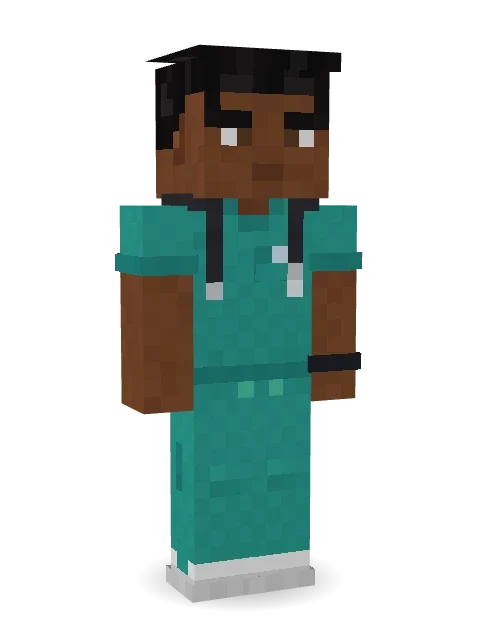
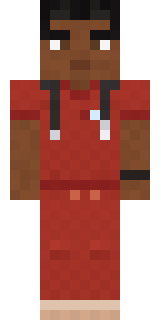
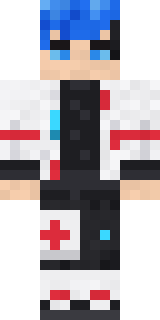
Teal scrubs, a stethoscope and a smile for every patient.

How to use this skin
Download it, then follow the steps for where you play.
Minecraft: Java Edition, in the Minecraft Launcher
- Open the Minecraft Launcher and pick Minecraft: Java Edition on the left.
- Open the Skins tab at the top and press New skin.
- Give it a name and choose the player model: Slim.
- Press Browse, pick the PNG you downloaded, then Save & Use.
- Start the game: you are wearing it, on every world and server.
Minecraft: Java Edition, on minecraft.net
- Go to minecraft.net and log in with your Microsoft account.
- Open your Profile and find the skin settings of Java Edition.
- Choose Slim, select the PNG file, and press Upload.
- Your new skin shows the next time you join a world.
Bedrock Edition: Windows, Android, iPhone, iPad, Chromebook
- Open Minecraft and press Dressing Room on the main menu (in newer versions, the character button next to your name, then Edit Character).
- Open the Classic Skins tab.
- Under Owned Skins, press Import, then Choose New Skin.
- Pick the PNG you downloaded (on a phone it is usually in Downloads or Files).
- When it asks, choose Slim, then confirm.
Xbox, PlayStation and Nintendo Switch
Consoles cannot import a skin file. There you can wear Character Creator items and skins from the Marketplace.
Some players set a skin in Bedrock on a phone or PC that is signed in to the same Microsoft account and see it on their console too. Mojang does not support that, so it may not work for you.
More by Build It












Similar skins









Trending today
What people open and download right now.
Trending today
The skins people are opening, liking and downloading right now.



- Galaxy AxolotlbyBuild It
- Modern HoodiebyBuild It
- Enderbrineby
 gustavopir
- Napoleon BonapartebyBuild It
- The VoidbyBuild It
- Buff ChickenbyBuild It
- The KingbyBuild It
- Slender ManbyBuild It
- Abyssal MonkbyBuild It
- Shy KidbyBuild It
Made on Build It
A few of the skins players made here. Find one you like, or start your own.
 Locked In Alien
 Mushroom Druid
 Snow Leopard Hacker
 Abraham Lincoln
 Neon Motorcycle Courier
 Linen Summer
 The Blank Mask
 Burnt Toast Monster
 Fast Break Baller
 Stained Glass Mage
 Forest Bigfoot
 Sleepy Sloth
 Midnight BakerThe Forehead Man
 Crescent Pajama Bunny
 Grinning Shade
 Rainbow Paint Can
 Wax Museum Escapee
 Dwarven Mountain KingDreamweaver
 Office Zombie
 Starlight Wizard
 Possum Garbage Collector
 Mirror KnightHazmat Responder
 Beach Day
 Slime Park Ranger
 Bouncy Slime
 Sleepy Sheep
 Grey Tattered reaper robe
 Glowworm Spelunker
 Chrome Mannequin
 Panda Pal
 Tiger ChampCampaign Trail Politician
 Gold Aura Streetwear
 Auburn Diner Waitress
 Cozy Cat
 Sandstone Guardian
 Lavender Florist
 Vooid
 Waldo Buhonero
 Terracotta Guardian
 Rainy Day
 Federal AgentFourth of July Patriot
 Shark Bite
 Lucky Leprechaun
 Porcelain Robot
 Frost Elf Prince
 Dusty Rose Vintage
 Sunny Surfer
 Pumpkin Patch Farmer
 Ace Pilot
 Cranberry WitchInmate 3742
 Robo Unit 7
 Patchwork Plush Monster
 Ghost Train Conductor
 Copper Golem
About Hospital Hero
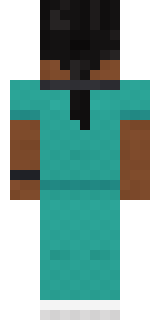
Meet Hospital Hero, a heroic Minecraft skin made by the Build It team. Its look puts together scrubs, scrub pants, sneakers and a stethoscope in teal and brown. A strong pick for battles, dungeons and roleplay.
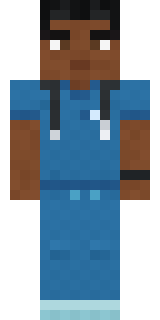
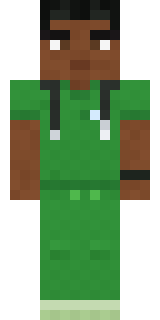
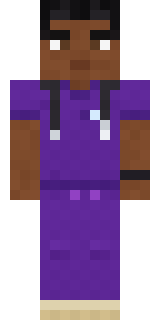
Hospital Hero has slim 3 pixel arms and works in Minecraft Java and Bedrock. It is free: download the PNG and add it in the Minecraft Launcher (Java) or the dressing room (Bedrock). Open it in the Build It Skin Maker to give it your own colours. Try its 5 colour versions too, like Ocean and Forest.
Find more skins like it in the Streetwear and Heroes and fighters collections, or look through the Casual and Hero tags.