Banana Gentleman
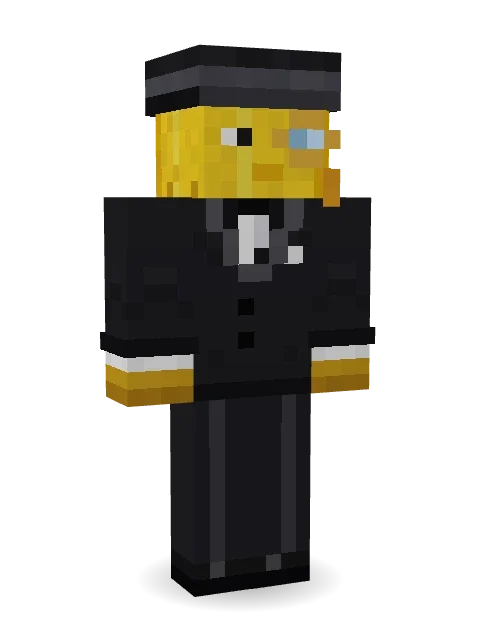
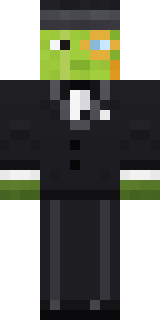
A most distinguished banana: a top hat with its stem poking through, a gold monocle, a curled mustache and a sharp black tuxedo.

How to use this skin
Download it, then follow the steps for where you play.
Minecraft: Java Edition, in the Minecraft Launcher
- Open the Minecraft Launcher and pick Minecraft: Java Edition on the left.
- Open the Skins tab at the top and press New skin.
- Give it a name and choose the player model: Classic.
- Press Browse, pick the PNG you downloaded, then Save & Use.
- Start the game: you are wearing it, on every world and server.
Minecraft: Java Edition, on minecraft.net
- Go to minecraft.net and log in with your Microsoft account.
- Open your Profile and find the skin settings of Java Edition.
- Choose Classic, select the PNG file, and press Upload.
- Your new skin shows the next time you join a world.
Bedrock Edition: Windows, Android, iPhone, iPad, Chromebook
- Open Minecraft and press Dressing Room on the main menu (in newer versions, the character button next to your name, then Edit Character).
- Open the Classic Skins tab.
- Under Owned Skins, press Import, then Choose New Skin.
- Pick the PNG you downloaded (on a phone it is usually in Downloads or Files).
- When it asks, choose Classic, then confirm.
Xbox, PlayStation and Nintendo Switch
Consoles cannot import a skin file. There you can wear Character Creator items and skins from the Marketplace.
Some players set a skin in Bedrock on a phone or PC that is signed in to the same Microsoft account and see it on their console too. Mojang does not support that, so it may not work for you.
More by Build It












Similar skins




















Trending today
What people open and download right now.
Trending today
The skins people are opening, liking and downloading right now.



- Modern HoodiebyBuild It
- Enderbrineby
 gustavopir
- Galaxy AxolotlbyBuild It
- Napoleon BonapartebyBuild It
- The KingbyBuild It
- Ancient Hexby
 nvlr33
- Shy KidbyBuild It
- Hazmat ResponderbyBuild It
- Buff ChickenbyBuild It
- The VoidbyBuild It
Made on Build It
A few of the skins players made here. Find one you like, or start your own.
 Circuit Board MonkSteampunk Inventor
 Sea OtterEnderbrine
 Stained Glass Mage
 Retro Arcade Bot
 Infected Sven
 Snow Rider
 False Smile Stranger
 Poseidon
 Roman Legionary
 Pumpkin Wraith
 CM Style
 Red Hoodie
 Grey Suit and tie
 Scuba InstructorHazmat ResponderSlime Apprentice
 Sweater Weather
 Living Pineapple
 Forest Bigfoot
 Head Chef
 Smug Star Wizard
 Lavender Daydream
 Gamer Hoodie Boy
 Jellybean ThiefGarden Gnome
 Wax DoubleThe King
 Gummy Bear Bodybuilder
 Black
 Cozy Ballet Cardigan
 Gingerbread Detective
 Chrome Mannequin
 Living Chess King
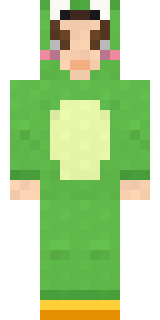 Froggy Onesie
 Park Ranger
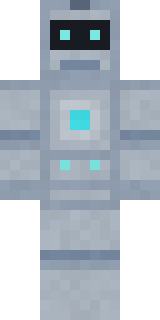 Robo Unit 7
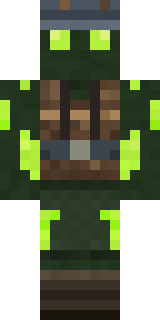 Glowworm Spelunker
 Muddy Farmhand
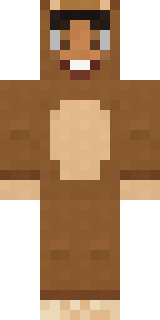 Teddy Onesie
 Garden HelperRainbow Paint Can
 Cherry Goth Streetwear
 Tattered Scarecrow
 Neon Runner
 Crypt Ghoul
 Red Flame Luchador
 Onion King
 Rotting Walker
 Sunflower Scarecrow
 Amber Fossil Golem
 Golden Paladin
 Living Candle MagicianSanta Claus
 Tropical Fish
 Chili Stunt DriverStarfield Phantom
 Vampire Hunter
 Caramel Knight
About Banana Gentleman
Banana Gentleman is a food Minecraft skin from the Build It team. It wears a tuxedo, suit pants, dress shoes and a stem top hat in black. Under the outfit it is a banana. It is the kind of skin that makes the whole server hungry.
It uses the classic arms (4 pixels wide, like Steve) and works on Java and Bedrock. Download it for free and upload it in the Minecraft Launcher or the Bedrock dressing room. You can also open it in the Build It Skin Maker and make your own version. Try its 7 colour versions too, like Ripe and ready and Green banana.
See more in the Food and History collections, or browse the Fancy, Food and Fruit tags.