Victorian Gentleman
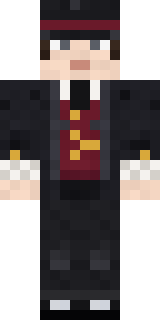
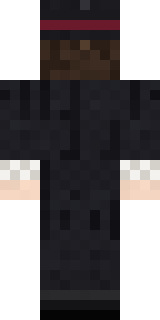
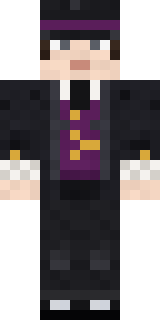
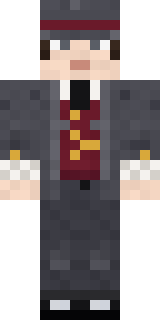
Tea at four, mysteries at midnight: a tall top hat with a burgundy band, a black tailcoat over a burgundy waistcoat, a gold watch chain and ruffled cuffs.

How to use this skin
Download it, then follow the steps for where you play.
Minecraft: Java Edition, in the Minecraft Launcher
- Open the Minecraft Launcher and pick Minecraft: Java Edition on the left.
- Open the Skins tab at the top and press New skin.
- Give it a name and choose the player model: Classic.
- Press Browse, pick the PNG you downloaded, then Save & Use.
- Start the game: you are wearing it, on every world and server.
Minecraft: Java Edition, on minecraft.net
- Go to minecraft.net and log in with your Microsoft account.
- Open your Profile and find the skin settings of Java Edition.
- Choose Classic, select the PNG file, and press Upload.
- Your new skin shows the next time you join a world.
Bedrock Edition: Windows, Android, iPhone, iPad, Chromebook
- Open Minecraft and press Dressing Room on the main menu (in newer versions, the character button next to your name, then Edit Character).
- Open the Classic Skins tab.
- Under Owned Skins, press Import, then Choose New Skin.
- Pick the PNG you downloaded (on a phone it is usually in Downloads or Files).
- When it asks, choose Classic, then confirm.
Xbox, PlayStation and Nintendo Switch
Consoles cannot import a skin file. There you can wear Character Creator items and skins from the Marketplace.
Some players set a skin in Bedrock on a phone or PC that is signed in to the same Microsoft account and see it on their console too. Mojang does not support that, so it may not work for you.
More by Build It












Similar skins


Trending today
What people open and download right now.
Trending today
The skins people are opening, liking and downloading right now.

- Ancient Hexby
 nvlr33
- Modern HoodiebyBuild It
- Shy KidbyBuild It
- Galaxy AxolotlbyBuild It
- Napoleon BonapartebyBuild It
- The KingbyBuild It
- Hazmat ResponderbyBuild It
- Buff ChickenbyBuild It
- The VoidbyBuild It
- Slender ManbyBuild It
Made on Build It
A few of the skins players made here. Find one you like, or start your own.
Modern Hoodie Dwarf Miner
 Fox Explorer
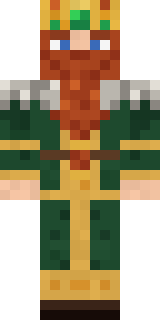 Dwarven Mountain King
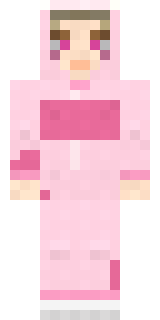 Strawberry Cow
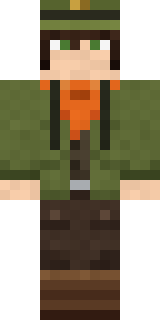 Forest Ranger
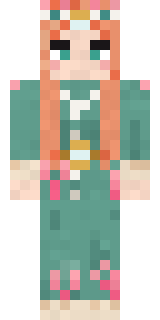 Coral Reef Sorceress
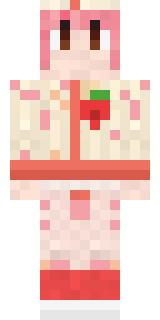 Strawberry Milk Courier
 Woodland Ranger
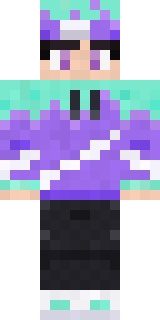 Aurora Skater
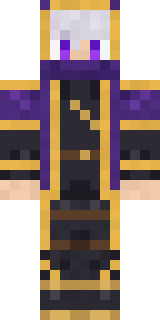 Twilight Rogue
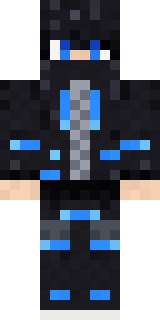 Blue Beat
 Terracotta Summer
 Mad Scientist
 Grey Suit and tie
 Cloud Aviator
 Wildlife PhotographerPoseidon
 Christmas Gingerbread
 Easter Bunny Costume
 Drifter Gunslinger
 Ice Elemental
 Wax Museum Escapee
 Blue Hood Boy
 Forest Bigfoot
 Turtle Park Ranger
 Midnight Snack Thief Raccoon
 Valentine Cupid
 Graphite Cyborg
 Jade Monk
 Sunny Surfer
 Summer Dad
 Diamond
 Dungeon Accountant
 Bumblebee
 Grease Monkey
 Amber Fossil Golem
 Lemon Cream
 Skyship Navigator
 Ward Doctor
 Easter Egg Sweater
 One Brain Cell Cat
 Emotional Support Pickle
 Inmate 3742
 Redstone Inventor
 Bun Bun
 Night Ops Commando
 Burlap Intruder
 Desert Djinn
 Golden Prospector
 Moonwalk Astronaut
 Cozy Avocado
 First Day
 Reef Mermaid
 Sleepy Sheep
 Lotus Temple Guardian
 Neon Motorcycle Courier
 Lemon Jazz Singer
 Ironwood Druid
 Graffiti Phantom
About Victorian Gentleman
Victorian Gentleman is a storybook Minecraft skin from the Build It team. Its look puts together a victorian tailcoat, jeans, buckle boots and a burgundy band top hat in black. Wear it on fantasy servers, adventure maps and dragon hunts.
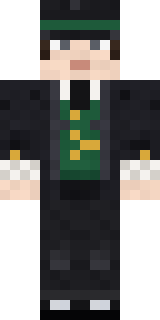
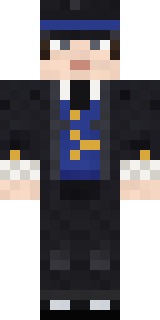
Victorian Gentleman has classic 4 pixel arms and works in Minecraft Java and Bedrock. It is free: download the PNG and add it in the Minecraft Launcher (Java) or the dressing room (Bedrock). You can also open it in the Build It Skin Maker and make your own version. Try its 7 colour versions too, like Emerald waistcoat and Royal blue waistcoat.
See more in the Fantasy and History collections, or look through the Fancy, Gentleman and History tags.