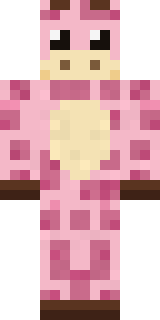
Gentle Giraffe
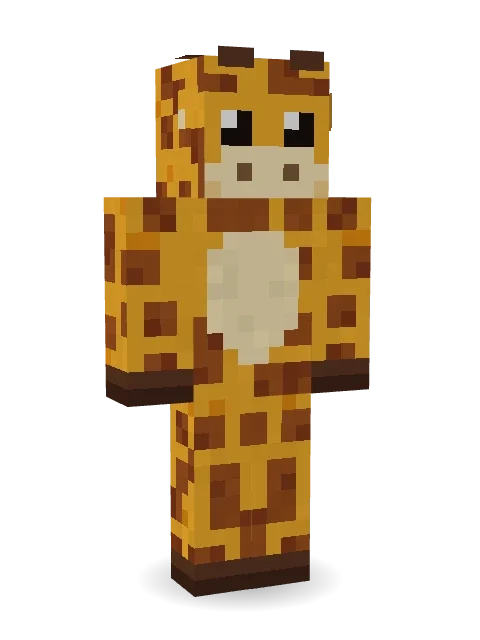
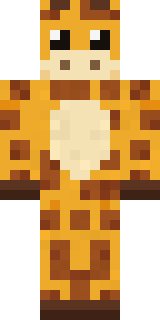
Head and shoulders above everyone else: a golden giraffe covered in brown patches, a cream muzzle, big gentle eyes and two little ossicones.

How to use this skin
Download it, then follow the steps for where you play.
Minecraft: Java Edition, in the Minecraft Launcher
- Open the Minecraft Launcher and pick Minecraft: Java Edition on the left.
- Open the Skins tab at the top and press New skin.
- Give it a name and choose the player model: Classic.
- Press Browse, pick the PNG you downloaded, then Save & Use.
- Start the game: you are wearing it, on every world and server.
Minecraft: Java Edition, on minecraft.net
- Go to minecraft.net and log in with your Microsoft account.
- Open your Profile and find the skin settings of Java Edition.
- Choose Classic, select the PNG file, and press Upload.
- Your new skin shows the next time you join a world.
Bedrock Edition: Windows, Android, iPhone, iPad, Chromebook
- Open Minecraft and press Dressing Room on the main menu (in newer versions, the character button next to your name, then Edit Character).
- Open the Classic Skins tab.
- Under Owned Skins, press Import, then Choose New Skin.
- Pick the PNG you downloaded (on a phone it is usually in Downloads or Files).
- When it asks, choose Classic, then confirm.
Xbox, PlayStation and Nintendo Switch
Consoles cannot import a skin file. There you can wear Character Creator items and skins from the Marketplace.
Some players set a skin in Bedrock on a phone or PC that is signed in to the same Microsoft account and see it on their console too. Mojang does not support that, so it may not work for you.
More by Build It












Similar skins





















Trending today
What people open and download right now.
Trending today
The skins people are opening, liking and downloading right now.

- Modern HoodiebyBuild It
- Galaxy AxolotlbyBuild It
- Ancient Hexby
 nvlr33
- Shy KidbyBuild It
- Napoleon BonapartebyBuild It
- The KingbyBuild It
- Hazmat ResponderbyBuild It
- The VoidbyBuild It
- Buff ChickenbyBuild It
- Slender ManbyBuild It
Made on Build It
A few of the skins players made here. Find one you like, or start your own.
 Burlap Intruder
 Sweater Weather
 Waldo Buhonero
 White Porcelain plate
 Moss Ranger
 Street Skater
 Count Dracula
 Ember Demon
 Woolly Blackface Sheep
 Fast Break Baller
 Missing Texture Person
 Enigmatic Ringmaster
 Formal Vampire
 Laurel Angel
 Isaac NewtonPenguin Tourist
 poilce demon
 leoRainbow Paint Can
 Snow Leopard
 CM Style
 Violet Samurai
 Paper Bag Bandit
 Dino Onesie
 Cobalt Cyber Ninja
 Peacock Guard
 Giga Chad
 Gingerbread Detective
 Periwinkle Rainwear
 Crimson Sash Ninja
 Half Peeled Banana
 Haunted Bowling Champion
 Autumn Knit
 Hot Springs Innkeeper
 Peach SunsetMushroom Forest Ranger
 Sleepy SlothShy Kid
 Axolotl Cutie
 Red Orchard vine shirt
 Platinum Angel
 Reef Mermaid
 Scarlet SellswordSilverback Gorilla
 Anglerfish Bouncer
 Spider Silk Merchant
 Shocked Dog
 Grey Suit and tie
 Blue Beat
 Realistic Wemmbu
 Little Toadstool
 Cyber Samurai
 Chess King
 Crescent Pajama Bunny
 Obsidian Knight
 Water Elemental
 Bumpy Pickle
 Stained Glass Mage
 Black Moth Entity
 Grey Suit and tie
About Gentle Giraffe
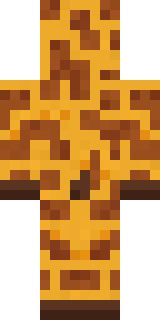
Gentle Giraffe is a critter Minecraft skin from the Build It team. It comes in brown and orange. It is a gentle giraffe from head to toe. Great for players who love animals, farms and cozy builds.
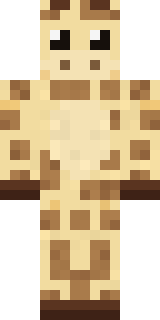
It uses the classic arms (4 pixels wide, like Steve) and works on Java and Bedrock. Download it for free and upload it in the Minecraft Launcher or the Bedrock dressing room. Want it your way? Open it in the Build It Skin Maker and change its colours and pieces. Try its 7 colour versions too, like Reticulated and Pale giraffe.
See more in the Animals and Cute collections, or browse the Animal, Cute and Nature tags.