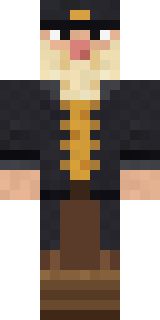
Lighthouse Keeper
Has kept the lamp burning through a hundred storms: a navy peaked cap, a big pink nose, a thick cream beard and a navy peacoat over a mustard sweater.

How to use this skin
Download it, then follow the steps for where you play.
Minecraft: Java Edition, in the Minecraft Launcher
- Open the Minecraft Launcher and pick Minecraft: Java Edition on the left.
- Open the Skins tab at the top and press New skin.
- Give it a name and choose the player model: Classic.
- Press Browse, pick the PNG you downloaded, then Save & Use.
- Start the game: you are wearing it, on every world and server.
Minecraft: Java Edition, on minecraft.net
- Go to minecraft.net and log in with your Microsoft account.
- Open your Profile and find the skin settings of Java Edition.
- Choose Classic, select the PNG file, and press Upload.
- Your new skin shows the next time you join a world.
Bedrock Edition: Windows, Android, iPhone, iPad, Chromebook
- Open Minecraft and press Dressing Room on the main menu (in newer versions, the character button next to your name, then Edit Character).
- Open the Classic Skins tab.
- Under Owned Skins, press Import, then Choose New Skin.
- Pick the PNG you downloaded (on a phone it is usually in Downloads or Files).
- When it asks, choose Classic, then confirm.
Xbox, PlayStation and Nintendo Switch
Consoles cannot import a skin file. There you can wear Character Creator items and skins from the Marketplace.
Some players set a skin in Bedrock on a phone or PC that is signed in to the same Microsoft account and see it on their console too. Mojang does not support that, so it may not work for you.
More by Build It












Similar skins












Trending today
What people open and download right now.
Trending today
The skins people are opening, liking and downloading right now.

- Ancient Hexby
 nvlr33
- Modern HoodiebyBuild It
- Galaxy AxolotlbyBuild It
- Napoleon BonapartebyBuild It
- Shy KidbyBuild It
- The KingbyBuild It
- Hazmat ResponderbyBuild It
- Buff ChickenbyBuild It
- The VoidbyBuild It
- Slender ManbyBuild It
Made on Build It
A few of the skins players made here. Find one you like, or start your own.
 Cheeseburger Buddy
 Wax Double
 Goldfish Space Cadet
 Bouncy Slime
 Lemon Sorcerer
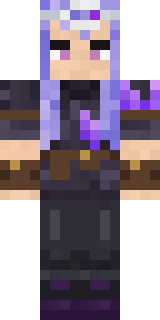 Geode Elf
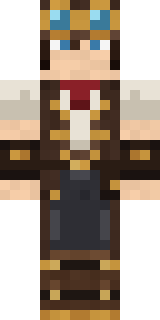 Steampunk Inventor
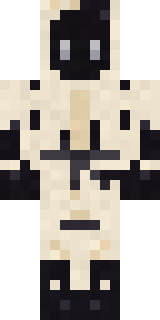 Ink WizardThe Void
 Monotone Man
 Spotted Fawn
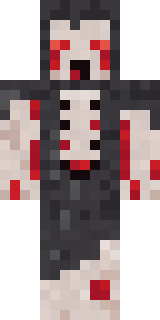 Crypt Ghoul
 Ferret Locksmith
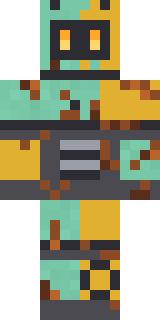 Rusty Scrapyard RobotModern Hoodie
 Living Pineapple
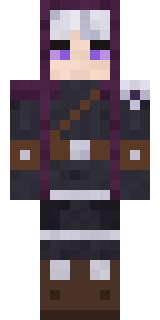 Moon Ranger
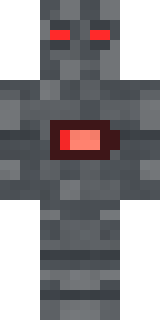 Low Battery Robot
 Emerald Serpent
 Static Screen Agent
 Porcelain Robot
 Cobalt Cyber Ninja
 Ward Doctor
 Morning Barista
 Flight Attendant
 Vaporwave Pastel
 Forest Elf
 Living Popcorn Box
 Clockwork Oracle
 Mossy Troll
 Pastel Bear Girl
 Code Ghost
 Bone Scout
 Ruby BlacksmithSunken KnightMoon Petal
 Chestnut Warrior
 Patrol Officer
 Gilded Steel Knight
 Flamehunter
 Gamer Hoodie Boy
 Patchwork Plush Monster
 Mixtape Cassette HeadGalaxy Axolotl
 Woodland Ranger
 Mango Skate Punk
 Snow Rider
 Gold Aura Streetwear
 Midnight Hoodie
 Crystal Cave Explorer
 Necromancer
 Bloody ghost
 Peach Sunset
 Ice Elemental
 Black Moth Entity
 Gummy Bear Bodybuilder
 Realistic ParrotX2
 Bouncy Prince slime
 Wolfgang Amadeus Mozart
 First Day
About Lighthouse Keeper
Meet Lighthouse Keeper, a soft Minecraft skin made by the Build It team. The outfit: a lighthouse peacoat, suit pants, boots and a keeper peaked cap with a blue and brown colour scheme. Made for cottage builds, flower fields and friendly servers.
Lighthouse Keeper has classic 4 pixel arms and works in Minecraft Java and Bedrock. Download it for free and upload it in the Minecraft Launcher or the Bedrock dressing room. You can also open it in the Build It Skin Maker and make your own version. It also comes in 7 colour versions, like Red beard and Grey beard.
Find more skins like it in the Cute and Nature collections, or look through the Cozy, Ocean and Sailor tags.