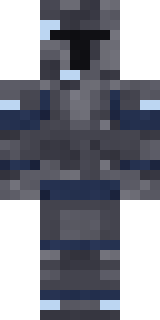
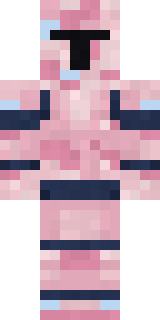
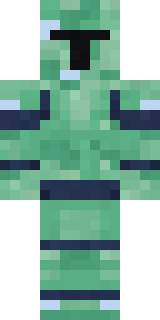
Mirror Knight
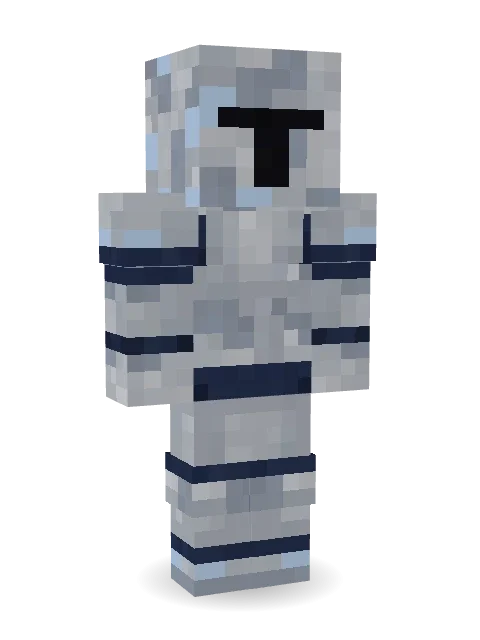
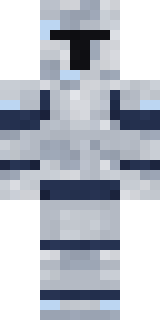
Fights with the sky shining off every plate: armour polished like a mirror, a closed helm with a black T visor and dark navy at every joint.

How to use this skin
Download it, then follow the steps for where you play.
Minecraft: Java Edition, in the Minecraft Launcher
- Open the Minecraft Launcher and pick Minecraft: Java Edition on the left.
- Open the Skins tab at the top and press New skin.
- Give it a name and choose the player model: Classic.
- Press Browse, pick the PNG you downloaded, then Save & Use.
- Start the game: you are wearing it, on every world and server.
Minecraft: Java Edition, on minecraft.net
- Go to minecraft.net and log in with your Microsoft account.
- Open your Profile and find the skin settings of Java Edition.
- Choose Classic, select the PNG file, and press Upload.
- Your new skin shows the next time you join a world.
Bedrock Edition: Windows, Android, iPhone, iPad, Chromebook
- Open Minecraft and press Dressing Room on the main menu (in newer versions, the character button next to your name, then Edit Character).
- Open the Classic Skins tab.
- Under Owned Skins, press Import, then Choose New Skin.
- Pick the PNG you downloaded (on a phone it is usually in Downloads or Files).
- When it asks, choose Classic, then confirm.
Xbox, PlayStation and Nintendo Switch
Consoles cannot import a skin file. There you can wear Character Creator items and skins from the Marketplace.
Some players set a skin in Bedrock on a phone or PC that is signed in to the same Microsoft account and see it on their console too. Mojang does not support that, so it may not work for you.
More by Build It












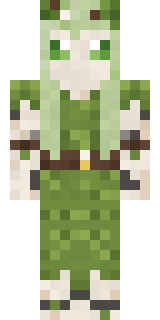
Similar skins



Trending today
What people open and download right now.
Trending today
The skins people are opening, liking and downloading right now.
- Ancient Hexby
 nvlr33
- Modern HoodiebyBuild It
- Shy KidbyBuild It
- Galaxy AxolotlbyBuild It
- Napoleon BonapartebyBuild It
- The KingbyBuild It
- Hazmat ResponderbyBuild It
- The VoidbyBuild It
- Buff ChickenbyBuild It
- Slender ManbyBuild It
Made on Build It
A few of the skins players made here. Find one you like, or start your own.
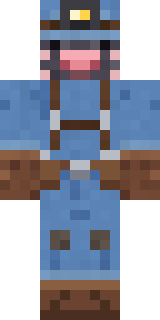 Mole Miner
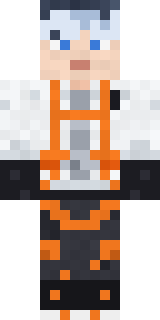 Mountain Rescue Medic
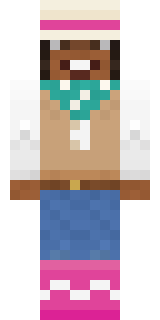 Desert Rose
 Rodeo Star
 Green Dude
 Cleopatra
 Mossy Troll
 Living Chess King
 Santa Claus
 Gargoyle Bell Ringer
 Cursed Chess Bishop
 Realistic ParrotX2
 Sherlock Holmes
 Tattered Scarecrow
 Desert Astronomer
 Cobalt Firefighter
 Friendly Nurse
 Candy BakerShadow Elemental
 Frost Elf Prince
 Tin Toy Soldier
 Downtown Pig
 Headphone Skeleton
 Snow Leopard Hacker
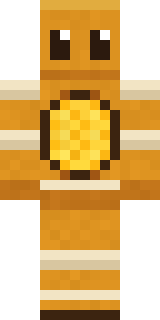 Honey Bot
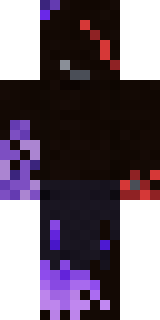 Vooid
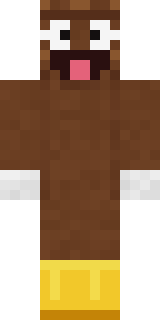 Happy Poop
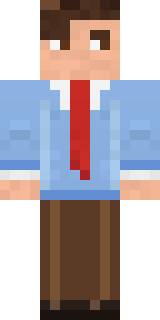 Unimpressed Office Clerk
 Midnight Academia
 Crocodile Detective
 Ruby Blacksmith
 Muddy Pig
 Moss Cyclops
 Vampire Aristocrat
 Peach Sunset
 Necromancer
 Red Flame Luchador
 Terracotta Guardian
 Honey Toast
 Error
 Terracotta Turtle
 Waldo Buhonero
 Hallway Shadow
 Red Court frock coat
 Banana Gentleman
 Potion Shopkeeper
 Meander
 Midnight Baker
 Alien Tourist
 Living Marble Statue
 False Smile Stranger
 Desert Courier
 Beekeeper
 Veiled Mourner
 Grey Suit and tieStarfield Phantom
 Emotional Support Pickle
 Neon DJ
 Dusty Rose Vintage
 Rookie Boxer
About Mirror Knight
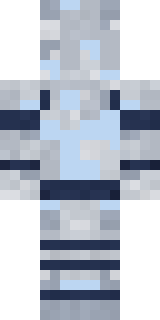
Mirror Knight is a fantasy Minecraft skin made by the Build It team. Its look puts together a mirror plate armour, mirror plate legs and a mirror knight helm with a grey, blue and white colour scheme. A great pick for anyone building their own kingdom.
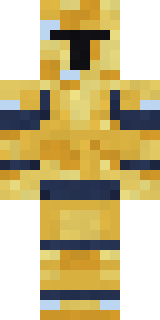
Mirror Knight has classic 4 pixel arms and works in Minecraft Java and Bedrock. Download it for free and upload it in the Minecraft Launcher or the Bedrock dressing room. Want it your way? Open it in the Build It Skin Maker and change its colours and pieces. Try its 7 colour versions too, like Gold knight and Obsidian knight.
Find more skins like it in the Fantasy and Streetwear collections, or look through the Cool, Fantasy and Knight tags.