Hot Springs Innkeeper
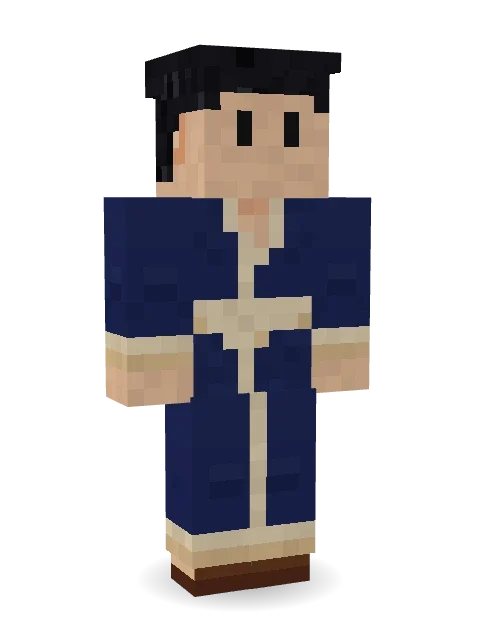
Has the bath warm before you even ask: neat black hair, a deep navy robe with a cream collar and sash, cream cuffs and wooden sandals.

How to use this skin
Download it, then follow the steps for where you play.
Minecraft: Java Edition, in the Minecraft Launcher
- Open the Minecraft Launcher and pick Minecraft: Java Edition on the left.
- Open the Skins tab at the top and press New skin.
- Give it a name and choose the player model: Classic.
- Press Browse, pick the PNG you downloaded, then Save & Use.
- Start the game: you are wearing it, on every world and server.
Minecraft: Java Edition, on minecraft.net
- Go to minecraft.net and log in with your Microsoft account.
- Open your Profile and find the skin settings of Java Edition.
- Choose Classic, select the PNG file, and press Upload.
- Your new skin shows the next time you join a world.
Bedrock Edition: Windows, Android, iPhone, iPad, Chromebook
- Open Minecraft and press Dressing Room on the main menu (in newer versions, the character button next to your name, then Edit Character).
- Open the Classic Skins tab.
- Under Owned Skins, press Import, then Choose New Skin.
- Pick the PNG you downloaded (on a phone it is usually in Downloads or Files).
- When it asks, choose Classic, then confirm.
Xbox, PlayStation and Nintendo Switch
Consoles cannot import a skin file. There you can wear Character Creator items and skins from the Marketplace.
Some players set a skin in Bedrock on a phone or PC that is signed in to the same Microsoft account and see it on their console too. Mojang does not support that, so it may not work for you.
More by Build It












Similar skins








Trending today
What people open and download right now.
Trending today
The skins people are opening, liking and downloading right now.

- Ancient Hexby
 nvlr33
- Modern HoodiebyBuild It
- Galaxy AxolotlbyBuild It
- Shy KidbyBuild It
- Napoleon BonapartebyBuild It
- The KingbyBuild It
- Hazmat ResponderbyBuild It
- Buff ChickenbyBuild It
- The VoidbyBuild It
- Slender ManbyBuild It
Made on Build It
A few of the skins players made here. Find one you like, or start your own.
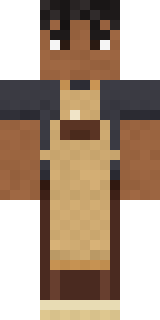 Curly Barista
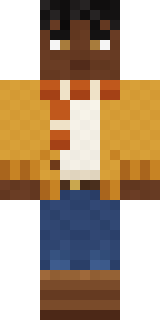 Sweater Weather
 Charcoal Firefighter
 Diamond
 Dandelion Druid
 Ace Pilot
 Metal Elemental
 Dwarf Miner
 Gothic Librarian
 Midnight Academia
 Void Wanderer
 Necromancer
 Business Shark
 Disco Chameleon
 Lime Alien Astronaut
 Headphone Skeleton
 Lunar New Year Celebrant
 Red Mushroom Scout
 Violet Vein Mutant
 Lotus Temple Guardian
 Sky Princess
 Wolfgang Amadeus Mozart
 Ancient GardianSage Green Cozy
 Sunflower Drummer
 The Blank Mask
 Bubblegum Robot
 Starlight Wizard
 Mushroom Druid
 Origami Crane Warrior
 Golden ProspectorCottage Witch
 Coral Mermaid
 Neon Parkour RunnerEspresso Cozy
 Leonardo da VinciMuddy Farmhand
 Match Referee
 Wax Double
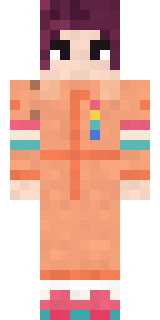 Roller Rink Skater
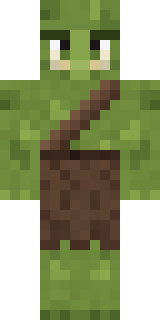 Mossy Troll
 Frost Yeti
 The Mummy
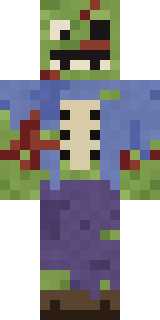 Rotting Walker
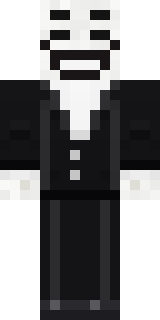 Smug Prankster
 Carnival Ticket Taker
 Forgotten Funeral Guest
 Shocked Dog
 Midnight Baker
 Matcha Cafe
 Frost Court Noble
 Cactus Cowboy
 Red Flame Luchador
 Balduíno IV
 Tattered Reaper
 Moon Elf
 Fossil Museum Curator
 Patchwork Plush Monster
 Terracotta Summer
 Shadow Elemental
About Hot Springs Innkeeper
Hot Springs Innkeeper is an adorable skin for Minecraft made by the Build It team. It wears a hot springs robe and sandals with a blue and beige colour scheme. Hard not to smile at this one.
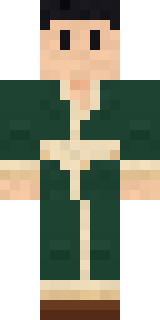
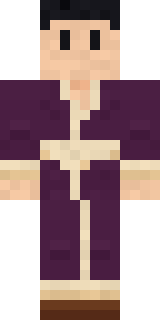
Hot Springs Innkeeper has classic 4 pixel arms and works in Minecraft Java and Bedrock. It is free: download the PNG and add it in the Minecraft Launcher (Java) or the dressing room (Bedrock). Open it in the Build It Skin Maker to give it your own colours. It also comes in 7 colour versions, like Indigo stripes and Forest robe.
Find more skins like it in the Streetwear and Cute collections, or look through the Casual, Cozy and Japan tags.