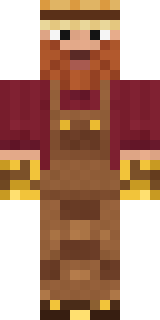
Golden Prospector
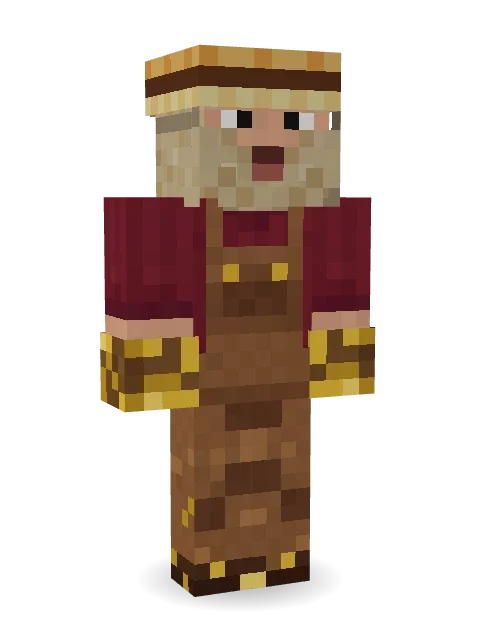
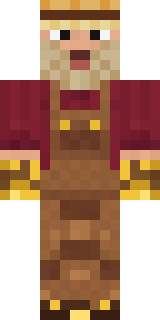
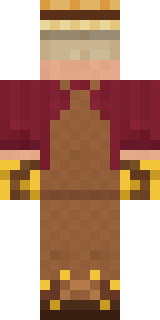
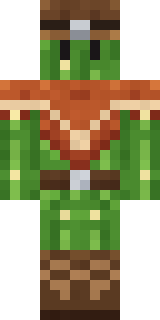
Struck gold and never stopped shouting about it: a straw hat, a dusty beard, a rolled-up burgundy shirt, brown overalls and gloves glittering with gold dust.

How to use this skin
Download it, then follow the steps for where you play.
Minecraft: Java Edition, in the Minecraft Launcher
- Open the Minecraft Launcher and pick Minecraft: Java Edition on the left.
- Open the Skins tab at the top and press New skin.
- Give it a name and choose the player model: Classic.
- Press Browse, pick the PNG you downloaded, then Save & Use.
- Start the game: you are wearing it, on every world and server.
Minecraft: Java Edition, on minecraft.net
- Go to minecraft.net and log in with your Microsoft account.
- Open your Profile and find the skin settings of Java Edition.
- Choose Classic, select the PNG file, and press Upload.
- Your new skin shows the next time you join a world.
Bedrock Edition: Windows, Android, iPhone, iPad, Chromebook
- Open Minecraft and press Dressing Room on the main menu (in newer versions, the character button next to your name, then Edit Character).
- Open the Classic Skins tab.
- Under Owned Skins, press Import, then Choose New Skin.
- Pick the PNG you downloaded (on a phone it is usually in Downloads or Files).
- When it asks, choose Classic, then confirm.
Xbox, PlayStation and Nintendo Switch
Consoles cannot import a skin file. There you can wear Character Creator items and skins from the Marketplace.
Some players set a skin in Bedrock on a phone or PC that is signed in to the same Microsoft account and see it on their console too. Mojang does not support that, so it may not work for you.
More by Build It












Similar skins














Trending today
What people open and download right now.
Trending today
The skins people are opening, liking and downloading right now.

- Ancient Hexby
 nvlr33
- Modern HoodiebyBuild It
- Galaxy AxolotlbyBuild It
- Shy KidbyBuild It
- The KingbyBuild It
- Napoleon BonapartebyBuild It
- Hazmat ResponderbyBuild It
- The VoidbyBuild It
- Buff ChickenbyBuild It
- Slender ManbyBuild It
Made on Build It
A few of the skins players made here. Find one you like, or start your own.
 Grey Tattered reaper robe
 Retired Adventurer
 Skyship Navigator
 Strawberry Cow
 Jake
 Mossy Troll
 Living Popcorn Box
 Gold Aura Streetwear
 Gothic Librarian
 Living Pineapple
 Haunted Laundry Worker
 Onion King
 Tattered Scarecrow
 Earth Elemental
 Pumpkin Hoodie
 Red Panda Sushi Chef
 Rusty Scrapyard Robot
 Bronze Bell Spirit
 Turtle Park Ranger
 Desert Cartographer
 Clockwork Owl
 Yellow Scrubs
 Crimson Plaid Emo
 Camo Commando
 Fossil Museum Curator
 Mad Scientist
 Ferret Locksmith
 Moss Cyclops
 Federal Agent
 Rage Quit Gamer
 Code Ghost
 Sherlock Holmes
 Ember Dragon
 Pastel Goth
 Otter Fisher
 CM Style
 Gym Bro BananaGalaxy Axolotl
 Masked Night ProwlerRainbow Paint Can
 ShimerBot 0375
 Fire Elemental
 Garden Helper
 White Striped
 Watermelon Wrestler
 Terracotta Summer
 Ghost Concierge
 Slime Gamer
 Midnight Ferryman
 Night Bloom
 Sunken Knight
 Nature Elemental
 Living Candle Magician
 Morning Barista
 Robin Hood
 Missing Texture Person
 Grey Suit and tie
 Obsidian Golem
 Ancient Gardian
 Cactus Cowboy
About Golden Prospector
Meet Golden Prospector, a hard-working Minecraft skin from the Build It team. It wears a rolled burgundy shirt, gold dust overalls, gold nugget boots and a prospector straw hat in brown and red. Made for roleplay servers, towns and city builds.
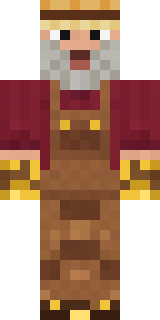
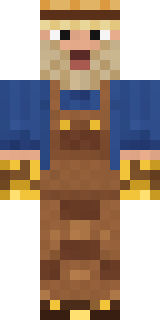
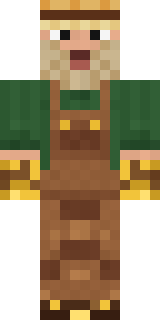
It uses the classic arms (4 pixels wide, like Steve) and works on Java and Bedrock. It is free: download the PNG and add it in the Minecraft Launcher (Java) or the dressing room (Bedrock). Open it in the Build It Skin Maker to give it your own colours. It also comes in 7 colour versions, like Silver beard and Red beard.
See more in the History and Jobs collections, or browse the Explorer, Funny and Western tags.