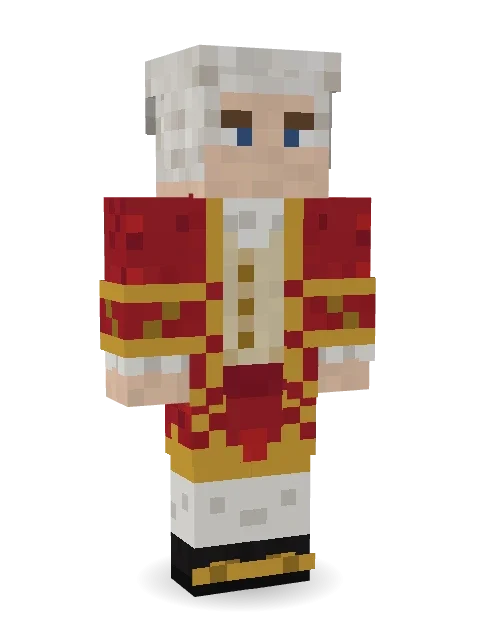
Wolfgang Amadeus Mozart
The young genius of Salzburg: a powdered wig with rolled curls, a red frock coat embroidered in gold, a lace jabot and buckled shoes.
How to use this skin
Download it, then follow the steps for where you play.
Minecraft: Java Edition, in the Minecraft Launcher
- Open the Minecraft Launcher and pick Minecraft: Java Edition on the left.
- Open the Skins tab at the top and press New skin.
- Give it a name and choose the player model: Classic.
- Press Browse, pick the PNG you downloaded, then Save & Use.
- Start the game: you are wearing it, on every world and server.
Minecraft: Java Edition, on minecraft.net
- Go to minecraft.net and log in with your Microsoft account.
- Open your Profile and find the skin settings of Java Edition.
- Choose Classic, select the PNG file, and press Upload.
- Your new skin shows the next time you join a world.
Bedrock Edition: Windows, Android, iPhone, iPad, Chromebook
- Open Minecraft and press Dressing Room on the main menu (in newer versions, the character button next to your name, then Edit Character).
- Open the Classic Skins tab.
- Under Owned Skins, press Import, then Choose New Skin.
- Pick the PNG you downloaded (on a phone it is usually in Downloads or Files).
- When it asks, choose Classic, then confirm.
Xbox, PlayStation and Nintendo Switch
Consoles cannot import a skin file. There you can wear Character Creator items and skins from the Marketplace.
Some players set a skin in Bedrock on a phone or PC that is signed in to the same Microsoft account and see it on their console too. Mojang does not support that, so it may not work for you.
More by Build It












Similar skins

















Trending today
What people open and download right now.
Trending today
The skins people are opening, liking and downloading right now.

- Ancient Hexby
 nvlr33
- Modern HoodiebyBuild It
- Galaxy AxolotlbyBuild It
- Napoleon BonapartebyBuild It
- The KingbyBuild It
- Shy KidbyBuild It
- Hazmat ResponderbyBuild It
- The VoidbyBuild It
- Buff ChickenbyBuild It
- Slender ManbyBuild It
Made on Build It
A few of the skins players made here. Find one you like, or start your own.
 Cotton Candy Vendor
 Nature Elemental
 Midnight Snack Thief Raccoon
 Alien Tourist
 Desert Cartographer
 Otter Fisher
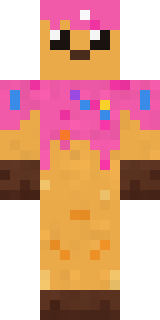 Sprinkle Donut
 Mushroom Forest Ranger
 Penguin Waddle
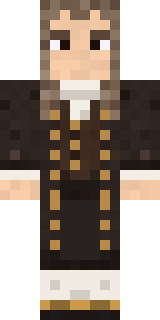 Isaac Newton
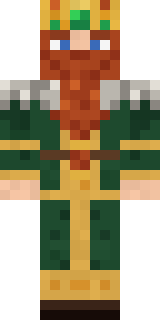 Dwarven Mountain King
 Marmot Mountain Climber
 Porcelain Knight
 Fourth of July Patriot
 NecromancerGalaxy Axolotl
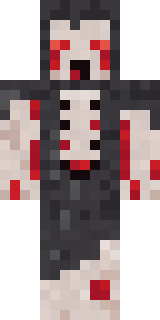 Crypt Ghoul
 Late Night Gamer
 Ocean Diver
 Robin Hood
 Plum Jester
 Pitch Playmaker
 Lemon Sorcerer
 Wolfgang Amadeus Mozart
 Parrot Captain
 Strawberry Cow
 Light Elemental
 Busy Bee
 Morning Barista
 Moss Ranger
 Mirror Knight
 Fast Break Baller
 Caramel Knight
 Sharp Jawline Guy
 Crystal Cave Explorer
 Christmas Elf
 Federal Agent
 Desert Rose
 Chocolate Chip Cookie
 Meander
 Blue Hood Boy
 Night Market Merchant
 Ronin Samurai
 Drip King
 Easter Egg Sweater
 Strawberry Jam Jar
 Haunted Arcade Robot
 Bouncy Slime
 Possum Garbage Collector
 Confetti Clown
 Midfield Maestro
 Spotted Frog
 Muddy FarmhandStarfield Phantom
 Friendly Nurse
 Blueberry Detective
 Fire Fighter
 Grey Rune stripe hoodie
 Business Shark
 Auburn Diner Waitress
About Wolfgang Amadeus Mozart
Wolfgang Amadeus Mozart is a storybook Minecraft skin made by the Build It team. The outfit: a court frock coat and court breeches, mostly red with touches of orange and white. A great pick for anyone building their own kingdom.
It uses the classic arms (4 pixels wide, like Steve) and works on Java and Bedrock. It is free: download the PNG and add it in the Minecraft Launcher (Java) or the dressing room (Bedrock). You can also open it in the Build It Skin Maker and make your own version. It also comes in 7 colour versions, like Royal blue and Emerald.
Find more skins like it in the Fantasy and History collections, or browse the Fancy, History and Legend tags.