Linen Summer
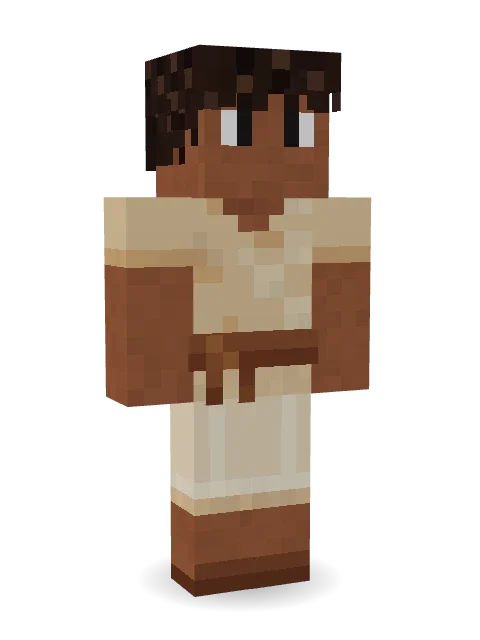
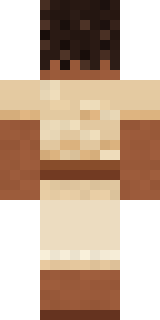
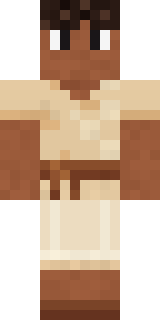
Spends the hottest week of the year by the sea with a book: thick dark curls, a loose linen tunic with a brown sash and cropped linen trousers.
How to use this skin
Download it, then follow the steps for where you play.
Minecraft: Java Edition, in the Minecraft Launcher
- Open the Minecraft Launcher and pick Minecraft: Java Edition on the left.
- Open the Skins tab at the top and press New skin.
- Give it a name and choose the player model: Classic.
- Press Browse, pick the PNG you downloaded, then Save & Use.
- Start the game: you are wearing it, on every world and server.
Minecraft: Java Edition, on minecraft.net
- Go to minecraft.net and log in with your Microsoft account.
- Open your Profile and find the skin settings of Java Edition.
- Choose Classic, select the PNG file, and press Upload.
- Your new skin shows the next time you join a world.
Bedrock Edition: Windows, Android, iPhone, iPad, Chromebook
- Open Minecraft and press Dressing Room on the main menu (in newer versions, the character button next to your name, then Edit Character).
- Open the Classic Skins tab.
- Under Owned Skins, press Import, then Choose New Skin.
- Pick the PNG you downloaded (on a phone it is usually in Downloads or Files).
- When it asks, choose Classic, then confirm.
Xbox, PlayStation and Nintendo Switch
Consoles cannot import a skin file. There you can wear Character Creator items and skins from the Marketplace.
Some players set a skin in Bedrock on a phone or PC that is signed in to the same Microsoft account and see it on their console too. Mojang does not support that, so it may not work for you.
More by Build It












Similar skins















Trending today
What people open and download right now.
Trending today
The skins people are opening, liking and downloading right now.



- Modern HoodiebyBuild It
- Enderbrineby
 gustavopir
- Napoleon BonapartebyBuild It
- Galaxy AxolotlbyBuild It
- The KingbyBuild It
- Shy KidbyBuild It
- Hazmat ResponderbyBuild It
- herobrinebygustavopir
- The VoidbyBuild It
- Buff ChickenbyBuild It
Made on Build It
A few of the skins players made here. Find one you like, or start your own.
 Goblin Raider
 Golden AutomatonShy Kid
 Midfield Maestro
 Tennis Ball Coach
 Icy Blue Winter
 Sharp Jawline Guy
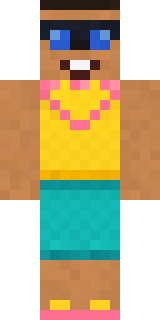 Beach Day
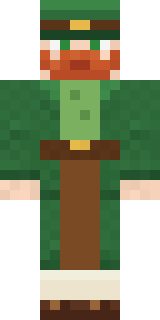 Lucky Leprechaun
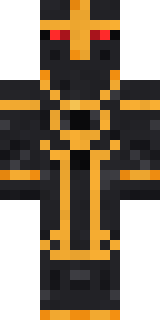 Eclipse Knight
 Captain Spark
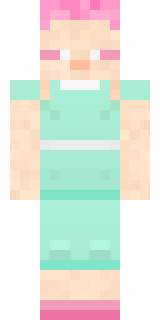 Fairy Glow
 Redstone Tinkerer
 Goldfish Space Cadet
 Peppermint Mechanic
 Jake
 Tiger Slugger
 Haunted Arcade Robot
 Apple Orchard Guardian
 Moss Ranger
 the winter cat skin
 Linen Summer
 Electrician
 Vintage Cartoon ExplorerSanta ClausGalaxy Axolotl
 Living Candle Magician
 Crow Undertaker
 Robo Unit 7
 Silver Moon
 Sandstone Guardian
 Midnight Academia
 Friendly Dentist
 Gamer Hoodie Boy
 Gargoyle Bell Ringer
 Grey Suit and tie
 Chess King
 miner in a suit and tie
 Yellow hazmat suit
 Sprinkle Donut
 Mushroom Druid
 Patchwork Plush Monster
 Fire Fighter
 Burnt Toast Monster
 Isaac Newton
 Sweater Weather
 Mint Street Artist
 Cool Shades Face
 Moon Elf Ranger
 Masked Night Prowler
 Ravioli Wrestler
 Low Battery Robot
 Stained Glass Mage
 Forest Druid
 Pumpkin Wraith
 Dungeon Accountant
 Field Scarecrow
 Bronze Bell Spirit
 Noir Detective
 Grey Suit and tie
About Linen Summer
Meet Linen Summer, a holiday Minecraft skin from the Build It team. It wears a sashed linen tunic, cropped linen trousers and sandals in beige and brown. A festive pick for winter, spring, summer or any party.
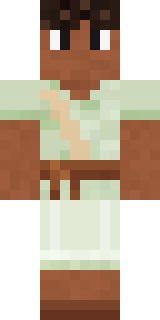
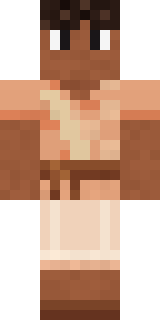
Linen Summer has classic 4 pixel arms and works in Minecraft Java and Bedrock. Download it for free and upload it in the Minecraft Launcher or the Bedrock dressing room. Want it your way? Open it in the Build It Skin Maker and change its colours and pieces. Try its 7 colour versions too, like Sky linen and Sage linen.
See more in the Streetwear and Cute collections, or look through the Aesthetic, Cozy and Summer tags.