Bebo

How to use this skin
Download it, then follow the steps for where you play.
Minecraft: Java Edition, in the Minecraft Launcher
- Open the Minecraft Launcher and pick Minecraft: Java Edition on the left.
- Open the Skins tab at the top and press New skin.
- Give it a name and choose the player model: Classic.
- Press Browse, pick the PNG you downloaded, then Save & Use.
- Start the game: you are wearing it, on every world and server.
Minecraft: Java Edition, on minecraft.net
- Go to minecraft.net and log in with your Microsoft account.
- Open your Profile and find the skin settings of Java Edition.
- Choose Classic, select the PNG file, and press Upload.
- Your new skin shows the next time you join a world.
Bedrock Edition: Windows, Android, iPhone, iPad, Chromebook
- Open Minecraft and press Dressing Room on the main menu (in newer versions, the character button next to your name, then Edit Character).
- Open the Classic Skins tab.
- Under Owned Skins, press Import, then Choose New Skin.
- Pick the PNG you downloaded (on a phone it is usually in Downloads or Files).
- When it asks, choose Classic, then confirm.
Xbox, PlayStation and Nintendo Switch
Consoles cannot import a skin file. There you can wear Character Creator items and skins from the Marketplace.
Some players set a skin in Bedrock on a phone or PC that is signed in to the same Microsoft account and see it on their console too. Mojang does not support that, so it may not work for you.
Similar skins














Trending today
What people open and download right now.
Trending today
The skins people are opening, liking and downloading right now.








- Modern HoodiebyBuild It
- Enderbrineby
 gustavopir
- Napoleon BonapartebyBuild It
- Galaxy AxolotlbyBuild It
- Shy KidbyBuild It
- Ancient Hexby
 nvlr33
- The KingbyBuild It
- Hazmat ResponderbyBuild It
- The VoidbyBuild It
- herobrinebygustavopir
Made on Build It
A few of the skins players made here. Find one you like, or start your own.
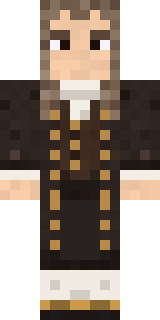 Isaac Newton
 Sleepy Yellow Face
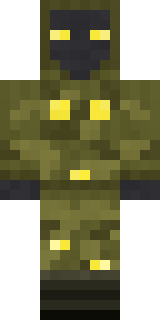 Glowbug Ranger
 Prism Slime
 Abraham Lincoln
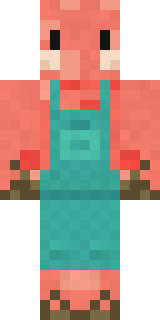 Shrimp Mechanic
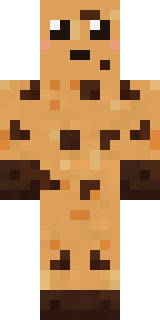 Chocolate Chip Cookie
 Sleepy SheepSilver Pulse DJ
 Ender Shade
 Rubber Duck Raincoat
 Market Butcher
 Volcanic Sentinel
 Sea Foam Dancer
 Mint Macaron Mascot
 Woodland Fox
 Jesus Christ
 White Ghost Sheet
 Christmas Elf
 Forgotten Funeral Guest
 Sleepy Koala Student
 Yellow Scrubs
 Sky Princess
 Dwarven Mountain King
 Berg
 Cobalt Firefighter
 Stained-Glass Paladin
 Rodeo Star
 Red Court frock coat
 Clockwork Inventor
 Bumpy Pickle
 Violet Samurai
 Blushing Penguin
 Lime Alien Astronaut
 Locked In Alien
 Strawberry Milk
 Amethyst Mageherobrine
 Vooid
 Pastel Bear Girl
 Ginger Trainspotter
 Orangutan Archaeologist
 Background Extra
 Balloon Festival Pilot
 Red Panda
 Forest Bigfoot
 Vaporwave Pastel
 Obsidian Knight
 Earth Elemental
 Water Elemental
 Light Elemental
 Rally Mechanic
 Gym Bro Banana
 Cool Shades Face
 Tropical Fish
 Ace Pilot
 Sherlock Holmes
 Sunken Knight
 Friendly Nurse
 Slender Man
About Bebo
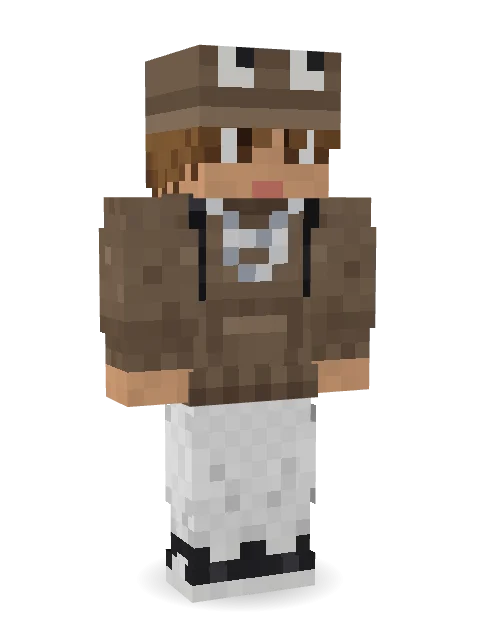
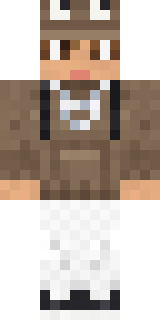
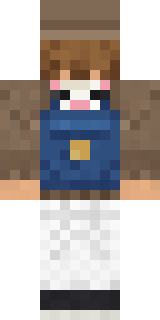
Bebo is a street style skin for Minecraft made by sueroz. Its look puts together an oversized skate hoodie, strap pocket cargos, chunky sneakers and a frog hat in brown and white. A clean look that works anywhere, from spawn to the skate park.
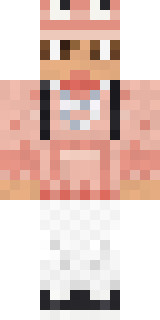
Bebo has classic 4 pixel arms and works in Minecraft Java and Bedrock. Download it for free and upload it in the Minecraft Launcher or the Bedrock dressing room. Want it your way? Open it in the Build It Skin Maker and change its colours and pieces. Try its 10 colour versions too, like Retro and Rose Gold.
Find more skins like it in the Streetwear collection, or look through the Streetwear tags.