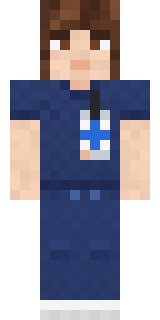
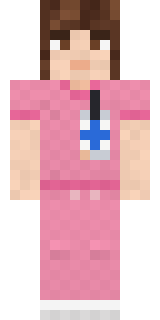
Friendly Nurse
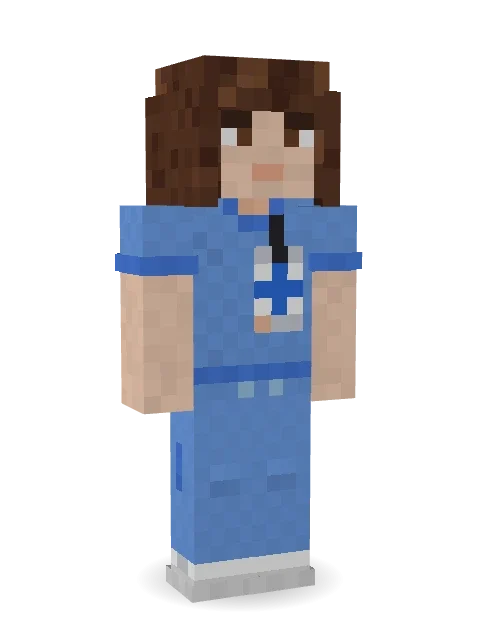
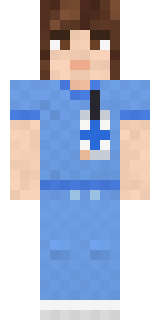
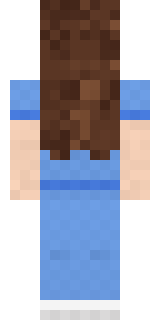
Here to help on every shift: long wavy brown hair, warm brown eyes, light blue scrubs with an ID badge on a lanyard and white sneakers.

How to use this skin
Download it, then follow the steps for where you play.
Minecraft: Java Edition, in the Minecraft Launcher
- Open the Minecraft Launcher and pick Minecraft: Java Edition on the left.
- Open the Skins tab at the top and press New skin.
- Give it a name and choose the player model: Slim.
- Press Browse, pick the PNG you downloaded, then Save & Use.
- Start the game: you are wearing it, on every world and server.
Minecraft: Java Edition, on minecraft.net
- Go to minecraft.net and log in with your Microsoft account.
- Open your Profile and find the skin settings of Java Edition.
- Choose Slim, select the PNG file, and press Upload.
- Your new skin shows the next time you join a world.
Bedrock Edition: Windows, Android, iPhone, iPad, Chromebook
- Open Minecraft and press Dressing Room on the main menu (in newer versions, the character button next to your name, then Edit Character).
- Open the Classic Skins tab.
- Under Owned Skins, press Import, then Choose New Skin.
- Pick the PNG you downloaded (on a phone it is usually in Downloads or Files).
- When it asks, choose Slim, then confirm.
Xbox, PlayStation and Nintendo Switch
Consoles cannot import a skin file. There you can wear Character Creator items and skins from the Marketplace.
Some players set a skin in Bedrock on a phone or PC that is signed in to the same Microsoft account and see it on their console too. Mojang does not support that, so it may not work for you.
More by Build It












Similar skins

















Trending today
What people open and download right now.
Trending today
The skins people are opening, liking and downloading right now.


- Galaxy AxolotlbyBuild It
- Modern HoodiebyBuild It
- Napoleon BonapartebyBuild It
- The VoidbyBuild It
- Enderbrineby
 gustavopir
- Shy KidbyBuild It
- Sky PiratebyBuild It
- Hazmat ResponderbyBuild It
- Buff ChickenbyBuild It
- Slender ManbyBuild It
Made on Build It
A few of the skins players made here. Find one you like, or start your own.
 Cyber Samurai
 Cloud Aviator
 Sailor Duck
 Fern Forest Sprite
 Copper Golem
 Ghost Buddy
 Balduíno IV
 Origami Crane Warrior
 Crypt Custodian
 Frost Court Noble
 Stained-Glass Paladin
 Porcelain Knight
 Terracotta Turtle
 Fox Explorer
 Sage Apron FloristSky Pirate
 Arcade Buddy
 The Boss
 Snow Leopard
 Waldo Buhonero
 Pumpkin Spice
 Living Battery
 Ronin Samurai
 Bun Bun
 Ice Crystal Spirit
 Platinum Angel
 Crystal Cave Explorer
 Yellow Tuxedo Muscled wrestler
 Sunny Surfer
 Dungeon Accountant
 Peach Orchard Spirit
 Fast Break Baller
 Metal Elemental
 Drip King
 Coral Reef Sorceress
 Red Panda Sushi Chef
 Morning Barista
 Rage Quit Gamer
 Snow Leopard Hacker
 Spider Silk Merchant
 Rodeo Star
 Living Pineapple
 Vampire DentistRainbow Paint Can
 Sweater Weather
 Woodland Scout
 Gentle Giraffe
 Skeleton Costume
 Sunken Knight
 Sharp Jawline Guy
 Prism Slime
 Possum Garbage Collector
 Patrol Officer
 Midnight Hoodie
 Happy Farmer
 Void Axolotl
 Sleepy Koala Student
 Astronaut
 Earth Elemental
 Espresso Cozy
About Friendly Nurse
Friendly Nurse is an action skin for Minecraft from the Build It team. Its look puts together a scrubs with ID badge, scrub pants and sneakers with a blue and beige colour scheme. Wear it when the server needs a hero.
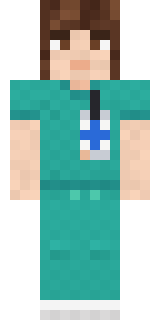
It uses the slim arms (3 pixels wide, like Alex) and works on Java and Bedrock. Download it for free and upload it in the Minecraft Launcher or the Bedrock dressing room. Open it in the Build It Skin Maker to give it your own colours. Try its 7 colour versions too, like Teal scrubs and Navy scrubs.
See more in the Streetwear and Heroes and fighters collections, or browse the Casual, Cute and Girl tags.