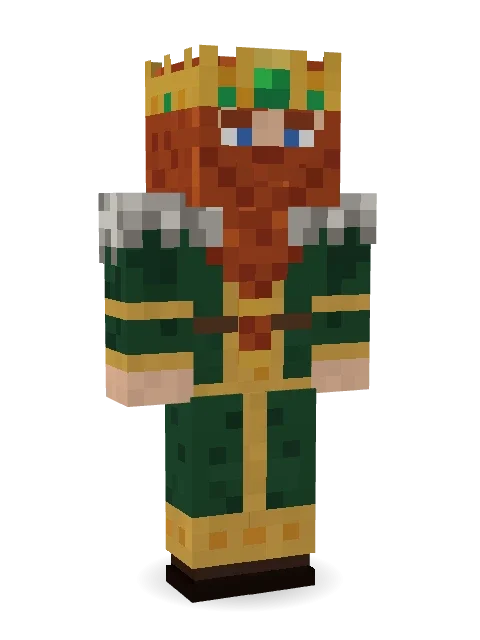
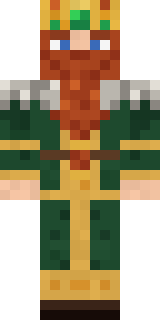
Dwarven Mountain King
Rules the halls beneath the peaks: a braided auburn beard, a gold crown set with emeralds, forest green robes with gold knotwork and a fur mantle.
How to use this skin
Download it, then follow the steps for where you play.
Minecraft: Java Edition, in the Minecraft Launcher
- Open the Minecraft Launcher and pick Minecraft: Java Edition on the left.
- Open the Skins tab at the top and press New skin.
- Give it a name and choose the player model: Classic.
- Press Browse, pick the PNG you downloaded, then Save & Use.
- Start the game: you are wearing it, on every world and server.
Minecraft: Java Edition, on minecraft.net
- Go to minecraft.net and log in with your Microsoft account.
- Open your Profile and find the skin settings of Java Edition.
- Choose Classic, select the PNG file, and press Upload.
- Your new skin shows the next time you join a world.
Bedrock Edition: Windows, Android, iPhone, iPad, Chromebook
- Open Minecraft and press Dressing Room on the main menu (in newer versions, the character button next to your name, then Edit Character).
- Open the Classic Skins tab.
- Under Owned Skins, press Import, then Choose New Skin.
- Pick the PNG you downloaded (on a phone it is usually in Downloads or Files).
- When it asks, choose Classic, then confirm.
Xbox, PlayStation and Nintendo Switch
Consoles cannot import a skin file. There you can wear Character Creator items and skins from the Marketplace.
Some players set a skin in Bedrock on a phone or PC that is signed in to the same Microsoft account and see it on their console too. Mojang does not support that, so it may not work for you.
More by Build It












Similar skins



















Trending today
What people open and download right now.
Trending today
The skins people are opening, liking and downloading right now.


- Modern HoodiebyBuild It
- Ancient Hexby
 nvlr33
- Galaxy AxolotlbyBuild It
- Napoleon BonapartebyBuild It
- Shy KidbyBuild It
- The KingbyBuild It
- Hazmat ResponderbyBuild It
- The VoidbyBuild It
- Buff ChickenbyBuild It
- Slender ManbyBuild It
Made on Build It
A few of the skins players made here. Find one you like, or start your own.
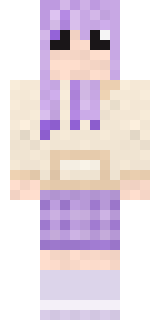 Lavender Daydream
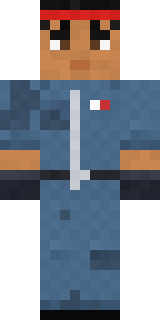 Grease Monkey
 Black
 Froggy Onesie
 Starlight Wizard
 Patrol Officer
 Doorbell Camera Visitor
 Silverfish Archivist
 Linen Summer
 The Boss
 Captain Spark
 Red Mushroom Scout
 Cardboard Robot Kid
 Terracotta Summer
 The Mummy
 poilce demon
 Terracotta GuardianSlender Man
 Mango Skate Punk
 Chess King
 Flamehunter
 Blueberry Detective
 Redstone Inventor
 Fast Break Baller
 Barnyard Cow
 Lemon Jazz Singer
 Autumn KnitNapoleon Bonaparte
 Glowbug Ranger
 Brown Bear
 Dune Racer
 Abraham Lincoln
 Green Dude
 Jelly AlienTemplar Knight
 Neon Parkour Runner
 Beach Lifeguard
 Retro Waitress
 Fourth of July Patriot
 Clockwork Oracle
 Soft Boy
 Electrician
 Shroud Ghost
 Hot Springs Innkeeper
 Crimson Plaid Emo
 Chill Pond Frog
 Mossy Troll
 Cactus Outlaw
 The Blank Mask
 Crimson Builder
 Mint Macaron Mascot
 Gecko Skater
 Lobster Lifeguard
 Tattered Scarecrow
 Vampire Dentist
 Grey Tattered reaper robe
 Cocoa Monkey
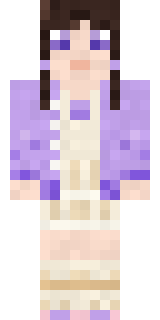 Lilac Ballerina
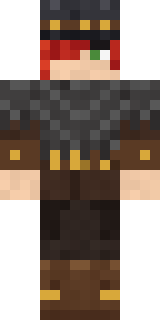 Drifter Gunslinger
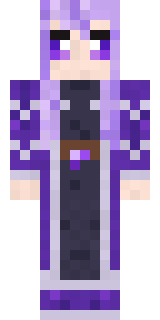 Crystal Elf Spellcaster
About Dwarven Mountain King
Meet Dwarven Mountain King, a fantasy Minecraft skin from the Build It team. Its look puts together a forest royal robe, boots and an emerald dwarf crown with a green and orange colour scheme. Wear it on fantasy servers, adventure maps and dragon hunts.
It uses the classic arms (4 pixels wide, like Steve) and works on Java and Bedrock. It is free: download the PNG and add it in the Minecraft Launcher (Java) or the dressing room (Bedrock). Open it in the Build It Skin Maker to give it your own colours. It also comes in 7 colour versions, like Crimson robes and Royal blue robes.
See more in the Fantasy and History collections, or browse the Fantasy, King and Medieval tags.