
Lobster Lifeguard
Minecraft skin · Classic arms (4 pixels) · Java and Bedrock
A red lobster on beach patrol in a yellow life vest and red swim trunks, big claws ready for any rescue.

How to use this skin
Download it, then follow the steps for where you play.
Minecraft: Java Edition, in the Minecraft Launcher
- Open the Minecraft Launcher and pick Minecraft: Java Edition on the left.
- Open the Skins tab at the top and press New skin.
- Give it a name and choose the player model: Classic.
- Press Browse, pick the PNG you downloaded, then Save & Use.
- Start the game: you are wearing it, on every world and server.
Minecraft: Java Edition, on minecraft.net
- Go to minecraft.net and log in with your Microsoft account.
- Open your Profile and find the skin settings of Java Edition.
- Choose Classic, select the PNG file, and press Upload.
- Your new skin shows the next time you join a world.
Bedrock Edition: Windows, Android, iPhone, iPad, Chromebook
- Open Minecraft and press Dressing Room on the main menu (in newer versions, the character button next to your name, then Edit Character).
- Open the Classic Skins tab.
- Under Owned Skins, press Import, then Choose New Skin.
- Pick the PNG you downloaded (on a phone it is usually in Downloads or Files).
- When it asks, choose Classic, then confirm.
Xbox, PlayStation and Nintendo Switch
Consoles cannot import a skin file. There you can wear Character Creator items and skins from the Marketplace.
Some players set a skin in Bedrock on a phone or PC that is signed in to the same Microsoft account and see it on their console too. Mojang does not support that, so it may not work for you.
Similar skins










Made on Build It
A few of the skins players made here. Find one you like, or start your own.
 Laurel Angel
 Noir DetectiveCool Shades Face
 Lavender Florist
 Clockwork Oracle
 Living Popcorn Box
 Sardine Sailor
 Low Battery Robot
 Emerald Alchemist
 Deep Space Janitor
 Glacial Sorcerer
 Sharp Jawline Guy
 Lunar Botanist
 Coral Mermaid
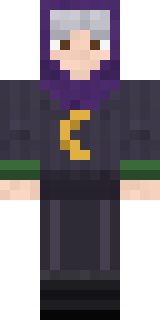 Halloween Witch
 Pastel Goth
 Espresso Cozy
 Summer Dad
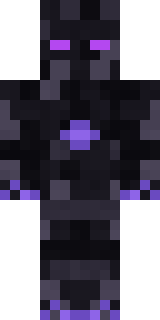 Shadow Elemental
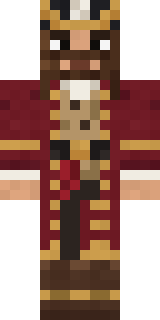 Burgundy Buccaneer
 Velvet Vampire
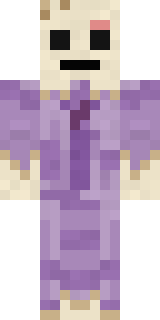 Wax Museum Escapee
 Sweater Weather
 Ace Pilot
 Grunge Girl
 Living Pineapple
 Fossil Museum Curator
 Snow Leopard Hacker
 Pumpkin Patch Farmer
 Firefly Scout
 Fire Fighter
 Cranberry Witch
 Mixtape Cassette Head
 Gothic Librarian
 Redstone Inventor
 Raven Lamplighter
 Disco Chameleon
 Pumpkin Wraith
 Haunted Bowling Champion
 Unimpressed Office Clerk
 Little Bat
 Half Peeled Banana
 Copper Engineer
 Lord Pumpkin
 Business Shark
 Plum Jester
 Ballroom Dancer
 Joan of Arc
 Valentine Cupid
 Prism Slime
 Orc Warrior
 Frankenstein's Creature
 Cottage Witch
 Frost Elf Prince
 Crimson Templar
 Cyber Samurai
 Slender Man
 Lime Alien Astronaut
 Goblin Raider
 Market Butcher
About Lobster Lifeguard
Lobster Lifeguard is a wild Minecraft skin made by the Build It team. The outfit: a life vest and lifeguard trunks, mostly red with touches of yellow. It has a lobster body. Made for anyone who would rather be an animal than a villager.
Lobster Lifeguard has classic 4 pixel arms and works in Minecraft Java and Bedrock. It is free: download the PNG and add it in the Minecraft Launcher (Java) or the dressing room (Bedrock). You can also open it in the Build It Skin Maker and make your own version. It also comes in 7 colour versions, like Blue lobster and Golden lobster.
Find more skins like it in the Animals and Sports collections, or look through the Animal, Funny and Lobster tags.