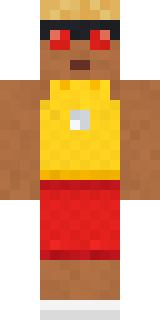
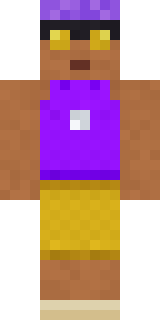
Beach Lifeguard
Red shorts, a whistle and eyes on the waves all day.

How to use this skin
Download it, then follow the steps for where you play.
Minecraft: Java Edition, in the Minecraft Launcher
- Open the Minecraft Launcher and pick Minecraft: Java Edition on the left.
- Open the Skins tab at the top and press New skin.
- Give it a name and choose the player model: Classic.
- Press Browse, pick the PNG you downloaded, then Save & Use.
- Start the game: you are wearing it, on every world and server.
Minecraft: Java Edition, on minecraft.net
- Go to minecraft.net and log in with your Microsoft account.
- Open your Profile and find the skin settings of Java Edition.
- Choose Classic, select the PNG file, and press Upload.
- Your new skin shows the next time you join a world.
Bedrock Edition: Windows, Android, iPhone, iPad, Chromebook
- Open Minecraft and press Dressing Room on the main menu (in newer versions, the character button next to your name, then Edit Character).
- Open the Classic Skins tab.
- Under Owned Skins, press Import, then Choose New Skin.
- Pick the PNG you downloaded (on a phone it is usually in Downloads or Files).
- When it asks, choose Classic, then confirm.
Xbox, PlayStation and Nintendo Switch
Consoles cannot import a skin file. There you can wear Character Creator items and skins from the Marketplace.
Some players set a skin in Bedrock on a phone or PC that is signed in to the same Microsoft account and see it on their console too. Mojang does not support that, so it may not work for you.
More by Build It












Similar skins




















Trending today
What people open and download right now.
Trending today
The skins people are opening, liking and downloading right now.



- Modern HoodiebyBuild It
- Enderbrineby
 gustavopir
- Galaxy AxolotlbyBuild It
- Napoleon BonapartebyBuild It
- The KingbyBuild It
- Shy KidbyBuild It
- Hazmat ResponderbyBuild It
- Ancient Hexby
 nvlr33
- herobrinebygustavopir
- The VoidbyBuild It
Made on Build It
A few of the skins players made here. Find one you like, or start your own.
 Diamond
 Sky Princess
 Goldfish Space Cadet
 Desert Oracle
 Valentine Cupid
 Arcade Buddy
 Error
 Bumblebee
 Office Zombie
 Berg
 Holiday Helper
 Bumpy Pickle
 Retro Fridge Robot
 Red Court frock coat
 Grumpy Broccoli
 Main Character Duck
 Joan of Arc
 Buffalo Plaid Lumberjack
 Blueberry Detective
 Eclipse Knight
 Cherry Goth Streetwear
 Wolfgang Amadeus Mozart
 Lavender Daydream
 Shamrock Suit
 Steampunk InventorInmate 3742
 Midnight Hoodie
 Night Bloom
 Strawberry Milk
 Lotus Temple Guardian
 Matcha Cafe
 Bouncy Slime
 Christmas Gingerbread
 Obsidian Sentinel
 the winter cat skin
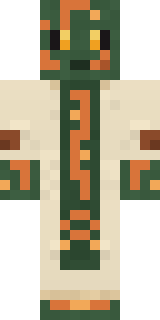 Circuit Board Monk
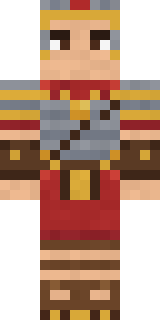 Roman Legionary
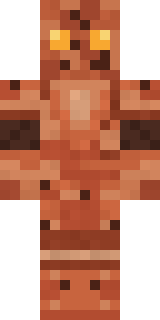 Terracotta Guardian
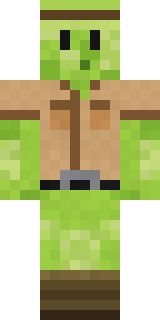 Slime Park Ranger
 Denim Artist
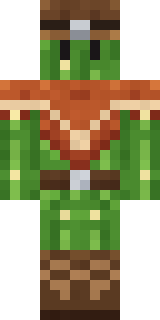 Cactus Cowboy
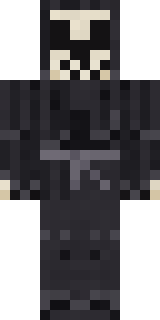 Tattered Reaper
 Chocolate Chip Cookie
 Ink Monster Teacher
 Ink WizardStarfield Phantom
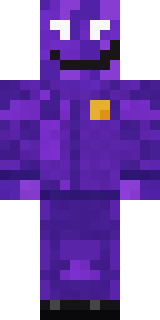 Violet Night Watchman
 Tea Bag Monk
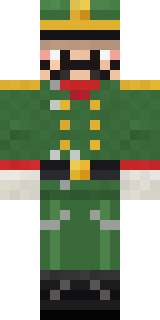 Tin Toy Soldier
 Cyberpunk Paramedic
 Watermelon Brawler
 Vintage Barber
 Ballroom Dancer
 Moss Plague Doctor
 Forest Bigfoot
 Peppermint Mechanic
 Realistic Wemmbu
 Mango Skate Punk
 Big Grin Face
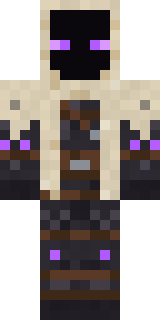 Void Wanderer
About Beach Lifeguard
Beach Lifeguard is an athletic Minecraft skin from the Build It team. It wears an undershirt, shorts, sandals and a whistle with a brown, yellow and red colour scheme. Made for minigames, races and game day on the server.
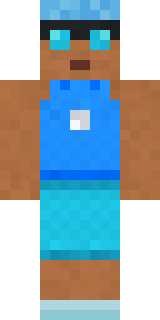
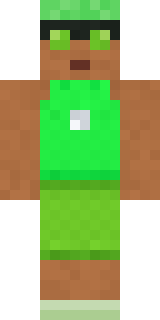
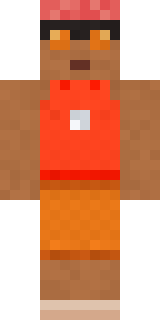
Beach Lifeguard has classic 4 pixel arms and works in Minecraft Java and Bedrock. Download it for free and upload it in the Minecraft Launcher or the Bedrock dressing room. Want it your way? Open it in the Build It Skin Maker and change its colours and pieces. It also comes in 5 colour versions, like Ocean and Forest.
See more in the Streetwear and Sports collections, or look through the Casual and Sports tags.