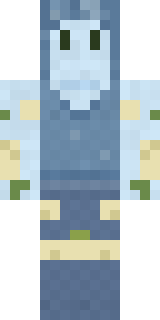
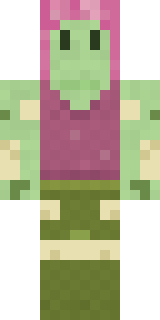
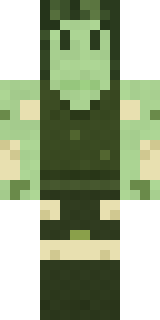
Fern Forest Sprite
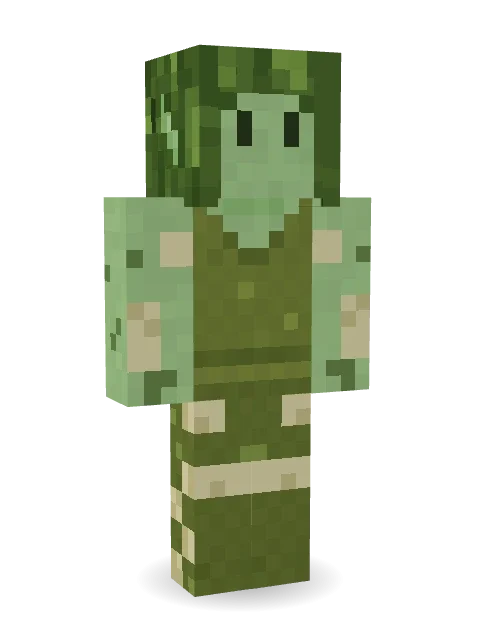
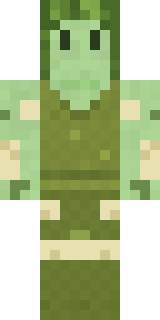
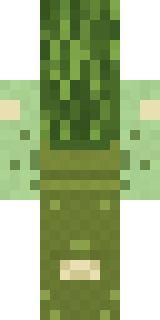
Hides in the ferns until you look away: a pale green sprite with pointed ears, mossy fern hair, an olive tunic and leggings speckled with lichen.

How to use this skin
Download it, then follow the steps for where you play.
Minecraft: Java Edition, in the Minecraft Launcher
- Open the Minecraft Launcher and pick Minecraft: Java Edition on the left.
- Open the Skins tab at the top and press New skin.
- Give it a name and choose the player model: Classic.
- Press Browse, pick the PNG you downloaded, then Save & Use.
- Start the game: you are wearing it, on every world and server.
Minecraft: Java Edition, on minecraft.net
- Go to minecraft.net and log in with your Microsoft account.
- Open your Profile and find the skin settings of Java Edition.
- Choose Classic, select the PNG file, and press Upload.
- Your new skin shows the next time you join a world.
Bedrock Edition: Windows, Android, iPhone, iPad, Chromebook
- Open Minecraft and press Dressing Room on the main menu (in newer versions, the character button next to your name, then Edit Character).
- Open the Classic Skins tab.
- Under Owned Skins, press Import, then Choose New Skin.
- Pick the PNG you downloaded (on a phone it is usually in Downloads or Files).
- When it asks, choose Classic, then confirm.
Xbox, PlayStation and Nintendo Switch
Consoles cannot import a skin file. There you can wear Character Creator items and skins from the Marketplace.
Some players set a skin in Bedrock on a phone or PC that is signed in to the same Microsoft account and see it on their console too. Mojang does not support that, so it may not work for you.
More by Build It












Similar skins






















Trending today
What people open and download right now.
Trending today
The skins people are opening, liking and downloading right now.

- Ancient Hexby
 nvlr33
- Modern HoodiebyBuild It
- Galaxy AxolotlbyBuild It
- Shy KidbyBuild It
- Napoleon BonapartebyBuild It
- Hazmat ResponderbyBuild It
- The KingbyBuild It
- The VoidbyBuild It
- Slender ManbyBuild It
- Buff ChickenbyBuild It
Made on Build It
A few of the skins players made here. Find one you like, or start your own.
 First Day
 Parrot Captain
 Enderdude
 Laurel AngelHazmat Responder
 Necromancer
 Burgundy Buccaneer
 Ironwood Druid
 Slime Gamer
 Realistic Wemmbu
 Green Dude
 Mixtape Cassette Head
 Sherlock Holmes
 Happy lawyer
 Canada Day Maple Leaf
 Rotting Walker
 Ember Dragon
 The Forehead Man
 Golden Automaton
 miner in a suit and tie
 Orangutan Archaeologist
 Terracotta Summer
 The Mummy
 Cyber SamuraiShroud Ghost
 Buck Tooth Nerd
 Hallway Shadow
 Lighthouse Keeper
 Clockwork Owl
 Hanabi Noir
 Mole Miner
 Storm Chaser Aviator
 Moonwalk Astronaut
 Head Chef
 Matcha Mochi
 Frost Scholar
 Rally Mechanic
 Goblin Raider
 Mantis Master
 Bronze Bell Spirit
 Grinning Shade
 Neon Parkour Runner
 Neon Motorcycle Courier
 Red Orchard vine shirt
 Shocked Dog
 Crypt Ghoul
 Prom Queen Zombie
 Grey Suit and tie
 Rich baddie
 Honey Bot
 Crimson Punk
 Midnight Snack Thief Raccoon
 Armadillo Mercenary
 Banana Gentleman
 Halloween Vampire
 Tennis Ball Coach
 Moon Ranger
 Fast Break Baller
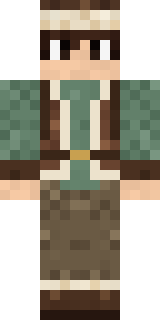 Mountain Shepherd
 Hoop Star
About Fern Forest Sprite
Fern Forest Sprite is a legendary skin for Minecraft from the Build It team. Its look puts together a fern sprite tunic and lichen leggings in green and yellow. It has a fern sprite body. Wear it on fantasy servers, adventure maps and dragon hunts.
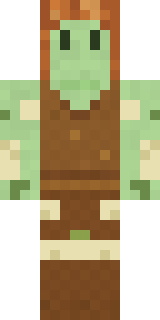
It uses the classic arms (4 pixels wide, like Steve) and works on Java and Bedrock. Download it for free, then follow the steps above to wear it in game. Want it your way? Open it in the Build It Skin Maker and change its colours and pieces. It also comes in 7 colour versions, like Autumn sprite and Frost sprite.
See more in the Fantasy and Cute collections, or browse the Cute, Elf and Fantasy tags.