Summer Dad
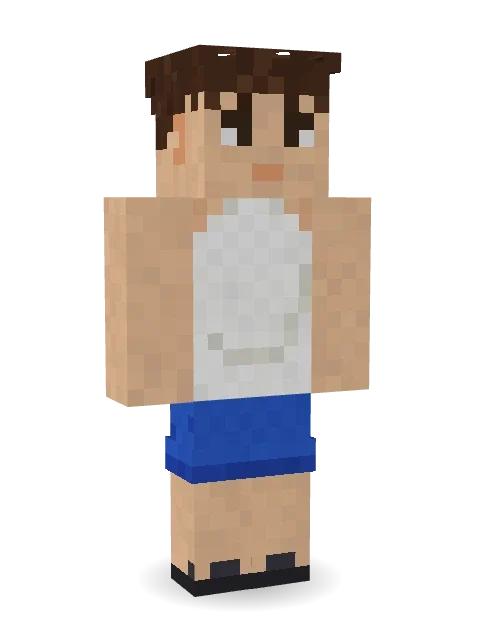
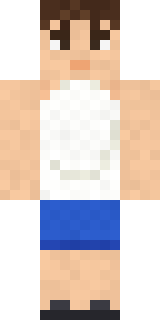
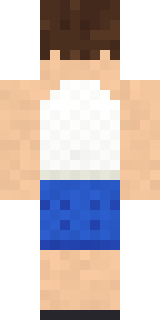
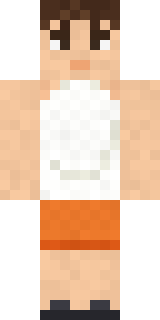
Grill on, worries off: messy hair, a big happy smile, a white tank top stretched over a round belly, blue swim shorts and black flip-flops.
How to use this skin
Download it, then follow the steps for where you play.
Minecraft: Java Edition, in the Minecraft Launcher
- Open the Minecraft Launcher and pick Minecraft: Java Edition on the left.
- Open the Skins tab at the top and press New skin.
- Give it a name and choose the player model: Classic.
- Press Browse, pick the PNG you downloaded, then Save & Use.
- Start the game: you are wearing it, on every world and server.
Minecraft: Java Edition, on minecraft.net
- Go to minecraft.net and log in with your Microsoft account.
- Open your Profile and find the skin settings of Java Edition.
- Choose Classic, select the PNG file, and press Upload.
- Your new skin shows the next time you join a world.
Bedrock Edition: Windows, Android, iPhone, iPad, Chromebook
- Open Minecraft and press Dressing Room on the main menu (in newer versions, the character button next to your name, then Edit Character).
- Open the Classic Skins tab.
- Under Owned Skins, press Import, then Choose New Skin.
- Pick the PNG you downloaded (on a phone it is usually in Downloads or Files).
- When it asks, choose Classic, then confirm.
Xbox, PlayStation and Nintendo Switch
Consoles cannot import a skin file. There you can wear Character Creator items and skins from the Marketplace.
Some players set a skin in Bedrock on a phone or PC that is signed in to the same Microsoft account and see it on their console too. Mojang does not support that, so it may not work for you.
More by Build It












Similar skins


















Trending today
What people open and download right now.
Trending today
The skins people are opening, liking and downloading right now.


- Modern HoodiebyBuild It
- Galaxy AxolotlbyBuild It
- Enderbrineby
 gustavopir
- Napoleon BonapartebyBuild It
- The VoidbyBuild It
- Shy KidbyBuild It
- The KingbyBuild It
- Slender ManbyBuild It
- Abyssal MonkbyBuild It
- Buff ChickenbyBuild It
Made on Build It
A few of the skins players made here. Find one you like, or start your own.
 Striped Zebra
 Strawberry Milk
 herobrine
 Captain Spark
 Spotted Fawn
 Ruby Dragonborn
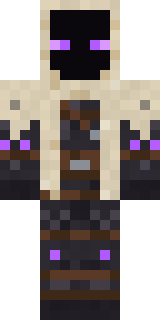 Void Wanderer
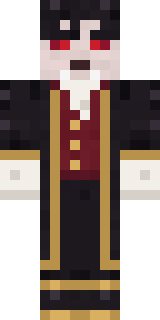 Vampire Aristocrat
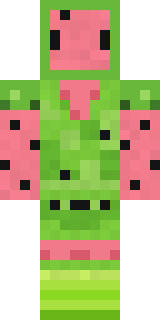 Watermelon Wrestler
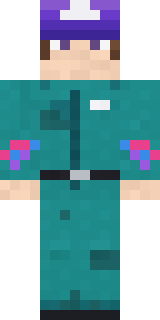 Arcade Janitor
 Terracotta Turtle
 Rainy Day
 Ink Monster Teacher
 Halloween Witch
 Lone Wolf
 Jesus Christ
 Red Panda
 Lick
 Retired Adventurer
 Terracotta GuardianPumpkin Patch Farmer
 Gingerbread Detective
 Veiled Mourner
 Curly Art Student
 Crypt Custodian
 Office Zombie
 Velvet Vampire
 Highway Biker
 Dragonfly Courier
 Federal Agent
 Head Chef
 Morning Barista
 Disco Chameleon
 Woodland Fox
 Alien Exchange Student
 Clockwork Oracle
 Downtown Pig
 Autumn KnitCrocodile Detective
 Matcha Mochi
 Moon Elf Ranger
 Orc Warrior
 Grey Tattered reaper robe
 Gamer Hoodie Boy
 Jelly Alien
 Mango Skate Punk
 Tattered Scarecrow
 Noir Detective
 Graffiti Phantom
 Lobster Lifeguard
 leo
 Espresso CozyShy Kid
 Smug Star Wizard
 Static Screen Agent
 Platinum Angel
 Bubblegum Robot
 Moon ElfHoney Toast
 Paint Splash
About Summer Dad
Summer Dad is a celebration Minecraft skin from the Build It team. The outfit: a belly tank top, blue swim shorts and flip-flops, mostly beige with touches of white. A festive pick for winter, spring, summer or any party.
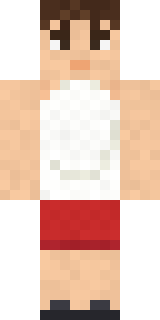
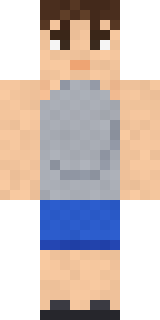
Summer Dad has classic 4 pixel arms and works in Minecraft Java and Bedrock. Download it for free and upload it in the Minecraft Launcher or the Bedrock dressing room. Want it your way? Open it in the Build It Skin Maker and change its colours and pieces. Try its 7 colour versions too, like Red shorts and Hawaiian green.
See more in the Streetwear and Cute collections, or look through the Casual, Cozy and Funny tags.