Robin Hood
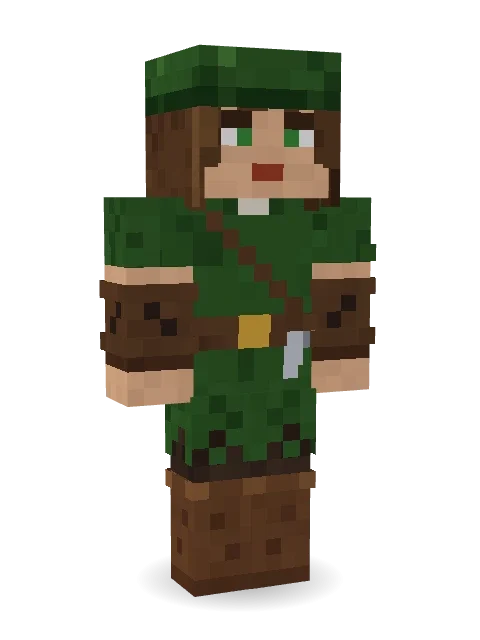
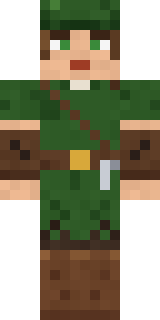
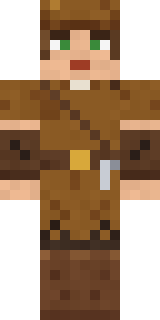
For the poor, for the forest, for England: a feathered green cap, a ragged green tunic, a quiver of arrows and leather bracers.

How to use this skin
Download it, then follow the steps for where you play.
Minecraft: Java Edition, in the Minecraft Launcher
- Open the Minecraft Launcher and pick Minecraft: Java Edition on the left.
- Open the Skins tab at the top and press New skin.
- Give it a name and choose the player model: Classic.
- Press Browse, pick the PNG you downloaded, then Save & Use.
- Start the game: you are wearing it, on every world and server.
Minecraft: Java Edition, on minecraft.net
- Go to minecraft.net and log in with your Microsoft account.
- Open your Profile and find the skin settings of Java Edition.
- Choose Classic, select the PNG file, and press Upload.
- Your new skin shows the next time you join a world.
Bedrock Edition: Windows, Android, iPhone, iPad, Chromebook
- Open Minecraft and press Dressing Room on the main menu (in newer versions, the character button next to your name, then Edit Character).
- Open the Classic Skins tab.
- Under Owned Skins, press Import, then Choose New Skin.
- Pick the PNG you downloaded (on a phone it is usually in Downloads or Files).
- When it asks, choose Classic, then confirm.
Xbox, PlayStation and Nintendo Switch
Consoles cannot import a skin file. There you can wear Character Creator items and skins from the Marketplace.
Some players set a skin in Bedrock on a phone or PC that is signed in to the same Microsoft account and see it on their console too. Mojang does not support that, so it may not work for you.
More by Build It












Similar skins












Trending today
What people open and download right now.
Trending today
The skins people are opening, liking and downloading right now.



- Modern HoodiebyBuild It
- Enderbrineby
 gustavopir
- Galaxy AxolotlbyBuild It
- Napoleon BonapartebyBuild It
- Shy KidbyBuild It
- The KingbyBuild It
- Hazmat ResponderbyBuild It
- herobrinebygustavopir
- The VoidbyBuild It
- Starfield PhantombyBuild It
Made on Build It
A few of the skins players made here. Find one you like, or start your own.
Napoleon Bonaparte Christmas Elf
 Beach Lifeguard
 Bubblegum Robot
 Spotted Fawn
 Laurel Angel
 Onion King
 Vintage Barber
 Violet Samurai
 gamer Black Void drip hoodie
 Haunted Laundry Worker
 Desert Rose
 Orangutan ArchaeologistTemplar Knight
 Safari CatMoon Ranger
 Frost Court Noble
 One Brain Cell Cat
 Cheeky Banana
 Bone Necromancer
 Courtroom Judge
 Red Mushroom Scout
 Clockwork Oracle
 Happy Hot Dog
 Dino Onesie
 Gentle GiraffeOrigami Crane Warrior
 Teddy Onesie
 Burnt Toast Monster
 Prism Slime
 Gargoyle Bell Ringer
 Lighthouse Keeper
 Prom Queen Zombie
 Build It Guy
 Full Moon Werewolf
 Frost Scholar
 Cyber Samurai
 Ice Elemental
 Rich baddie
 Tornado Chaser
 Gummy Bear Bodybuilder
 Diamond Sleeve Trader
 Geode Elf
 Origami Messenger
 Forest Elf
 Crimson Desert Nomad
 Canada Day Maple Leaf
 leo
 Lightning Elemental
 Shrimp Mechanic
 Armadillo Mercenary
 Neon DJ
 Pastel Gamer
 Living Marble Statue
 Highway BikerMushroom Forest Ranger
 Mossy Troll
 The Boss
 Shocked Dog
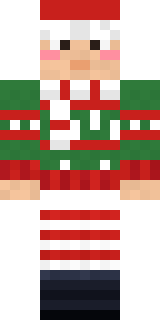 Holiday Helper
About Robin Hood
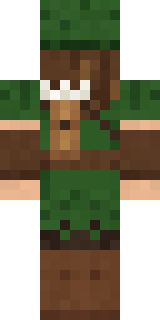
Robin Hood is a storybook Minecraft skin made by the Build It team. It wears a ragged green tunic, outlaw boots, a feathered archer cap and a forest quiver in brown and green. It fits right into medieval builds, dungeons and enchanted forests.
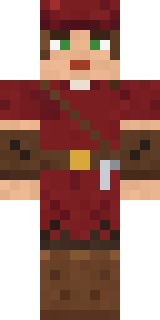
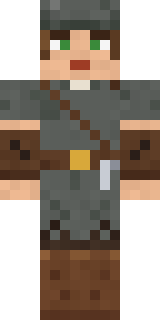
It uses the classic arms (4 pixels wide, like Steve) and works on Java and Bedrock. Download it for free and upload it in the Minecraft Launcher or the Bedrock dressing room. Open it in the Build It Skin Maker to give it your own colours. Try its 7 colour versions too, like Lincoln green and Autumn.
Find more skins like it in the Fantasy and History collections, or browse the Archer, Forest and Hero tags.