Burnt Toast Monster
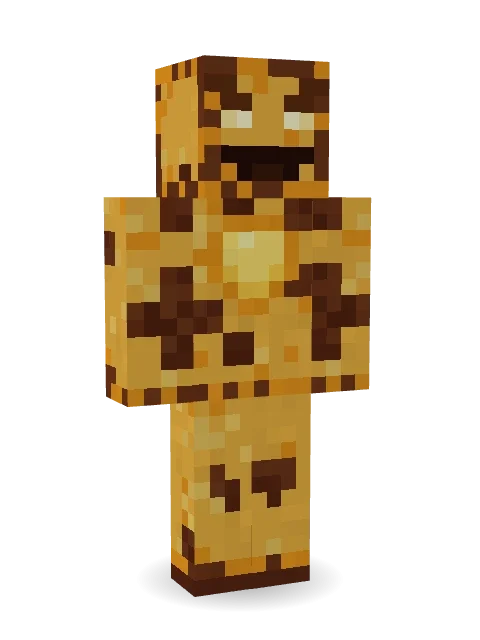
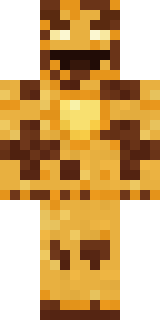
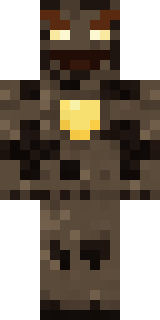
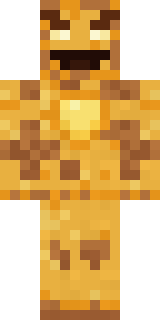
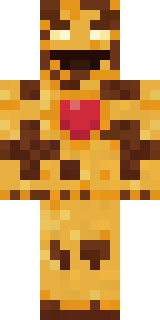
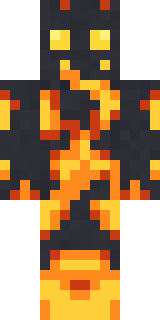
Left in the toaster far too long and furious about it: a golden toast monster with burnt edges, glaring eyes, a wide grin and a pat of melting butter.

How to use this skin
Download it, then follow the steps for where you play.
Minecraft: Java Edition, in the Minecraft Launcher
- Open the Minecraft Launcher and pick Minecraft: Java Edition on the left.
- Open the Skins tab at the top and press New skin.
- Give it a name and choose the player model: Classic.
- Press Browse, pick the PNG you downloaded, then Save & Use.
- Start the game: you are wearing it, on every world and server.
Minecraft: Java Edition, on minecraft.net
- Go to minecraft.net and log in with your Microsoft account.
- Open your Profile and find the skin settings of Java Edition.
- Choose Classic, select the PNG file, and press Upload.
- Your new skin shows the next time you join a world.
Bedrock Edition: Windows, Android, iPhone, iPad, Chromebook
- Open Minecraft and press Dressing Room on the main menu (in newer versions, the character button next to your name, then Edit Character).
- Open the Classic Skins tab.
- Under Owned Skins, press Import, then Choose New Skin.
- Pick the PNG you downloaded (on a phone it is usually in Downloads or Files).
- When it asks, choose Classic, then confirm.
Xbox, PlayStation and Nintendo Switch
Consoles cannot import a skin file. There you can wear Character Creator items and skins from the Marketplace.
Some players set a skin in Bedrock on a phone or PC that is signed in to the same Microsoft account and see it on their console too. Mojang does not support that, so it may not work for you.
More by Build It











Similar skins

Trending today
What people open and download right now.
Trending today
The skins people are opening, liking and downloading right now.

- Modern HoodiebyBuild It
- Enderbrineby
 gustavopir
- Napoleon BonapartebyBuild It
- Galaxy AxolotlbyBuild It
- The KingbyBuild It
- Hazmat ResponderbyBuild It
- Shy KidbyBuild It
- herobrinebygustavopir
- The VoidbyBuild It
- Slender ManbyBuild It
Made on Build It
A few of the skins players made here. Find one you like, or start your own.
 Lightning Elemental
 Owl Professor
 Ghost Buddy
 Hard Hat Hero
 Starlight Wizard
 Gamer Mode
 Ice Crystal SpiritChristmas Gingerbread
 Mysterious Astronaut
 Happy Farmer
 Forest Druid
 Ember Battle Mage
 Crypt Ghoul
 Market Butcher
 Yellow hazmat suit
 Loading Screen Gamer
 Earth Elemental
 Canada Day Maple Leaf
 Cranberry Witch
 Cotton Candy Vendor
 Silent Mime
 Red Orchard vine shirt
 Arcade Janitor
 Late Night Gamer
 Obsidian Knight
 Red Panda
 Blushing PenguinFire Elemental
 Cursed Chess Bishop
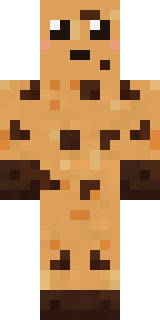 Chocolate Chip Cookie
 Handy Plumber
 Aurora Skater
 Sunny Surfer
 Rich baddie
 Prism Slime
 Storm Chaser Aviator
 Midnight Baker
 Snow Rider
 Rodeo StarObsidian Golem
 Penguin Waddle
 Mountain Shepherd
 Fern Forest Sprite
 Fox Explorer
 Vintage Barber
 Espresso Cozy
 Midnight Snack Thief Raccoon
 Flight Attendant
 Onion King
 Glacier Explorer
 Living Chess King
 Lakeside Angler
 Cozy Avocado
 Auburn Diner WaitressArmy Soldier
 Moss Plague Doctor
 Alien Tourist
 Dwarf Miner
 Crystal Monk
 Banana Gentleman
About Burnt Toast Monster
Burnt Toast Monster is a haunted Minecraft skin made by the Build It team. It comes in orange and brown. Under the outfit it is a burnt toast. Perfect when the sun goes down and the mobs come out.
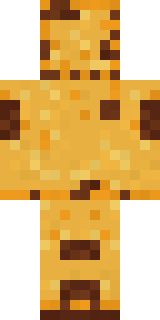
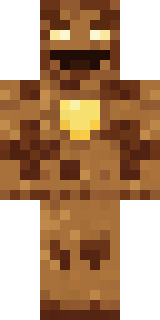
It uses the classic arms (4 pixels wide, like Steve) and works on Java and Bedrock. Download it for free and upload it in the Minecraft Launcher or the Bedrock dressing room. You can also open it in the Build It Skin Maker and make your own version. It also comes in 7 colour versions, like Rye toast and Charcoal toast.
Find more skins like it in the Spooky and Food collections, or browse the Food, Funny and Monster tags.