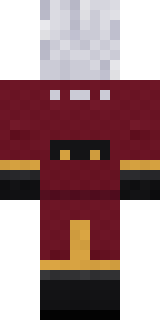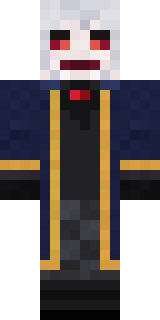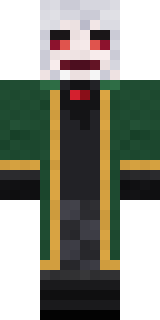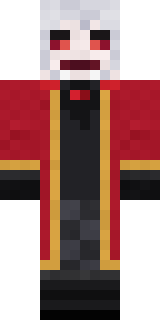
Velvet Vampire
Minecraft skin · Classic arms (4 pixels) · Java and Bedrock
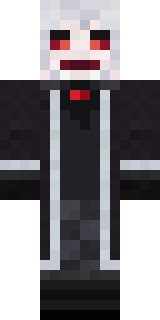
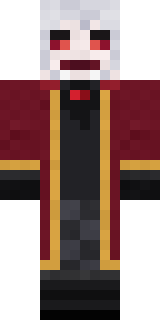
Old money, older blood: silver hair, red eyes and a hint of fang, a burgundy velvet frock coat trimmed in gold and a ruby at the throat.

How to use this skin
Download it, then follow the steps for where you play.
Minecraft: Java Edition, in the Minecraft Launcher
- Open the Minecraft Launcher and pick Minecraft: Java Edition on the left.
- Open the Skins tab at the top and press New skin.
- Give it a name and choose the player model: Classic.
- Press Browse, pick the PNG you downloaded, then Save & Use.
- Start the game: you are wearing it, on every world and server.
Minecraft: Java Edition, on minecraft.net
- Go to minecraft.net and log in with your Microsoft account.
- Open your Profile and find the skin settings of Java Edition.
- Choose Classic, select the PNG file, and press Upload.
- Your new skin shows the next time you join a world.
Bedrock Edition: Windows, Android, iPhone, iPad, Chromebook
- Open Minecraft and press Dressing Room on the main menu (in newer versions, the character button next to your name, then Edit Character).
- Open the Classic Skins tab.
- Under Owned Skins, press Import, then Choose New Skin.
- Pick the PNG you downloaded (on a phone it is usually in Downloads or Files).
- When it asks, choose Classic, then confirm.
Xbox, PlayStation and Nintendo Switch
Consoles cannot import a skin file. There you can wear Character Creator items and skins from the Marketplace.
Some players set a skin in Bedrock on a phone or PC that is signed in to the same Microsoft account and see it on their console too. Mojang does not support that, so it may not work for you.
Similar skins


Made on Build It
A few of the skins players made here. Find one you like, or start your own.
 Terracotta Turtle
 Sandstone Guardian
 Sweater Weather
 Ruby Dragonborn
 Happy Poop
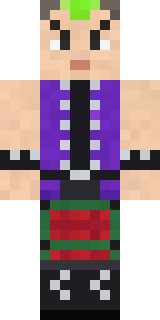 Neon Mohawk Punk
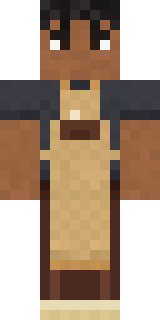 Curly Barista
 Electrician
 Julius Caesar
 Snow Leopard
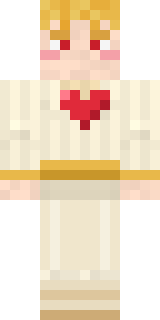 Valentine Cupid
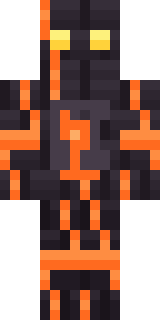 Volcanic Sentinel
 Cobalt Cyber Ninja
 Red Panda
 Forest Ranger
 Mantis Master
 Silverback Gorilla
 Woodland Ranger
 Shroud Ghost
 Obsidian Knight
 Ruby BlacksmithStained Glass Mage
 Tornado Chaser
 Bone Scout
 Gingerbread Detective
 Captain SparkDoorbell Camera Visitor
 Chill Pond Frog
 Glacial Sorcerer
 Tuxedo Cat
 Scarlet Sellsword
 Head Chef
 Silverfish Archivist
 Ice Elemental
 Cotton Candy Vendor
 Lunar New Year Celebrant
 Twilight Rogue
 Firefly Scout
 Storm Chaser Aviator
 Count Dracula
 Spotted Frog
 Spotted Fawn
 Starfield Phantom
 Dreamweaver
 Giga Chad
 Joan of Arc
 Ghost Concierge
 Chestnut Warrior
 Cocoa Monkey
 Rainbow Paint Can
 Cloud Aviator
 Tennis Ball Coach
 Night Ops Commando
 Paper Bag Bandit
 Ice Crystal Spirit
 Roman Legionary
 Haunted Bowling Champion
 Full Moon Werewolf
 Penguin Waddle
 Sky Princess
About Velvet Vampire
Velvet Vampire is a spooky skin for Minecraft made by the Build It team. Its look puts together a velvet frock coat, checked pants, boots and gloves in black, red and orange. Perfect when the sun goes down and the mobs come out.
It uses the classic arms (4 pixels wide, like Steve) and works on Java and Bedrock. Download it for free and upload it in the Minecraft Launcher or the Bedrock dressing room. You can also open it in the Build It Skin Maker and make your own version. Try its 7 colour versions too, like Midnight velvet and Emerald velvet.
Find more skins like it in the Spooky and Fantasy collections, or browse the Fancy, Gentleman and Royal tags.