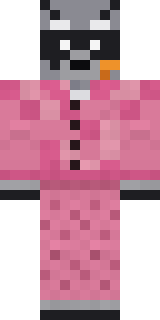
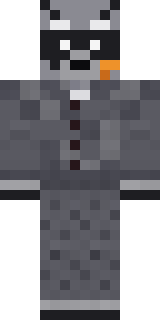
Midnight Snack Thief Raccoon
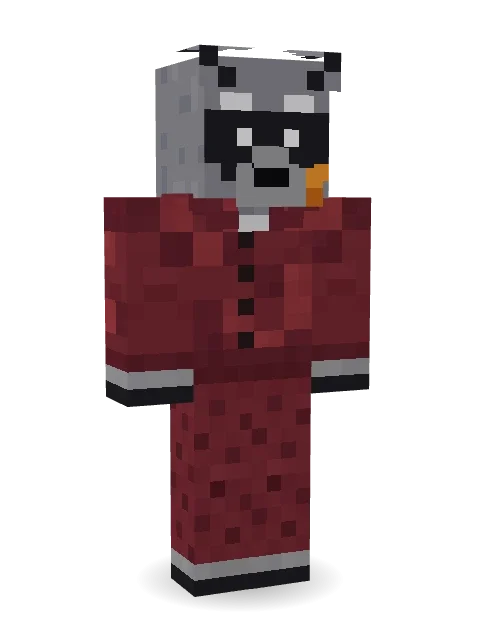
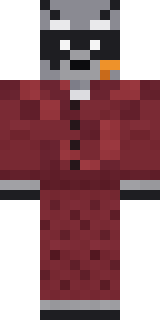
Raids the kitchen every night at three and leaves only orange crumbs behind: a masked grey raccoon in maroon pajamas with a ringed tail.

How to use this skin
Download it, then follow the steps for where you play.
Minecraft: Java Edition, in the Minecraft Launcher
- Open the Minecraft Launcher and pick Minecraft: Java Edition on the left.
- Open the Skins tab at the top and press New skin.
- Give it a name and choose the player model: Classic.
- Press Browse, pick the PNG you downloaded, then Save & Use.
- Start the game: you are wearing it, on every world and server.
Minecraft: Java Edition, on minecraft.net
- Go to minecraft.net and log in with your Microsoft account.
- Open your Profile and find the skin settings of Java Edition.
- Choose Classic, select the PNG file, and press Upload.
- Your new skin shows the next time you join a world.
Bedrock Edition: Windows, Android, iPhone, iPad, Chromebook
- Open Minecraft and press Dressing Room on the main menu (in newer versions, the character button next to your name, then Edit Character).
- Open the Classic Skins tab.
- Under Owned Skins, press Import, then Choose New Skin.
- Pick the PNG you downloaded (on a phone it is usually in Downloads or Files).
- When it asks, choose Classic, then confirm.
Xbox, PlayStation and Nintendo Switch
Consoles cannot import a skin file. There you can wear Character Creator items and skins from the Marketplace.
Some players set a skin in Bedrock on a phone or PC that is signed in to the same Microsoft account and see it on their console too. Mojang does not support that, so it may not work for you.
More by Build It












Similar skins

Trending today
What people open and download right now.
Trending today
The skins people are opening, liking and downloading right now.

- Ancient Hexby
 nvlr33
- Modern HoodiebyBuild It
- Shy KidbyBuild It
- Galaxy AxolotlbyBuild It
- Napoleon BonapartebyBuild It
- The KingbyBuild It
- Hazmat ResponderbyBuild It
- Buff ChickenbyBuild It
- The VoidbyBuild It
- Slender ManbyBuild It
Made on Build It
A few of the skins players made here. Find one you like, or start your own.
 Terracotta SummerThe Forehead Man
 Shroud Ghost
 Soft Boy
 Desert Cartographer
 Silver Pulse DJ
 Fairy Glow
 Enderdude
 Celestial Monk
 Watermelon Brawler
 Bebo
 Linen Summer
 Tuxedo Cat
 Leonardo da VinciHazmat Responder
 Mirror Knight
 Arcade Buddy
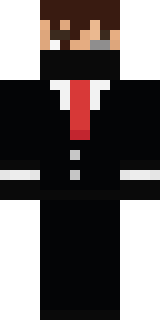 Grey Suit and tie
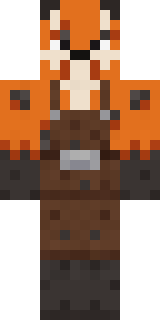 Fox Blacksmith
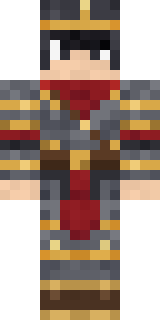 Gilded Steel Knight
 Pitch Playmaker
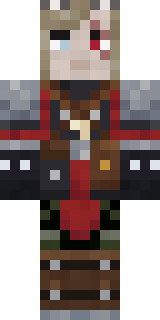 Error
 Black
 Terracotta Turtle
 Crystal Elf Spellcaster
 Halloween Vampire
 Burlap Intruder
 Possum Garbage Collector
 The Mummy
 Cobalt FirefighterRaven Lamplighter
 Build It Guy
 Bookworm
 CM Style
 Ink Wizard
 Flight Attendant
 Vooid
 Midnight Snack Thief Raccoon
 miner in a suit and tie
 Forest Druid
 Gamer Hoodie Boy
 Autumn Leaf Sprite
 Sleepy Sheep
 Grinning Shade
 Realistic Wemmbu
 Valentine Cupid
 Forest Ranger
 Bubblegum Robot
 Jackal Priest
 Emo Kid
 Shamrock Suit
 Redstone Tinkerer
 Lemon Sorcerer
 Potion ShopkeeperArmy Soldier
 Velvet Vampire
 Avalanche Rescuer
 Handy Plumber
 Dragonfly CourierRed Panda
About Midnight Snack Thief Raccoon
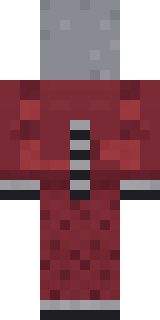
Midnight Snack Thief Raccoon is a wild skin for Minecraft made by the Build It team. The outfit: a maroon pajama top and maroon pajama pants in red. It has a snack thief raccoon body. Made for anyone who would rather be an animal than a villager.
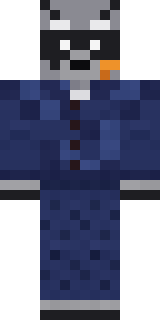
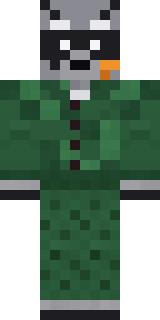
It uses the classic arms (4 pixels wide, like Steve) and works on Java and Bedrock. Download it for free, then follow the steps above to wear it in game. Open it in the Build It Skin Maker to give it your own colours. It also comes in 7 colour versions, like Navy pajamas and Forest pajamas.
Find more skins like it in the Animals and Cute collections, or browse the Animal, Cozy and Funny tags.