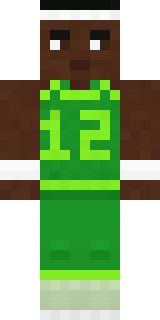
Hoop Star
Teal and orange, number 12 and nothing but net.

How to use this skin
Download it, then follow the steps for where you play.
Minecraft: Java Edition, in the Minecraft Launcher
- Open the Minecraft Launcher and pick Minecraft: Java Edition on the left.
- Open the Skins tab at the top and press New skin.
- Give it a name and choose the player model: Classic.
- Press Browse, pick the PNG you downloaded, then Save & Use.
- Start the game: you are wearing it, on every world and server.
Minecraft: Java Edition, on minecraft.net
- Go to minecraft.net and log in with your Microsoft account.
- Open your Profile and find the skin settings of Java Edition.
- Choose Classic, select the PNG file, and press Upload.
- Your new skin shows the next time you join a world.
Bedrock Edition: Windows, Android, iPhone, iPad, Chromebook
- Open Minecraft and press Dressing Room on the main menu (in newer versions, the character button next to your name, then Edit Character).
- Open the Classic Skins tab.
- Under Owned Skins, press Import, then Choose New Skin.
- Pick the PNG you downloaded (on a phone it is usually in Downloads or Files).
- When it asks, choose Classic, then confirm.
Xbox, PlayStation and Nintendo Switch
Consoles cannot import a skin file. There you can wear Character Creator items and skins from the Marketplace.
Some players set a skin in Bedrock on a phone or PC that is signed in to the same Microsoft account and see it on their console too. Mojang does not support that, so it may not work for you.
More by Build It












Similar skins


















Trending today
What people open and download right now.
Trending today
The skins people are opening, liking and downloading right now.
- Ancient Hexby
 nvlr33
- Modern HoodiebyBuild It
- Galaxy AxolotlbyBuild It
- Napoleon BonapartebyBuild It
- Shy KidbyBuild It
- The KingbyBuild It
- Hazmat ResponderbyBuild It
- The VoidbyBuild It
- Buff ChickenbyBuild It
- Slender ManbyBuild It
Made on Build It
A few of the skins players made here. Find one you like, or start your own.
 Midnight Academia
 Dino Onesie
 Main Character Duck
 Circuit Alien
 Possum Garbage Collector
 Cozy Ballet Cardigan
 Static Screen Agent
 gamer Black Void drip hoodie
 Violet Night Watchman
 Chill Pond Frog
 Hot Springs Innkeeper
 Gilded Steel Knight
 Train Conductor
 False Smile Stranger
 Woodland Fox
 Lavender Florist
 Cherry Blossom Streetwear
 Deep Space Janitor
 Eclipse Knight
 Forest Elf
 DiamondPorcelain Robot
 Field Scarecrow
 Count Nightfall
 Hospital Hero
 Vampire Aristocrat
 Grunge Girl
 Tornado Chaser
 Molten Plate DemonModern Hoodie
 Storm Chaser Aviator
 Red Orchard vine shirt
 Forest Bigfoot
 Clockwork Oracle
 Sunflower Scarecrow
 Apple Orchard GuardianThe King
 Stained-Glass Paladin
 Realistic Wemmbu
 Moon Elf
 Amber Fossil Golem
 Wildlife Photographer
 Federal Agent
 Guardian Angel
 Emotional Support Pickle
 Bumblebee
 Bronze Age Warrior
 Radioactive Gummy Bear
 Cozy Avocado
 Clockwork Inventor
 Bloody ghost
 Retired Adventurer
 Scarlet Sellsword
 Goblin Raider
 Stone Face StatueSilverback Gorilla
 Rotting Walker
 Half Peeled Banana
 Autumn Leaf Sprite
 Twilight Rogue
About Hoop Star
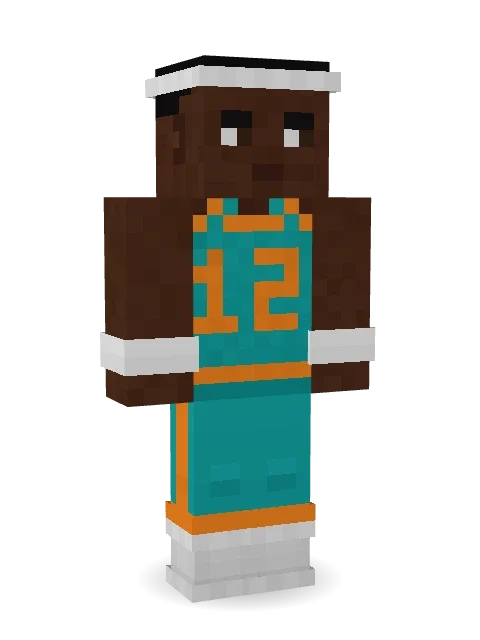
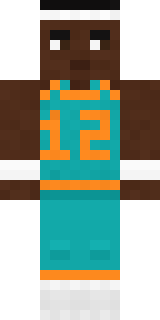
Hoop Star is an athletic Minecraft skin from the Build It team. Its look puts together a basketball jersey, basketball shorts, high tops and wristbands in teal, brown and white. A great pick for competitive players.
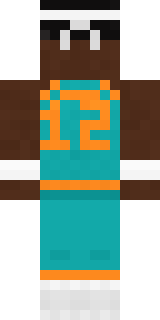
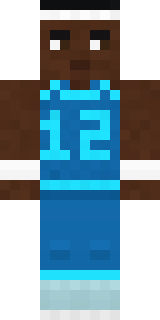
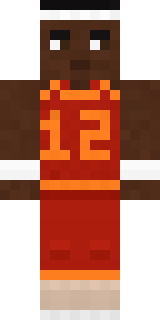
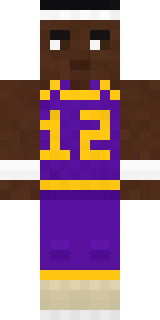
Hoop Star has classic 4 pixel arms and works in Minecraft Java and Bedrock. Download it for free and upload it in the Minecraft Launcher or the Bedrock dressing room. Want it your way? Open it in the Build It Skin Maker and change its colours and pieces. Try its 5 colour versions too, like Ocean and Forest.
See more in the Streetwear and Sports collections, or look through the Cool and Sports tags.