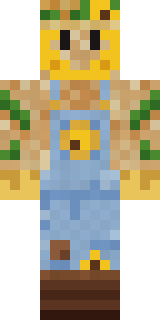
Sunflower Scarecrow
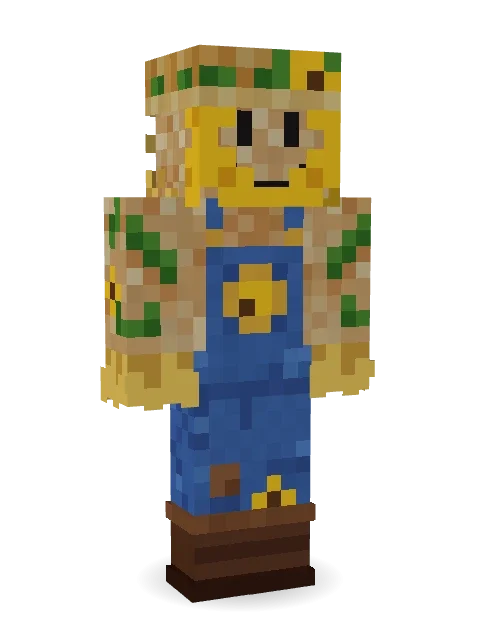
A cheerful scarecrow with a stitched smile in a ring of sunflower petals, a flowery straw hat, patched denim overalls and straw poking out everywhere.

How to use this skin
Download it, then follow the steps for where you play.
Minecraft: Java Edition, in the Minecraft Launcher
- Open the Minecraft Launcher and pick Minecraft: Java Edition on the left.
- Open the Skins tab at the top and press New skin.
- Give it a name and choose the player model: Classic.
- Press Browse, pick the PNG you downloaded, then Save & Use.
- Start the game: you are wearing it, on every world and server.
Minecraft: Java Edition, on minecraft.net
- Go to minecraft.net and log in with your Microsoft account.
- Open your Profile and find the skin settings of Java Edition.
- Choose Classic, select the PNG file, and press Upload.
- Your new skin shows the next time you join a world.
Bedrock Edition: Windows, Android, iPhone, iPad, Chromebook
- Open Minecraft and press Dressing Room on the main menu (in newer versions, the character button next to your name, then Edit Character).
- Open the Classic Skins tab.
- Under Owned Skins, press Import, then Choose New Skin.
- Pick the PNG you downloaded (on a phone it is usually in Downloads or Files).
- When it asks, choose Classic, then confirm.
Xbox, PlayStation and Nintendo Switch
Consoles cannot import a skin file. There you can wear Character Creator items and skins from the Marketplace.
Some players set a skin in Bedrock on a phone or PC that is signed in to the same Microsoft account and see it on their console too. Mojang does not support that, so it may not work for you.
More by Build It












Similar skins




















Trending today
What people open and download right now.
Trending today
The skins people are opening, liking and downloading right now.


- Modern HoodiebyBuild It
- Ancient Hexby
 nvlr33
- Galaxy AxolotlbyBuild It
- Napoleon BonapartebyBuild It
- Shy KidbyBuild It
- The KingbyBuild It
- Hazmat ResponderbyBuild It
- The VoidbyBuild It
- Buff ChickenbyBuild It
- Slender ManbyBuild It
Made on Build It
A few of the skins players made here. Find one you like, or start your own.
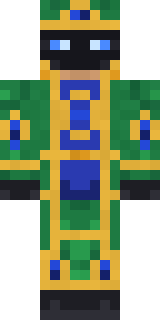 Peacock Guard
 Ocean Diver
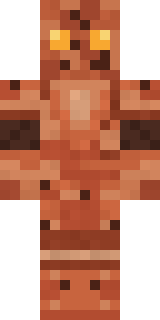 Terracotta Guardian
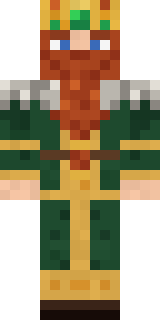 Dwarven Mountain King
 Robin Hood
 Matcha Cafe
 Cozy Ballet Cardigan
 Chameleon Hoodie
 Otter Fisher
 Blushing Penguin
 The Blank Mask
 Crystal Elf Spellcaster
 Prism Slime
 Halloween Witch
 Cranberry Witch
 Vintage Barber
 Downtown Pig
 Gold Aura Streetwear
 Meander
 Coral Reef Sorceress
 Beekeeper
 Tide Pool Spirit
 Strawberry Jam JarThe Void
 Muddy FarmhandStarfield Phantom
 Blue Beat
 Loading Screen Gamer
 Lord Pumpkin
 Midnight Snack Thief Raccoon
 Ruby Blacksmith
 Garden Gnome
 Secret Agent
 Inmate 3742
 Bookworm
 Volcanic Sentinel
 Blue Hood Boy
 Golden Paladin
 Ender Shade
 Grumpy Potato Farmer
 Ember Demon
 gamer Black Void drip hoodie
 Sky Princess
 Night Bloom
 Caramel Knight
 Mossy Troll
 Pulse Android
 poilce demon
 Bone Necromancer
 Sunflower Scarecrow
 Count Dracula
 Bebo
 Sleepy Sheep
 Roller Rink Skater
 Sage Apron Florist
 Lunar New Year Celebrant
 Drip King
 Pastel Goth
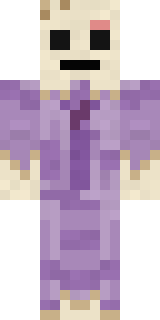 Wax Museum Escapee
 Moon Elf
About Sunflower Scarecrow
Sunflower Scarecrow is a work skin for Minecraft from the Build It team. It wears sunflower overalls, boots and a sunflower straw hat, mostly blue with touches of brown and orange. Under the outfit it is a burlap scarecrow. A great pick for roleplay, school servers and city life.
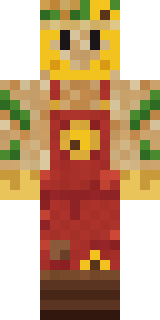
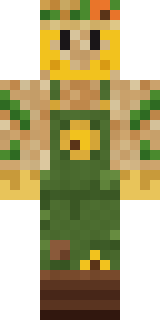
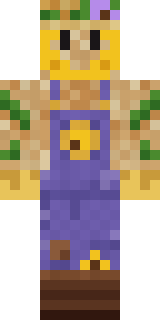
It uses the classic arms (4 pixels wide, like Steve) and works on Java and Bedrock. Download it for free, then follow the steps above to wear it in game. Open it in the Build It Skin Maker to give it your own colours. Try its 7 colour versions too, like Red barn and Pumpkin patch.
See more in the Jobs and Cute collections, or browse the Cute, Farmer and Flowers tags.