Emotional Support Pickle
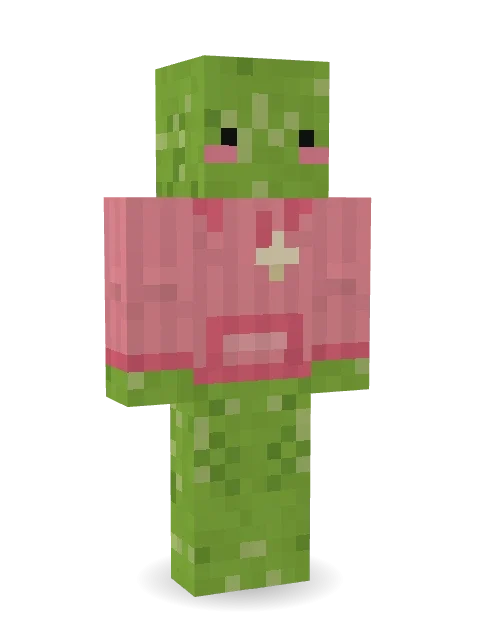
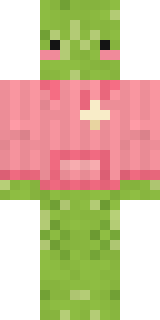
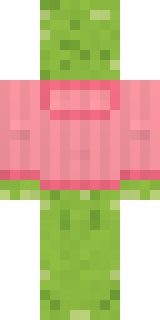
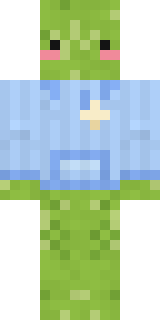
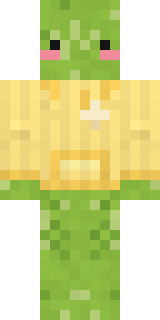
Always there when you need a hug, a little briny but kind: a speckled green pickle with pink blush cheeks in a soft pink hoodie with a cream star.

How to use this skin
Download it, then follow the steps for where you play.
Minecraft: Java Edition, in the Minecraft Launcher
- Open the Minecraft Launcher and pick Minecraft: Java Edition on the left.
- Open the Skins tab at the top and press New skin.
- Give it a name and choose the player model: Classic.
- Press Browse, pick the PNG you downloaded, then Save & Use.
- Start the game: you are wearing it, on every world and server.
Minecraft: Java Edition, on minecraft.net
- Go to minecraft.net and log in with your Microsoft account.
- Open your Profile and find the skin settings of Java Edition.
- Choose Classic, select the PNG file, and press Upload.
- Your new skin shows the next time you join a world.
Bedrock Edition: Windows, Android, iPhone, iPad, Chromebook
- Open Minecraft and press Dressing Room on the main menu (in newer versions, the character button next to your name, then Edit Character).
- Open the Classic Skins tab.
- Under Owned Skins, press Import, then Choose New Skin.
- Pick the PNG you downloaded (on a phone it is usually in Downloads or Files).
- When it asks, choose Classic, then confirm.
Xbox, PlayStation and Nintendo Switch
Consoles cannot import a skin file. There you can wear Character Creator items and skins from the Marketplace.
Some players set a skin in Bedrock on a phone or PC that is signed in to the same Microsoft account and see it on their console too. Mojang does not support that, so it may not work for you.
More by Build It












Similar skins

















Trending today
What people open and download right now.
Trending today
The skins people are opening, liking and downloading right now.

- Ancient Hexby
 nvlr33
- Modern HoodiebyBuild It
- Galaxy AxolotlbyBuild It
- Shy KidbyBuild It
- Napoleon BonapartebyBuild It
- The KingbyBuild It
- Hazmat ResponderbyBuild It
- Buff ChickenbyBuild It
- The VoidbyBuild It
- Slender ManbyBuild It
Made on Build It
A few of the skins players made here. Find one you like, or start your own.
 Muddy Farmhand
 Bookworm
 Sunny Surfer
 Rich baddie
 Carnival Ticket Taker
 Water Elemental
 Vampire Dentist
 Garden Helper
 Terracotta Turtle
 Ladybug Mechanic
 the winter cat skin
 Red Mushroom Scout
 Beekeeper
 Cursed Chess Bishop
 Chill Pond Frog
 Beetroot DJ
 Cozy AvocadoGalaxy Axolotl
 CM Style
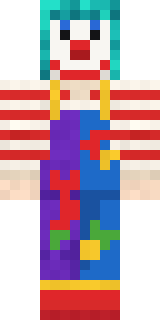 Confetti Clown
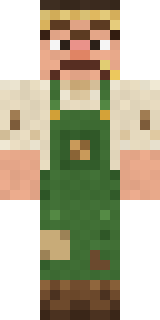 Grumpy Potato Farmer
 Giga Chad
 Hot Springs Innkeeper
 Retro Arcade Bot
 Captain Spark
 Red Hoodie
 Crimson Builder
 Plum Jester
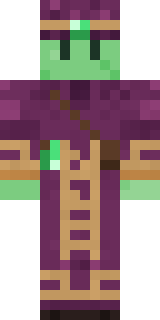 Slime Apprentice
 Gilded Steel Knight
 Medieval Cobbler
 Mint Street Artist
 Panda Pal
 Dungeon Accountant
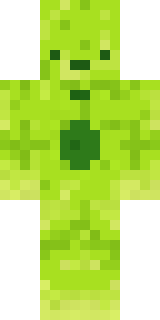 Radioactive Gummy Bear
 Coral Mermaid
 Meander
 Gold Aura Streetwear
 Vaporwave Pastel
 Possum Garbage Collector
 Stained-Glass Paladin
 Late Night Gamer
 Turtle Park Ranger
 Void Wanderer
 Grey Suit and tie
 Rose Mechanic
 Night Market Merchant
 Strawberry Jam Jar
 Skyship Navigator
 Chocolate Chip Cookie
 Stained Glass Mage
 Amethyst Mage
 Locked In Alien
 poilce demon
 Leonardo da Vinci
 Volcanic Sentinel
 Nice girl
 Strawberry Cow
 Coral Reef Sorceress
 Haunted Arcade Robot
About Emotional Support Pickle
Emotional Support Pickle is a food Minecraft skin made by the Build It team. It comes with a cream star hoodie in pink and green. Under the outfit it is a support pickle. Proof that anything can be a Minecraft skin, even lunch.
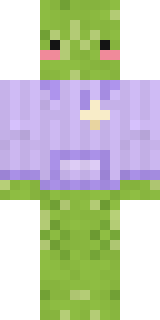
It uses the classic arms (4 pixels wide, like Steve) and works on Java and Bedrock. Download it for free and upload it in the Minecraft Launcher or the Bedrock dressing room. Open it in the Build It Skin Maker to give it your own colours. It also comes in 7 colour versions, like Lilac hoodie and Sky hoodie.
Find more skins like it in the Food and Streetwear collections, or browse the Cute, Food and Funny tags.