Tin Toy Soldier
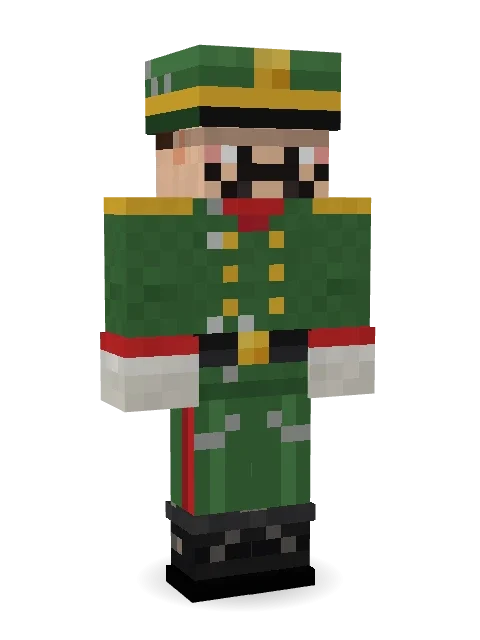
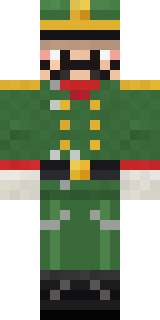
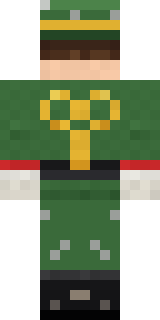
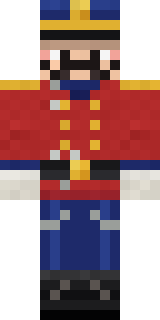
Wound up and ready to march: a tall green shako, a painted curly mustache, brass buttons, chipped tin paint and a winding key on the back.

How to use this skin
Download it, then follow the steps for where you play.
Minecraft: Java Edition, in the Minecraft Launcher
- Open the Minecraft Launcher and pick Minecraft: Java Edition on the left.
- Open the Skins tab at the top and press New skin.
- Give it a name and choose the player model: Classic.
- Press Browse, pick the PNG you downloaded, then Save & Use.
- Start the game: you are wearing it, on every world and server.
Minecraft: Java Edition, on minecraft.net
- Go to minecraft.net and log in with your Microsoft account.
- Open your Profile and find the skin settings of Java Edition.
- Choose Classic, select the PNG file, and press Upload.
- Your new skin shows the next time you join a world.
Bedrock Edition: Windows, Android, iPhone, iPad, Chromebook
- Open Minecraft and press Dressing Room on the main menu (in newer versions, the character button next to your name, then Edit Character).
- Open the Classic Skins tab.
- Under Owned Skins, press Import, then Choose New Skin.
- Pick the PNG you downloaded (on a phone it is usually in Downloads or Files).
- When it asks, choose Classic, then confirm.
Xbox, PlayStation and Nintendo Switch
Consoles cannot import a skin file. There you can wear Character Creator items and skins from the Marketplace.
Some players set a skin in Bedrock on a phone or PC that is signed in to the same Microsoft account and see it on their console too. Mojang does not support that, so it may not work for you.
More by Build It












Similar skins












Trending today
What people open and download right now.
Trending today
The skins people are opening, liking and downloading right now.

- Ancient Hexby
 nvlr33
- Modern HoodiebyBuild It
- Galaxy AxolotlbyBuild It
- Shy KidbyBuild It
- The KingbyBuild It
- Napoleon BonapartebyBuild It
- Hazmat ResponderbyBuild It
- The VoidbyBuild It
- Buff ChickenbyBuild It
- Slender ManbyBuild It
Made on Build It
A few of the skins players made here. Find one you like, or start your own.
 Monotone Man
 Giga Chad
 Dungeon Accountant
 Patchwork Teddy Bear
 Camo Commando
 Paper Bag Bandit
 lonely girl
 Malachite Golem
 Crimson Templar
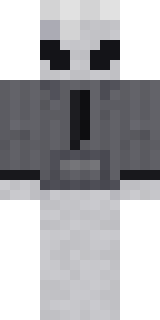 Locked In Alien
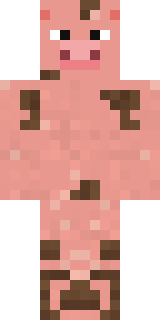 Muddy Pig
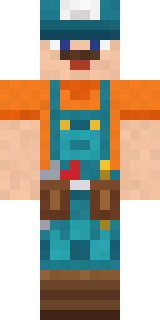 Handy Plumber
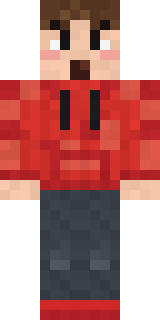 Rage Quit Gamer
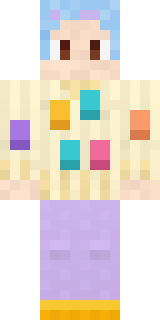 Easter Egg Sweater
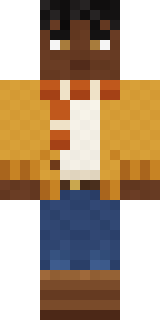 Sweater Weather
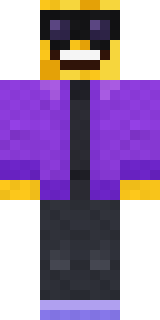 Cool Shades Face
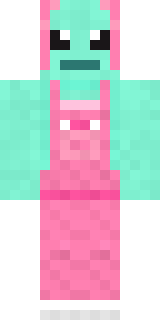 Mint Axolotl
 Neon Motorcycle Courier
 Red Flame Luchador
 Midnight Hoodie
 Full Moon Werewolf
 Mountain Rescue Medic
 Clockwork Oracle
 Fox Blacksmith
 Red Bear face tee Baby chick
 Wind Elemental
 Bookstore Owner
 the winter cat skin
 Moon Petal
 Crow Undertaker
 Muddy Farmhand
 Wildlife Photographer
 Moon Walker
 Cardboard Robot Kid
 Molten Plate Demon
 Scuba Instructor
 Spotted Frog
 Radioactive Gummy Bear
 Sleepy Sloth
 Haunted Bowling Champion
 Rookie Boxer
 Jelly Alien
 Sea Urchin Punk
 Fern Forest Sprite
 Little ToadstoolNapoleon Bonaparte
 Ember Librarian
 Bun BunArmy Soldier
 Black
 Chili Stunt Driver
 Shrimp Mechanic
 Matcha Cafe
 Carnival Ticket Taker
 Red Panda Sushi Chef
 Grey Suit and tieBouncy Slime
 Dusty Rose Vintage
 Ember Demon
 Lemon Jazz Singer
About Tin Toy Soldier
Tin Toy Soldier is a holiday skin for Minecraft made by the Build It team. It wears a tin soldier coat, tin soldier trousers, chipped tin boots and a tin shako, mostly green with touches of black. Wear it for the next celebration on the server.
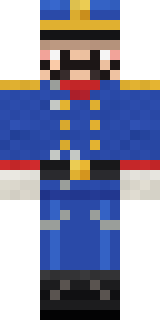
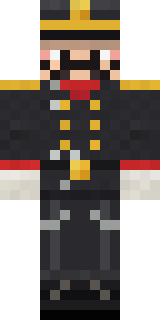
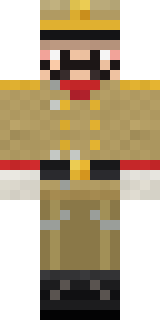
It uses the classic arms (4 pixels wide, like Steve) and works on Java and Bedrock. Download it for free and upload it in the Minecraft Launcher or the Bedrock dressing room. You can also open it in the Build It Skin Maker and make your own version. It also comes in 7 colour versions, like Royal blue tin and Scarlet tin.
Find more skins like it in the Funny and Holidays collections, or browse the Funny, Holiday and Retro tags.