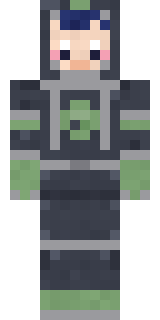
Lunar Botanist
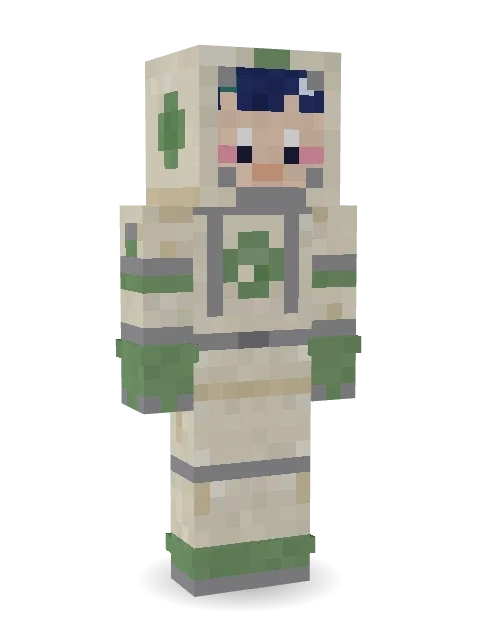
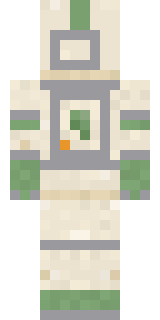
Growing the first garden on the moon: a cream space suit with sage green gloves and boots, a sprout badge and a smile behind the open visor.

How to use this skin
Download it, then follow the steps for where you play.
Minecraft: Java Edition, in the Minecraft Launcher
- Open the Minecraft Launcher and pick Minecraft: Java Edition on the left.
- Open the Skins tab at the top and press New skin.
- Give it a name and choose the player model: Slim.
- Press Browse, pick the PNG you downloaded, then Save & Use.
- Start the game: you are wearing it, on every world and server.
Minecraft: Java Edition, on minecraft.net
- Go to minecraft.net and log in with your Microsoft account.
- Open your Profile and find the skin settings of Java Edition.
- Choose Slim, select the PNG file, and press Upload.
- Your new skin shows the next time you join a world.
Bedrock Edition: Windows, Android, iPhone, iPad, Chromebook
- Open Minecraft and press Dressing Room on the main menu (in newer versions, the character button next to your name, then Edit Character).
- Open the Classic Skins tab.
- Under Owned Skins, press Import, then Choose New Skin.
- Pick the PNG you downloaded (on a phone it is usually in Downloads or Files).
- When it asks, choose Slim, then confirm.
Xbox, PlayStation and Nintendo Switch
Consoles cannot import a skin file. There you can wear Character Creator items and skins from the Marketplace.
Some players set a skin in Bedrock on a phone or PC that is signed in to the same Microsoft account and see it on their console too. Mojang does not support that, so it may not work for you.
More by Build It












Similar skins



















Trending today
What people open and download right now.
Trending today
The skins people are opening, liking and downloading right now.


- Modern HoodiebyBuild It
- Ancient Hexby
 nvlr33
- Galaxy AxolotlbyBuild It
- Shy KidbyBuild It
- Napoleon BonapartebyBuild It
- Hazmat ResponderbyBuild It
- The VoidbyBuild It
- The KingbyBuild It
- Slender ManbyBuild It
- Buff ChickenbyBuild It
Made on Build It
A few of the skins players made here. Find one you like, or start your own.
 Grumpy Broccoli
 Mountain Rescue Medic
 Goblin Raider
 Stained-Glass Paladin
 Spider Silk Merchant
 Dungeon Accountant
 Chameleon Hoodie
 Cherry Goth Streetwear
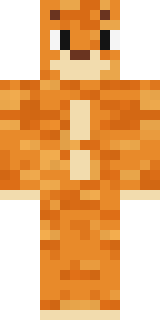 One Brain Cell Cat
 Plum Jester
 Gentle Giraffe
 Green Dude
 Leonardo da Vinci
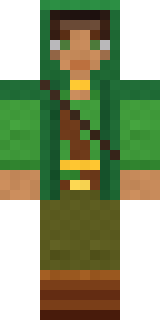 Moss Ranger
 Frost Court Noble
 Haunted Laundry Worker
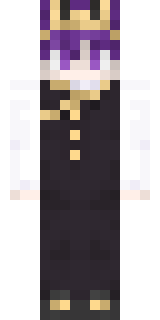 Realistic Wemmbu
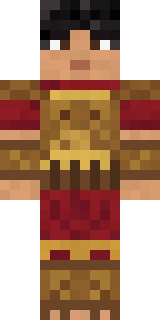 Bronze Age Warrior
 Cozy Cat
 Grey Rune stripe hoodie
 Arcade Janitor
 Build It Guy
 White Porcelain plate
 Flamehunter
 Turtle Park Ranger
 Vampire Hunter
 Wax Museum Escapee
 Cheeseburger Buddy
 Retro Fridge Robot
 Dune Racer
 Crocodile Detective
 Owl Professor
 Frost Yeti
 Radioactive Gummy Bear
 Glowbug RangerArmy Soldier
 Orange Jelly Ninja
 Crypt Custodian
 Froggy Onesie
 Electric Eel Technician
 Masked Night Prowler
 Sailor Duck
 Unimpressed Office ClerkShroud Ghost
 Golden Paladin
 Redstone Inventor
 Forgotten Funeral Guest
 Nature Elemental
 Cursed Chess Bishop
 Bloody ghost
 Bone Scout
 Vampire Dentist
 Lord Pumpkin
 Doorbell Camera Visitor
 Inmate 3742
 Slime Park Ranger
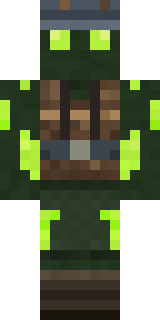 Glowworm Spelunker
 Midnight Hoodie
 Drip King
 Lighthouse Keeper
About Lunar Botanist
Lunar Botanist is a space skin for Minecraft made by the Build It team. The outfit: a lunar botanist suit and a lunar botanist helmet in yellow, grey and green. It has blush. Wear it on End trips, stargazing nights and rocket launches.
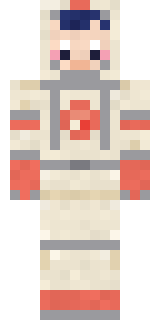
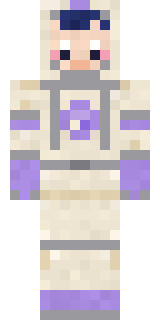
Lunar Botanist has slim 3 pixel arms and works in Minecraft Java and Bedrock. Download it for free and upload it in the Minecraft Launcher or the Bedrock dressing room. You can also open it in the Build It Skin Maker and make your own version. Try its 7 colour versions too, like Coral garden and Sky garden.
Find more skins like it in the Space and Cute collections, or look through the Cute, Girl and Nature tags.